
QuickCut
Productivity Contains ads
Convert video to MP3 audio and compress video size without losing quality.
- Downloads
- 50+
- on Google Play
- Price
- Free
- No in-app purchases
- Updated
- Aug 17
- 2026 · v1.20.3.30
Screenshots
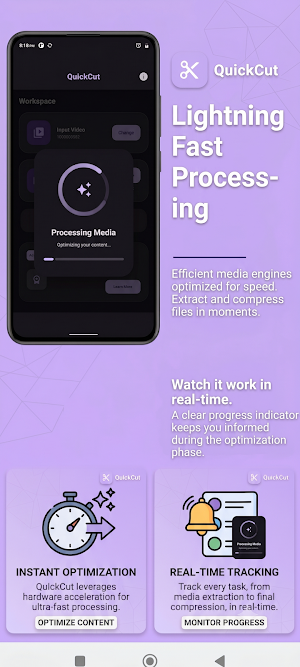


About QuickCut
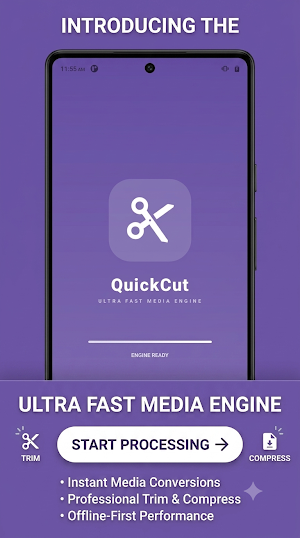
Need a simple way to extract audio from videos or compress large video files without losing visual quality? QuickCut is your all-in-one offline video to audio converter, MP3 cutter, and smart video compressor built specifically for Android.
Seamlessly extract music, trim audio tracks, and shrink video file sizes to free up device storage—100% offline, right on your phone.
🎬 KEY FEATURES
1. High-Quality Video to MP3 Converter
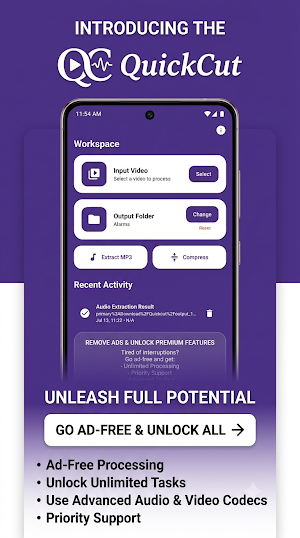
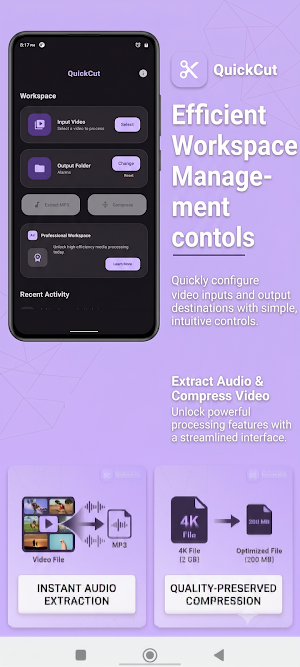
* Instant Extraction: Convert MP4, MKV, AVI, FLV, MOV, and 3GP videos into clear MP3 or AAC audio files.
* Batch Conversion: Convert multiple video files simultaneously in the background to save time.
* Audio Editor & Merger: Cut, trim, and combine audio clips to create custom music mixes or remixes.
* Precision Ringtone Maker: Add Fade-In/Fade-Out effects, edit ID3 tags (Title, Artist, Album), and set extracted audio directly as your Ringtone, Alarm, or Notification sound.
2. Smart Video Compressor (Maintain Quality)
* Lossless Size Reduction: Reduce large video file sizes while preserving crisp resolution and original visual quality.
* Custom File Size Target: Manually set a target file size (e.g., shrink to under 25MB) for easy sharing via email, WhatsApp, or social media.
* Advanced Codec Options: Choose between X264 for high-speed compression or X265 (HEVC) for maximum storage reduction.
* Instant Video Preview: View a short preview of the compressed result before starting the full conversion process.
* Side-by-Side Comparison: Play the compressed video alongside the original on a split-screen to verify the output quality.
3. Format Converter & Storage Saver
* Universal Media Formats: Convert seamlessly between MP4, MKV, MOV, AVI, WMV, WAV, M4A, OGG, and FLAC.
* Flexible Quality Control: Adjust bitrates (32kb/s to 320kb/s), frame rates, and resolutions to match your needs.
* Storage Manager: View file sizes directly within the app and easily delete original large files to claim back storage space.
🔒 PRIVATE & OFFLINE PROCESSING
* 100% Offline & Secure: All conversions take place locally on your device hardware. Your private videos and audio files are never uploaded to cloud servers.
* Background Processing: Run video compression or audio encoding tasks in the background while you use other apps.
Reclaim your device storage, extract your favorite sound tracks, and compress videos effortlessly. Download QuickCut today to manage your media library!
Seamlessly extract music, trim audio tracks, and shrink video file sizes to free up device storage—100% offline, right on your phone.
🎬 KEY FEATURES
1. High-Quality Video to MP3 Converter
* Instant Extraction: Convert MP4, MKV, AVI, FLV, MOV, and 3GP videos into clear MP3 or AAC audio files.
* Batch Conversion: Convert multiple video files simultaneously in the background to save time.
* Audio Editor & Merger: Cut, trim, and combine audio clips to create custom music mixes or remixes.
* Precision Ringtone Maker: Add Fade-In/Fade-Out effects, edit ID3 tags (Title, Artist, Album), and set extracted audio directly as your Ringtone, Alarm, or Notification sound.
2. Smart Video Compressor (Maintain Quality)
* Lossless Size Reduction: Reduce large video file sizes while preserving crisp resolution and original visual quality.
* Custom File Size Target: Manually set a target file size (e.g., shrink to under 25MB) for easy sharing via email, WhatsApp, or social media.
* Advanced Codec Options: Choose between X264 for high-speed compression or X265 (HEVC) for maximum storage reduction.
* Instant Video Preview: View a short preview of the compressed result before starting the full conversion process.
* Side-by-Side Comparison: Play the compressed video alongside the original on a split-screen to verify the output quality.
3. Format Converter & Storage Saver
* Universal Media Formats: Convert seamlessly between MP4, MKV, MOV, AVI, WMV, WAV, M4A, OGG, and FLAC.
* Flexible Quality Control: Adjust bitrates (32kb/s to 320kb/s), frame rates, and resolutions to match your needs.
* Storage Manager: View file sizes directly within the app and easily delete original large files to claim back storage space.
🔒 PRIVATE & OFFLINE PROCESSING
* 100% Offline & Secure: All conversions take place locally on your device hardware. Your private videos and audio files are never uploaded to cloud servers.
* Background Processing: Run video compression or audio encoding tasks in the background while you use other apps.
Reclaim your device storage, extract your favorite sound tracks, and compress videos effortlessly. Download QuickCut today to manage your media library!
Alternatives to QuickCut
Looking for apps like QuickCut? Here are 6 similar Android apps on Google Play. All of them are free to download.
-
TinyMath 3D Lab: Kids Math
-
LegacyKey: Estate Passbook
-
UnitSwap: Unit & Currency
-
Digital Declutter : Cleaner
-
ProLevel: Angle & Slope
-
SensorLab Pro: Physics Sensors
| App | Rating | Price | Installs | Compare |
|---|---|---|---|---|
| QuickCut | – | Free | 50+ | |
| TinyMath 3D Lab: Kids Math | – | Free | 1+ | Compare |
| LegacyKey: Estate Passbook | – | Free | 1+ | Compare |
| UnitSwap: Unit & Currency | – | Free | 5+ | Compare |
| Digital Declutter : Cleaner | – | Free | 10+ | Compare |
| ProLevel: Angle & Slope | – | Free | 10+ | Compare |
| SensorLab Pro: Physics Sensors | – | Free | 10+ | Compare |
Compare QuickCut with the top alternatives: ratings, updates, ASO score and keyword gaps →