

Verafii
Verafii Business
GPS-tagged, watermarked photo & video evidence for field teams.
- Downloads
- 93+
- on Google Play
- Price
- Free
- No in-app purchases
- Updated
- Oct 30
- 2026 · v1.8.0
Screenshots
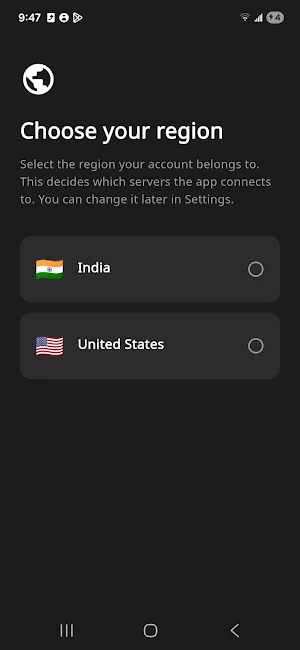
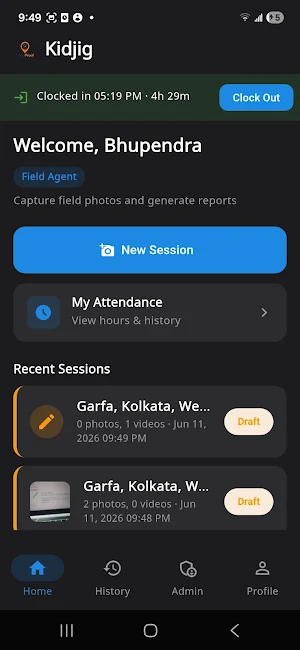
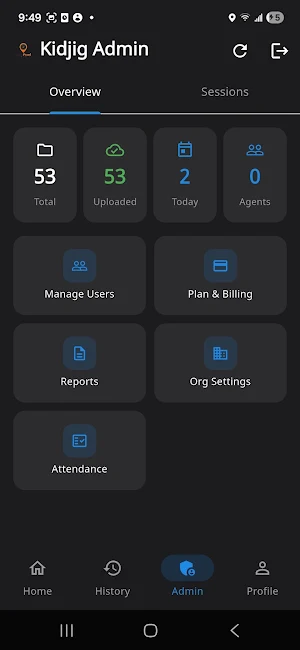
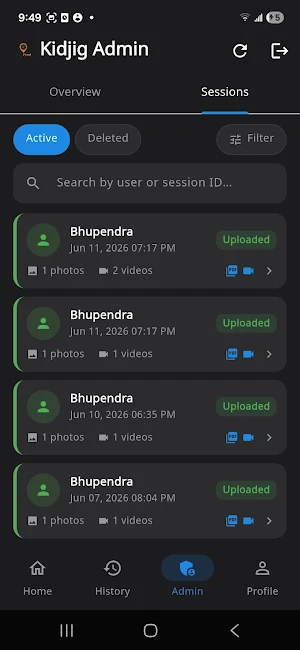


About Verafii
Every photo and video is captured live through the app's own camera — never
imported from the gallery — and stamped on the spot with GPS coordinates, a
timestamp, and your organisation's watermark. The result is field evidence you
and your clients can actually trust.
Built for inspectors, contractors, utilities, insurance and claims teams,
property and facilities crews, delivery and logistics, security patrols, and any
team that needs to prove "we were there, this is what we saw, this is when."
WHAT YOU CAN DO
• Capture live, GPS-tagged photos — location and time are burned into the image
at the moment of capture.
• Record video evidence with the same on-screen location and time overlay.
• Watermark every capture with your organisation so the source is unmistakable.
• Group captures into a session for one job, site visit, or inspection.
• Generate a clean PDF report from a session in one tap.
• Upload and share the session package and report with your office or client.
• Verify authenticity — each report links to a public verification page so
recipients can confirm it hasn't been altered.
WHY VERAFII IS DIFFERENT
• Capture-only by design. There is no gallery import, no file picker, no way to
slip in an old or edited photo. If it's in Verafii, it was taken live,
on-site, through the app.
• Location and time are recorded at the source and shown exactly as captured —
independent of who later views the report.
• Reports are verifiable, not just printable.
HOW IT WORKS
1. Open a session for the job or site.
2. Capture photos and record video — GPS and time are added automatically.
3. Tap Finish to generate a PDF report and upload the package.
4. Share the report; recipients can open the verification link to confirm it's
genuine.
PERMISSIONS
• Camera — to capture photos and record video (the core of the app).
• Microphone — to record audio with video.
• Location — to GPS-tag and watermark each capture. This is required because
location proof is the whole point of Verafii.
ACCOUNTS
Verafii is used by organisations and their field agents. Your administrator
provides your login. Need an organisation set up? Visit verafii.in
Privacy policy: https://verafii.in/privacy
Delete your account & data: https://verafii.in/delete-account
What’s new
Version 1.8.0 · Updated October 30, 2026
• A new app icon: a white check on black. • The app tells you when an update is in the store, and Profile → Check for updates looks on request. Your reports on the phone are kept when you update. • Signing out also ends the sign-in on the server, and changing your password signs you out on your other phones. • Admins with live tracking: see who is on duty and each person's day in the app. • The attendance selfie and bill photo camera no longer freeze after a brief interruption.
Alternatives to Verafii
Looking for apps like Verafii? Here are 6 similar Android apps on Google Play. The highest rated is CompanyCam (4.7/5), and all 6 are free to download.
-
CompanyCam 4.7
-
BILT: 3D Instructions 4.4
-
SimplyWise: Receipts, Expenses 4.7
-
MYCPE ONE 4.4
-
MoreApp Forms 4.3
-
Deputy: Employee Scheduling 4.7
| App | Rating | Price | Installs | Last updated | Compare |
|---|---|---|---|---|---|
| Verafii | – | Free | 50+ | Oct 30, 2026 | |
| CompanyCam | 4.7 / 5 | Free | 1,000,000+ | Oct 22, 2026 | Compare |
| BILT: 3D Instructions | 4.4 / 5 | Free | 1,000,000+ | Jul 10, 2026 | Compare |
| SimplyWise: Receipts, Expenses | 4.7 / 5 | Free | 100,000+ | Jul 28, 2026 | Compare |
| MYCPE ONE | 4.4 / 5 | Free | 1,000+ | Oct 28, 2026 | Compare |
| MoreApp Forms | 4.3 / 5 | Free | 500,000+ | Oct 8, 2026 | Compare |
| Deputy: Employee Scheduling | 4.7 / 5 | Free | 1,000,000+ | Oct 25, 2026 | Compare |
Compare Verafii with the top alternatives: ratings, updates, ASO score and keyword gaps →