
Phone Wiper Pro
Khalid Choukri Tools
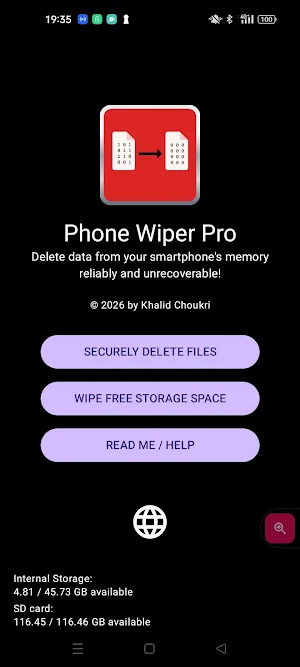
Permanently delete files and wipe empty space on your phone or SD card.
- Downloads
- 11+
- on Google Play
- Price
- $2.49
- No in-app purchases
- Updated
- Jul 25
- 2026 · v1.1.11
Screenshots


About Phone Wiper Pro
Secure file deletion: When you select files to delete, the app performs a multi-stage process:
• Filename scrambling: the file is renamed multiple times with random characters to overwrite its entry in the storage directory.
• Secure shredding: the file contents are overwritten with random values using direct hardware-level sync.
• Directory slot wiping: the space previously occupied by the file name is overwritten 15 times with dummy files to ensure the original name cannot be recovered.
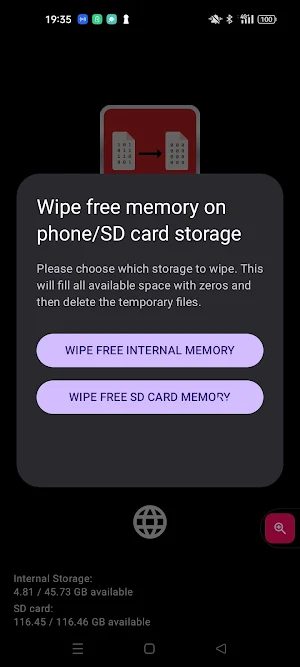
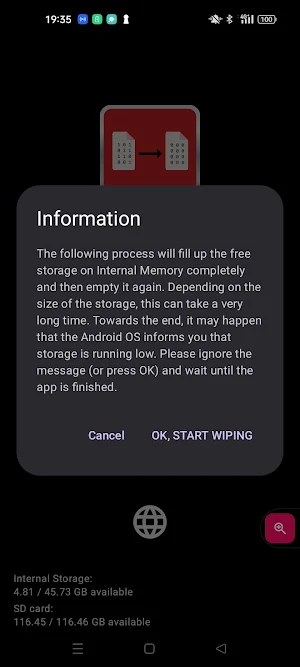
Wipe free memory: Use this to overwrite the empty space on your storage. This ensures that files you deleted before installing this app become unrecoverable. It works by creating temporary files until the storage is full, and then safely remove them.
• Filename scrambling: the file is renamed multiple times with random characters to overwrite its entry in the storage directory.
• Secure shredding: the file contents are overwritten with random values using direct hardware-level sync.
• Directory slot wiping: the space previously occupied by the file name is overwritten 15 times with dummy files to ensure the original name cannot be recovered.
Wipe free memory: Use this to overwrite the empty space on your storage. This ensures that files you deleted before installing this app become unrecoverable. It works by creating temporary files until the storage is full, and then safely remove them.
User reviews

Funkar mycket bra!

Fungerar mycket bra, precis som utlovat.

Gutes Werkzeug um jegliche Daten (inkl. bereits "gelöschte" Dateien) unwiederherstellbar zu machen! 5/5!

App is easy to use and does what it is expected to do. I especially like the option to wipe the free memory of the phone without having to perform a factory reset
Alternatives to Phone Wiper Pro
Looking for apps like Phone Wiper Pro? Here are 6 similar Android apps on Google Play. All of them are free to download.
-
BugFix: Code Bug Finder
-
CosmoRemote: AI Coding
-
Word Counter
-
Network + CVE Tools
-
SoftKey
-
EV Load Calc: NEC Wire & Fill
| App | Rating | Price | Installs | Compare |
|---|---|---|---|---|
| Phone Wiper Pro | – | $2.49 | 10+ | |
| BugFix: Code Bug Finder | – | Free | 5+ | Compare |
| CosmoRemote: AI Coding | – | Free | 10+ | Compare |
| Word Counter | – | Free | 10+ | Compare |
| Network + CVE Tools | – | Free | 50+ | Compare |
| SoftKey | – | Free | 500+ | Compare |
| EV Load Calc: NEC Wire & Fill | – | Free | 5+ | Compare |
Compare Phone Wiper Pro with the top alternatives: ratings, updates, ASO score and keyword gaps →
Similar apps on Google Play
- BugFix: Code Bug Finder
- CosmoRemote: AI Coding
- Word Counter
- Network + CVE Tools
- SoftKey
- EV Load Calc: NEC Wire & Fill
- ImmoLocal
- Home Edge Lighting
- Image Tool Box
- WeldTool
- EasyTracking Tracker
- Synchroni Lite
- Vibrator: Strong Vibration App
- Solvata
- QR & Barcode Scanner
- Tap Wipe
- Secure PDF: Compress & Lock
- Malla
- Chromaverto
- Vauhti Kasino
- Wedding Planner: Harmony
- NFCommunicator
- BinderLess
- Yasko
- Finvora: Dólar y Comisiones