
SecVSC
JUNKAI-TECH Productivity
SecVSC: PKI-powered mobile security app for secure, streamlined computer login.
- Downloads
- 9+
- on Google Play
- Price
- Free
- No in-app purchases
- Updated
- Jan 14
- 2026 · v1.5.0-personal
Screenshots
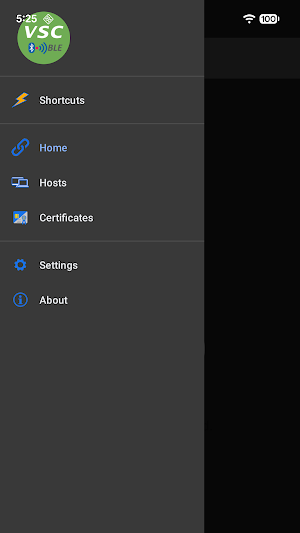
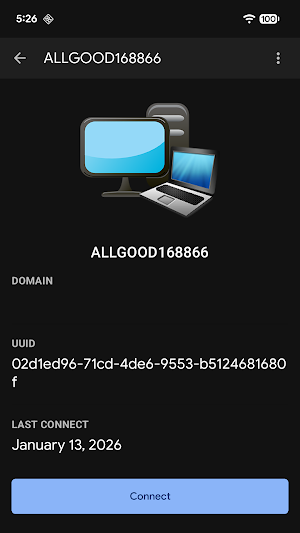


About SecVSC
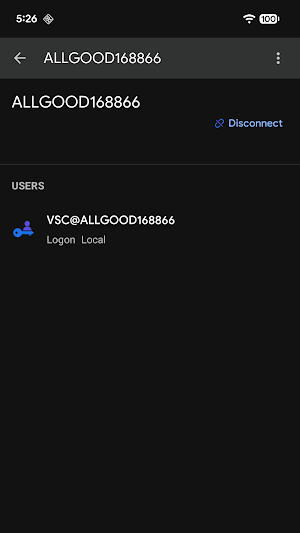
SecVSC is a mobile security application developed by JUNKAI-TECH that uses Virtual Smart Card (VSC) technology for secure computer login authentication.
Key Functions:
* Secure Windows Login: It replaces or enhances traditional passwords by using a mobile device to authenticate logins on Windows 10/11 computers and laptops.
* Strong Authentication (2FA/MFA): The app provides two-factor or multi-factor authentication by issuing digital credentials to your mobile device, reducing the risk of password leaks.
* Bluetooth Connectivity: It secure connects to a PC via Bluetooth Low Energy (BLE) by scanning a QR code generated on the computer.
* Seamless Windows-native integration: mobile PKI digital credentials power robust 2FA for disk encryption access(BitLocker).
* Supports one-touch login, one-touch screen lock, automatic screen lock when leaving, one-touch shutdown, and scheduled shutdown.
Components Required:
* To use SecVSC for Windows login auth, you generally need 3 components:
1. Mobile App: The SecVSC App (Android) acts as the virtual smart card.
2. SecureLogon Component — Digitally Signed by Windows LSA — is available for download and installation from the official SecVSC website.
3. PC Software: The VSC-IssuingP tool from the Microsoft Store, which generates root certificates and manages user credentials on the Windows side.
Privacy Policy:
* 100% privacy-focused: No personal data stored — including names, addresses, contacts, or emails — fully aligning with global data protection standards.
* No device identifiers collected. No phone numbers, serial numbers, MAC addresses, or hardware data — and zero internet connectivity.
Sensor Usage:
Only access two sensors, strictly user-initiated with no data storage/transmission:
* Camera: Exclusively for QR code scanning (activated only when you launch the feature).
* Motion Sensor: Solely for quick actions (triggered only by your preset gestures/movements).
Complies fully with privacy and security requirements.
Key Functions:
* Secure Windows Login: It replaces or enhances traditional passwords by using a mobile device to authenticate logins on Windows 10/11 computers and laptops.
* Strong Authentication (2FA/MFA): The app provides two-factor or multi-factor authentication by issuing digital credentials to your mobile device, reducing the risk of password leaks.
* Bluetooth Connectivity: It secure connects to a PC via Bluetooth Low Energy (BLE) by scanning a QR code generated on the computer.
* Seamless Windows-native integration: mobile PKI digital credentials power robust 2FA for disk encryption access(BitLocker).
* Supports one-touch login, one-touch screen lock, automatic screen lock when leaving, one-touch shutdown, and scheduled shutdown.
Components Required:
* To use SecVSC for Windows login auth, you generally need 3 components:
1. Mobile App: The SecVSC App (Android) acts as the virtual smart card.
2. SecureLogon Component — Digitally Signed by Windows LSA — is available for download and installation from the official SecVSC website.
3. PC Software: The VSC-IssuingP tool from the Microsoft Store, which generates root certificates and manages user credentials on the Windows side.
Privacy Policy:
* 100% privacy-focused: No personal data stored — including names, addresses, contacts, or emails — fully aligning with global data protection standards.
* No device identifiers collected. No phone numbers, serial numbers, MAC addresses, or hardware data — and zero internet connectivity.
Sensor Usage:
Only access two sensors, strictly user-initiated with no data storage/transmission:
* Camera: Exclusively for QR code scanning (activated only when you launch the feature).
* Motion Sensor: Solely for quick actions (triggered only by your preset gestures/movements).
Complies fully with privacy and security requirements.
What’s new
Version 1.5.0-personal · Updated January 14, 2026
Help login windows
Alternatives to SecVSC
Looking for apps like SecVSC? Here are 6 similar Android apps on Google Play. The highest rated is Aegis Authenticator - 2FA App (4.6/5), and 5 of the 6 are free to download.
-
Aegis Authenticator - 2FA App 4.6
-
Vcf viewer by Leading Tech
-
Enpass Password Manager 4.0
-
2FA Authenticator (2FAS) 4.3
-
Content - Workspace ONE 3.9
-
Boxer - Workspace ONE 3.3
| App | Rating | Price | Installs | Last updated | Compare |
|---|---|---|---|---|---|
| SecVSC | – | Free | 5+ | Jan 14, 2026 | |
| Aegis Authenticator - 2FA App | 4.6 / 5 | Free | 1,000,000+ | Sep 6, 2026 | Compare |
| Vcf viewer by Leading Tech | – | – | – | Jan 9, 2026 | Compare |
| Enpass Password Manager | 4.0 / 5 | Free | 1,000,000+ | Oct 15, 2026 | Compare |
| 2FA Authenticator (2FAS) | 4.3 / 5 | Free | 5,000,000+ | Oct 6, 2026 | Compare |
| Content - Workspace ONE | 3.9 / 5 | Free | 1,000,000+ | Oct 16, 2026 | Compare |
| Boxer - Workspace ONE | 3.3 / 5 | Free | 1,000,000+ | – | Compare |
Compare SecVSC with the top alternatives: ratings, updates, ASO score and keyword gaps →
Similar apps on Google Play
- Aegis Authenticator - 2FA App
- Vcf viewer by Leading Tech
- Enpass Password Manager
- 2FA Authenticator (2FAS)
- Content - Workspace ONE
- Boxer - Workspace ONE
- Calculator Hide Files
- ShiftFlow - Track Team Hours
- Authenticator App - OneAuth
- Okta Verify
- Azure Information Protection
- Twilio Authy Authenticator
- F-Secure: Total Security & VPN
- Google Automotive Keyboard