About JoyClip AI
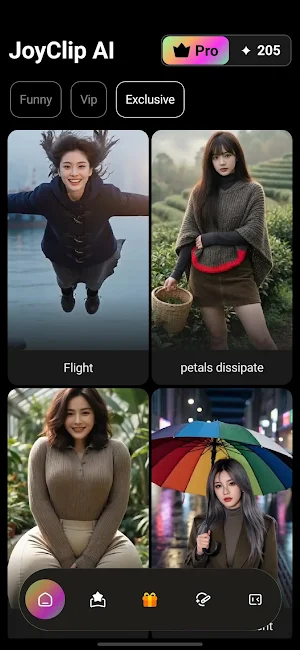
JoyClip AI helps you turn prompts and photos into short clips with a straightforward AI workflow—preview, adjust, and export when the result is ready to share.
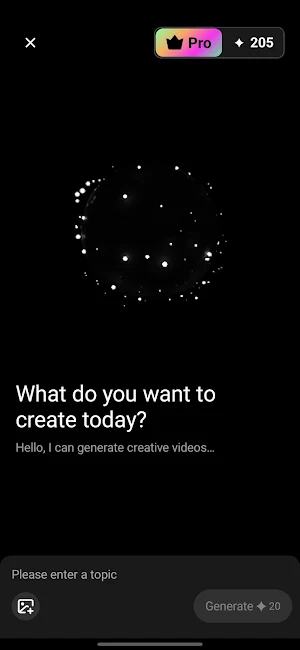
[🎨CREATE] Words, images, and references
• Describe subject, mood, or motion in text
• Add a photo or short clip as a starting point when you want a consistent look
[🎬CLIPS] Short videos for everyday sharing
• Birthday notes, pet moments, travel highlights, and casual posts
• A simple path from idea to preview—not a pro editing suite
• Export when timing and framing feel right to you
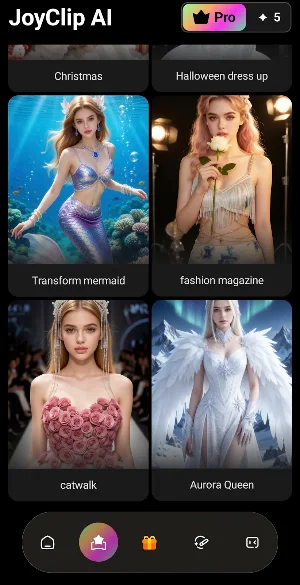
[🧩TEMPLATES] Structure when you want speed
• Start from presets, then swap prompts and media
• Less setup, more creative control on top
• Handy when you prefer a clear frame before customizing
[ 📸MOTION] Movement from still photos
• Works for portraits, pets, scenery, and products—results vary by input
• Quality depends on lighting, resolution, and subject
[ 🪄LOOKS] Style and light touch-ups
• Stylized looks, color directions, and quick enhancements for fun edits
• Artistic results may differ between photos
[👤ACCESS] Open the app without a separate account
• Anonymous use on your device—no username or password
• Subscriptions and in-app purchases run through Google Play
Download JoyClip AI and turn your next idea into a clip you are happy to share.
Similar Apps

GPS Camera: Map Geotag Photo
Geotag photos and videos. Customizable, stylish & super easy!
Dual Camera Front & Back Side
Dual camera for front and back video, vlog camera and smart recording features
Lion Art: AI Photo Generator
Turn image into AI photos with templates and prompts using an AI photo generator

TryTattoo - Tattoo Simulator
Place tattoos on your photos to see how they look before you commit.

HEIC to JPG Converter
Convert HEIC photos to JPG quickly. Supports batch image conversion.

DualShot Camera : Duolix
Dual Frame Camera
