
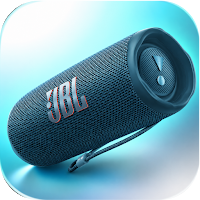
JBL Flip 6 app Guide
Saguia Ltd Lifestyle Contains ads
Stereo link two flip 6, tune your EQ and extend battery life.
- Downloads
- 2.2K+
- on Google Play
- Price
- Free
- No in-app purchases
- Updated
- Aug 3
- 2026 · v1.1.2.5
Screenshots


About JBL Flip 6 app Guide
Whether you just unboxed your Flip 6 or you've had it for a while and want to get more out of it, this guide walks you through everything at your own pace.
WHAT'S INSIDE
Setting Up Your Jbl flip 6
How to unbox, charge for the first time, power on, and pair with your phone via Bluetooth 5.1. Covers the JBL Portable app download, initial firmware update, and what each button on the speaker does.
Using the JBL Portable App
A walkthrough of the JBL Portable app adjusting the equalizer, turning on PartyBoost, checking battery level, updating firmware, and managing paired devices.
PartyBoost and Stereo Pairing
How PartyBoost works with the Flip 6. Step-by-step guide to linking two Flip 6 speakers in stereo mode or connecting with other PartyBoost-compatible JBL speakers for a bigger sound.
Battery Life and Charging
What affects the 12-hour battery volume level, EQ settings, and outdoor temperature. Best practices for USB-C charging, what the battery indicator means, and how to extend playtime.
IP67 Waterproof and Dustproof
What IP67 covers fresh water submersion up to 1 meter for 30 minutes. Pre-water and post-water care routine, and what can damage the waterproof seal over time.
Troubleshooting Common Issues
Bluetooth connection drops, PartyBoost not linking, speaker not charging, sound cutting out, and app not detecting the speaker. Reset procedure and when to contact JBL support.
KEY FEATURES
- 6 interactive tools: sound equalizer, PartyBoost configurator, troubleshooting wizard, battery calculator, comparison quiz, and quick reference card
- All content works fully offline - no internet connection needed
- Covers JBL Flip 6 (Bluetooth 5.1, IP67, 12-hour battery, USB-C, racetrack driver)
- Compatible with JBL Portable app for iOS and Android
- Light and dark mode support
DISCLAIMER
This is an independent, unofficial guide for educational purposes, made for fans and enthusiasts. Not affiliated with or endorsed by JBL, Harman International, or any of its subsidiaries. All product names and trademarks belong to their respective owners.
WHAT'S INSIDE
Setting Up Your Jbl flip 6
How to unbox, charge for the first time, power on, and pair with your phone via Bluetooth 5.1. Covers the JBL Portable app download, initial firmware update, and what each button on the speaker does.
Using the JBL Portable App
A walkthrough of the JBL Portable app adjusting the equalizer, turning on PartyBoost, checking battery level, updating firmware, and managing paired devices.
PartyBoost and Stereo Pairing
How PartyBoost works with the Flip 6. Step-by-step guide to linking two Flip 6 speakers in stereo mode or connecting with other PartyBoost-compatible JBL speakers for a bigger sound.
Battery Life and Charging
What affects the 12-hour battery volume level, EQ settings, and outdoor temperature. Best practices for USB-C charging, what the battery indicator means, and how to extend playtime.
IP67 Waterproof and Dustproof
What IP67 covers fresh water submersion up to 1 meter for 30 minutes. Pre-water and post-water care routine, and what can damage the waterproof seal over time.
Troubleshooting Common Issues
Bluetooth connection drops, PartyBoost not linking, speaker not charging, sound cutting out, and app not detecting the speaker. Reset procedure and when to contact JBL support.
KEY FEATURES
- 6 interactive tools: sound equalizer, PartyBoost configurator, troubleshooting wizard, battery calculator, comparison quiz, and quick reference card
- All content works fully offline - no internet connection needed
- Covers JBL Flip 6 (Bluetooth 5.1, IP67, 12-hour battery, USB-C, racetrack driver)
- Compatible with JBL Portable app for iOS and Android
- Light and dark mode support
DISCLAIMER
This is an independent, unofficial guide for educational purposes, made for fans and enthusiasts. Not affiliated with or endorsed by JBL, Harman International, or any of its subsidiaries. All product names and trademarks belong to their respective owners.
What’s new
Version 1.1.2.5 · Updated August 3, 2026
- v1125
Alternatives to JBL Flip 6 app Guide
Looking for apps like JBL Flip 6 app Guide? Here are 6 similar Android apps on Google Play. All of them are free to download.
-
Canon Pixma Ts3522 app Guide
-
OhO Smart Glasses app Guide
-
B-hyve XR Sprinkler App Guide
-
Meross Smart Home app Guide
-
JBL Charge 5 Speaker app Guide
-
Litter-Robot 4 app Guide
| App | Rating | Price | Installs | Last updated | Compare |
|---|---|---|---|---|---|
| JBL Flip 6 app Guide | – | Free | 1,000+ | Aug 3, 2026 | |
| Canon Pixma Ts3522 app Guide | – | Free | 500+ | Aug 3, 2026 | Compare |
| OhO Smart Glasses app Guide | – | Free | 1,000+ | Oct 12, 2026 | Compare |
| B-hyve XR Sprinkler App Guide | – | Free | 50+ | Sep 8, 2026 | Compare |
| Meross Smart Home app Guide | – | Free | 50+ | Sep 8, 2026 | Compare |
| JBL Charge 5 Speaker app Guide | – | Free | 5,000+ | Oct 12, 2026 | Compare |
| Litter-Robot 4 app Guide | – | Free | 50+ | Sep 8, 2026 | Compare |
Similar apps on Google Play
- Canon Pixma Ts3522 app Guide
- OhO Smart Glasses app Guide
- B-hyve XR Sprinkler App Guide
- Meross Smart Home app Guide
- JBL Charge 5 Speaker app Guide
- Litter-Robot 4 app Guide
- Petkit Purobot Max Pro 2 Guide
- Miniso MS188 AI Earbuds Guide
- Miniso MS190 Earbuds app Guide
- Moondrop Space Travel 2 Guide
- Ortizan Portable Speaker Guide