B-hyve XR Sprinkler App Guide
Zone setup, WeatherSense, schedules & WiFi fix guide for orbit b-hyve xr.
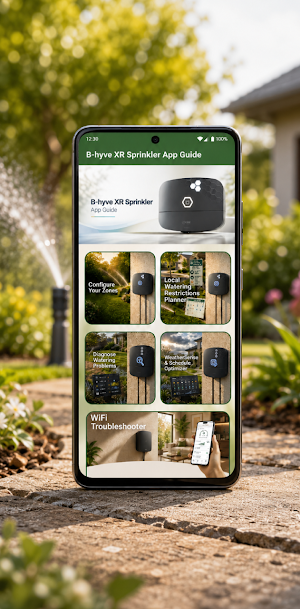
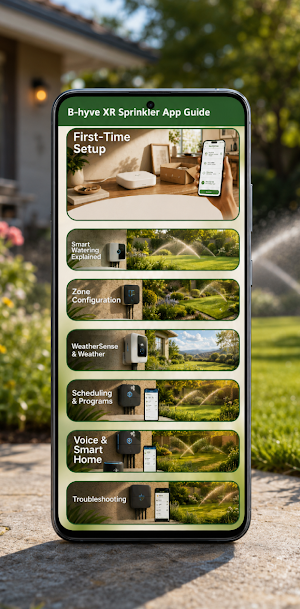
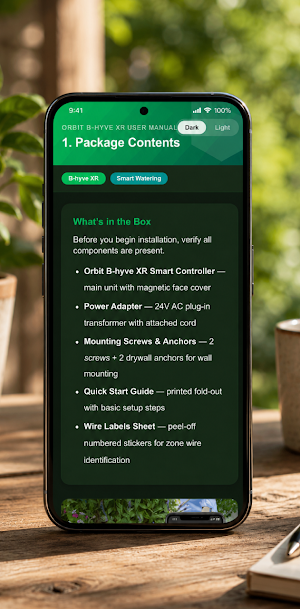
About B-hyve XR Sprinkler App Guide
Setting up an orbit b-hyve xr involves more than just plugging it in you need to configure zones, understand how WeatherSense decides when to skip a watering run, and make sure your WiFi setup does not block remote control.
This guide walks through each part clearly so your system waters when it should and skips when it should not.
WHAT'S INSIDE
>> First-Time Setup
A step-by-step walkthrough of the physical installation and B-hyve app pairing process from mounting the controller and connecting zone wires to adding the device in the app and confirming your property location (ZIP code and address must be accurate for WeatherSense to work correctly). Also covers the timezone setting that most users overlook, which can cause schedules to run at unexpected hours.
>> Smart Watering Explained
How the B-hyve XR's Smart Watering feature works using local weather data, soil moisture estimates, and seasonal adjustments to decide when to water and when to skip. Covers how to read the watering calendar to understand why a scheduled run was skipped, and how to configure Smart Watering thresholds to match your actual yard conditions.
>> Zone Configuration
How to set up each zone in the B-hyve app with the correct label, valve type, and watering duration. Covers how to run each zone manually to verify wiring, how to handle a zone that runs with another zone at the same time (crossed wires), and how a loose common wire affects multiple zones at once.
>> WeatherSense and Weather Settings
A clear breakdown of every weather-related setting in the B-hyve app Weather Delays, Rain Delay thresholds, Smart Watering Restrictions for local watering ordinances (odd/even day rules), and Seasonal Adjustment.
>> Scheduling and Programs
How to create and manage watering programs in the B-hyve app setting start times, run duration per zone, watering days, and how multiple programs interact with each other. Covers the difference between Smart Watering programs and custom fixed schedules, and when to use each.
>> Voice and Smart Home
How to connect the B-hyve XR with Alexa and Google Assistant for voice control. Covers account linking steps, which voice commands work (manual run, delay, skip), and known limitations compared to full app.
KEY FEATURES
- 5 interactive tools: Configure Your Zones, Local Watering Restrictions Planner, Diagnose Watering Problems, WeatherSense and Schedule Optimizer, WiFi Troubleshooter
- All content and interactive tools work fully offline - no internet connection needed
- Covers Orbit B-hyve XR (8-zone and 16-zone models, indoor and outdoor installation, IP65 rated)
- WiFi requirement noted: 2.4 GHz only includes setup tips for common router compatibility issues
- Compatible with Android and iOS
DISCLAIMER
This is an independent, unofficial guide for educational purposes, made for fans and enthusiasts.
Not affiliated with or endorsed by Orbit Irrigation or any of its subsidiaries. All product names and trademarks belong to their respective owners.
Similar Apps
Canon Pixma Ts3522 app Guide
Get the most from your printer with our easy canon pixma ts3522 guide.
OhO Smart Glasses app Guide
OhO Guide - learn how to use, charge & take photos with your OhO glasses
Meross Smart Home app Guide
WiFi setup, HomeKit pairing, Alexa routines & smart plug guide for Meross device
JBL Charge 5 Speaker app Guide
PartyBoost pairing, EQ settings & battery tips for jbl charge 5
JBL Flip 6 app Guide
Stereo link two flip 6, tune your EQ and extend battery life.
Litter-Robot 4 app Guide
Whisker app setup, litter tips, LED guide & cat intro for litter-robot 4.
