
LumiReader
Books & Reference In-app purchases Contains ads
Read EPUB, PDF and TXT books and audiobooks offline.
- Downloads
- 2+
- on Google Play
- Price
- Free
- In-app purchases
- Updated
- Aug 13
- 2026 · v1.0.1
Screenshots
About LumiReader
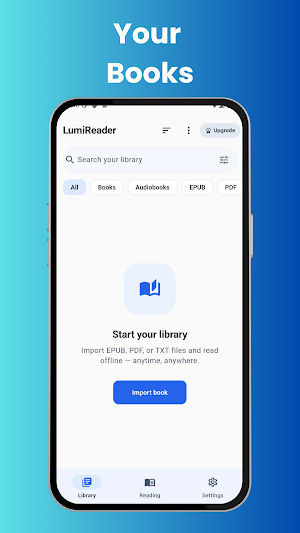
Build your personal library by importing your own EPUB, PDF and TXT files. Keep your books organized and continue reading from where you last stopped.
READ BOOKS OFFLINE
Read your imported books without requiring an internet connection. Your library, reading progress and supported reading data are stored locally on your device.
EPUB, PDF AND TXT SUPPORT
Import supported EPUB, PDF and TXT files and access them from your personal library.
AUDIOBOOKS
Import supported audiobook files and listen to them from within LumiReader. Continue playback from your previous position and use playback controls designed for comfortable listening.
READING PROGRESS
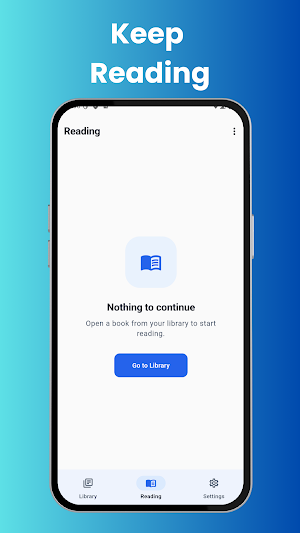
LumiReader saves your reading progress so you can return to your books and continue from where you stopped.
BOOKMARKS, NOTES AND HIGHLIGHTS
Save bookmarks, create notes and highlight important passages while reading. Your reading data is stored locally on your device.
SMART READING TOOLS
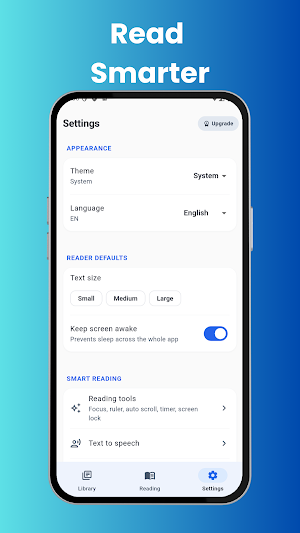
Use available reading tools such as focus mode, reading ruler, auto-scroll, screen lock, reading timer and text-to-speech to customize your reading experience.
READING CUSTOMIZATION
Adjust supported reader settings and choose between available light and dark themes for a comfortable reading environment.
PREMIUM
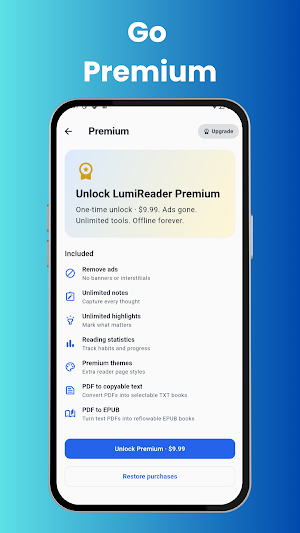
LumiReader Premium provides additional features and removes advertisements from the application.
Premium features include additional notes and highlights, reading statistics, premium themes, advanced reading tools and supported PDF conversion tools.
PRIVACY AND OFFLINE USE
LumiReader does not require an account to use the core reading experience. Your imported books and locally stored reading data remain on your device unless you explicitly use a supported sharing or export feature.
LumiReader is designed for readers who want a straightforward way to read and listen to their own books offline.
Read offline. Anytime.
What’s new
Version 1.0.1 · Updated August 13, 2026
This update is all about stability. • Fixed freezes and unexpected closures when opening or reading large PDF files • Text extraction and PDF to TXT / PDF to EPUB conversions now run in the background, so the app stays responsive • Smoother page turns, text selection and highlighting in the reader • Better handling of damaged or unsupported files • Various bug fixes and performance improvements Thank you for your feedback — happy reading with LumiReader!
Alternatives to LumiReader
Looking for apps like LumiReader? Here are 6 similar Android apps on Google Play. All of them are free to download.
-
JT Docly - PDF Scanner
-
ViralScope: Trend Signals
-
StreamRadar
-
FridgeChef – Smart Recipes
-
Spendly – Expense Tracker
-
AI Prompt Generator Pro
| App | Rating | Price | Installs | Last updated | Compare |
|---|---|---|---|---|---|
| LumiReader | – | Free | 1+ | Aug 13, 2026 | |
| JT Docly - PDF Scanner | – | Free | 5+ | Jul 7, 2026 | Compare |
| ViralScope: Trend Signals | – | Free | 50+ | Aug 7, 2026 | Compare |
| StreamRadar | – | Free | 10+ | Aug 7, 2026 | Compare |
| FridgeChef – Smart Recipes | – | Free | 5+ | Aug 7, 2026 | Compare |
| Spendly – Expense Tracker | – | Free | 1+ | Aug 7, 2026 | Compare |
| AI Prompt Generator Pro | – | Free | 100+ | Aug 7, 2026 | Compare |
Compare LumiReader with the top alternatives: ratings, updates, ASO score and keyword gaps →