
Intercore
Intercore Tools
Sync clipboard, files, screenshots, calls... A ECOSYSTEM for your phone and PC.
- Downloads
- 18+
- on Google Play
- Price
- Free
- No in-app purchases
- Updated
- Sep 3
- 2026 · v1.0.2
Screenshots
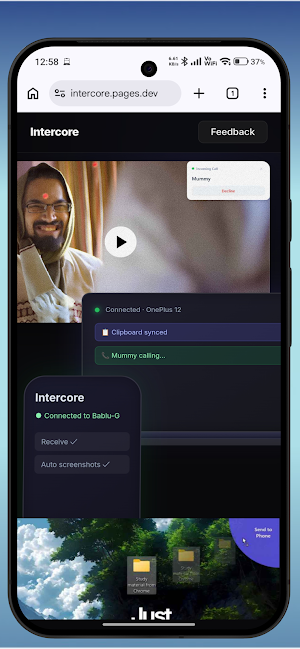

About Intercore
FEATURES
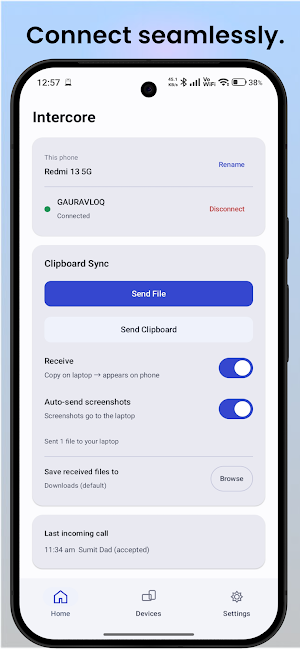
📋 Live Clipboard Sync
Copy something on your phone, paste it on your computer — and back again.
Text syncs instantly between devices, no manual steps.
📁 File Transfer
Send files between your phone and computer directly over Wi-Fi. No cables.
📸 Automatic Screenshot Sync
Take a screenshot on your phone and it shows up on your computer
automatically — ready to use in a doc, chat, or edit.
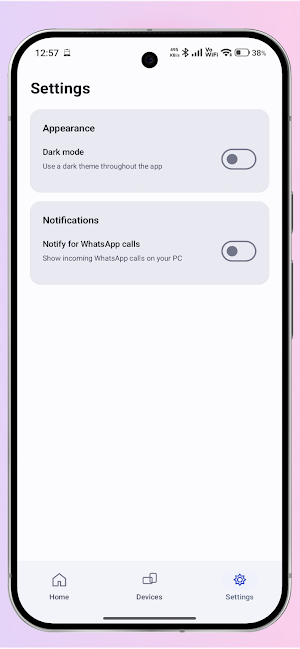
📞 Incoming Call Notifications
See who's calling your phone right on your computer screen while you're
working, with the option to decline the call without touching your phone.
PRIVATE BY DESIGN
Everything — your files, clipboard content, and call information — stays
on your own network, moving only between your own paired
devices. Nothing is uploaded to any server, and Intercore does not require
an account or login of any kind.
The only data Intercore sends anywhere is anonymous, non-identifying usage
counts that help us understand how many people use Intercore. Your files, messages, clipboard content or call data are never included in this and never leave your local network.
GETTING STARTED
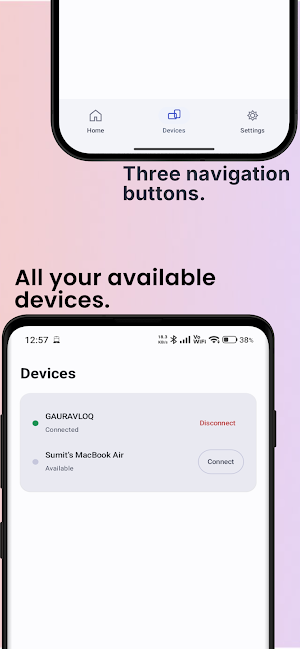
1. Install Intercore on both your phone and your Windows or Mac.
2. Make sure both devices are on the same Wi-Fi network/connection with
mobile hotspot.
3. Pair them once from the app.
4. Allow some permissions like show calls on PC or background autostart to
let the app work smoothly.
5. That's it — clipboard, file, screenshot, and call sync all work
automatically after pairing.
Some features (like call notifications and screenshot sync) require
Android permissions to work. Intercore only requests what each specific
feature needs, and everything stays local to your network.
What’s new
Version 1.0.2 · Updated September 3, 2026
✨ What's new in 1.0.2 📋 Silent Sync — anything you copy on your phone appears on your PC automatically. No more tapping Send! 🔍 Screen Text Extractor — drag over any text you see on your PC screen and copy it instantly 💬 SMS Sync — OTP & verification codes from your phone now pop up on your PC with one-tap Copy 🔐 ⚡ Faster & more stable — reconnects instantly when you switch Wi-Fi or hotspot 🛠️ Bug fixes and performance improvements
Alternatives to Intercore
Looking for apps like Intercore? Here are 6 similar Android apps on Google Play. The highest rated is Castro Premium - system info (4.7/5), and 5 of the 6 are free to download.
-
Remote Mouse 4.2
-
Final Surge 4.5
-
Castro Premium - system info 4.7
-
IFTTT - Automate work and home 3.2
-
Klarstein 3.2
-
TAP Kiln Control Mobile 4.1
| App | Rating | Price | Installs | Last updated | Compare |
|---|---|---|---|---|---|
| Intercore | – | Free | 10+ | Sep 3, 2026 | |
| Remote Mouse | 4.2 / 5 | Free | 10,000,000+ | Aug 10, 2026 | Compare |
| Final Surge | 4.5 / 5 | Free | 100,000+ | Sep 7, 2026 | Compare |
| Castro Premium - system info | 4.7 / 5 | 2.99 USD | 10,000+ | – | Compare |
| IFTTT - Automate work and home | 3.2 / 5 | Free | 10,000,000+ | – | Compare |
| Klarstein | 3.2 / 5 | Free | 100,000+ | Sep 15, 2026 | Compare |
| TAP Kiln Control Mobile | 4.1 / 5 | Free | 5,000+ | – | Compare |
Compare Intercore with the top alternatives: ratings, updates, ASO score and keyword gaps →