

InProQu - Proposals on the go
Business
Manage, preview, and share business proposals from your phone.
- Downloads
- 31+
- on Google Play
- Price
- Free
- No in-app purchases
- Updated
- Aug 26
- 2026 · v1.0.1
Screenshots
About InProQu - Proposals on the go
InProQu is the mobile app for freelancers, agencies, and sales teams who send proposals, quotes, quotations, and invoices. Share a secure client link, track payments and receipts, and close deals from your phone.
Send a proposal or quote, follow up with the client, convert accepted work to an invoice, and record payment—without waiting to get back to a desk.
PROPOSALS, QUOTES & INVOICES
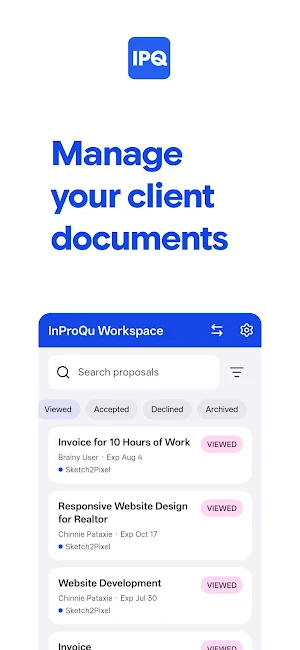
Browse proposals, quotations, invoices, and acknowledgement receipts in one list. Search and filter by status, company, client, or documents that need attention. See type, status, payment state, totals, expiration, views, and activity. Preview exactly what the client sees—without counting as a client view.
SHARE & SEND
Turn a secure public link on or off and share it by text, email, or any app. Password-protect the link, set view-only, require e-signature, or set an expiry. Mark a document accepted, return a shared document to draft, or revise accepted work.
PAYMENTS & NEXT STEPS
Convert an accepted proposal or quote to an invoice. Mark an invoice paid and optionally create an acknowledgement receipt for full or partial payment. Edit quote lines, payment methods, and schedules on supported documents.
EDIT & CREATE
Update title, project, client, expiration, total, currency, and custom variables. Create a new document from a workspace template. Fix missing variables before you share.
CLIENTS, TEAM & ALERTS
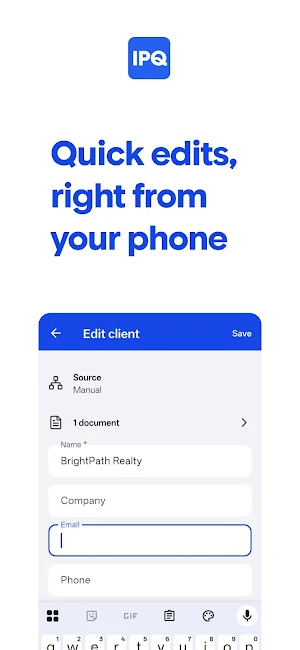
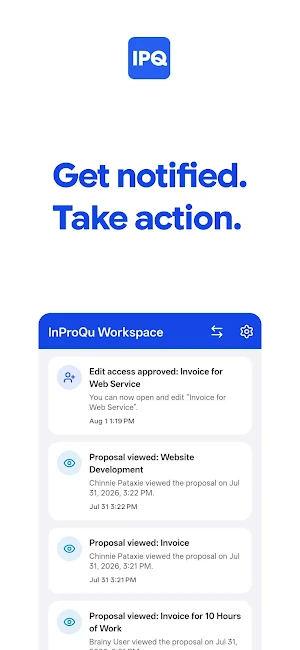
Search, add, edit, or delete contacts, then call or email from the app. Switch workspaces. Request, grant, approve, or revoke edit access on shared documents. Get in-app alerts for views, shares, payments, and other activity.
SIGN-IN & SECURITY
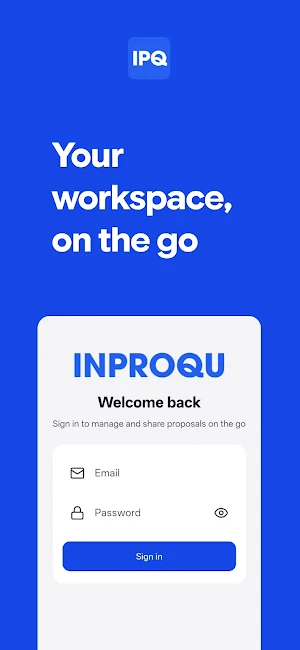
Sign in with email and password. Use multi-factor authentication when your account has it enabled. Optional Face ID, Touch ID, or device biometrics to lock the app. Connect to InProQu Cloud or your own custom server.
InProQu mobile is a companion app. Visual layout and block editing stay in the InProQu web app. Mobile is for managing, previewing, sharing, light edits, quotes, payments, and client follow-up.
An InProQu account and workspace are required.
Send a proposal or quote, follow up with the client, convert accepted work to an invoice, and record payment—without waiting to get back to a desk.
PROPOSALS, QUOTES & INVOICES
Browse proposals, quotations, invoices, and acknowledgement receipts in one list. Search and filter by status, company, client, or documents that need attention. See type, status, payment state, totals, expiration, views, and activity. Preview exactly what the client sees—without counting as a client view.
SHARE & SEND
Turn a secure public link on or off and share it by text, email, or any app. Password-protect the link, set view-only, require e-signature, or set an expiry. Mark a document accepted, return a shared document to draft, or revise accepted work.
PAYMENTS & NEXT STEPS
Convert an accepted proposal or quote to an invoice. Mark an invoice paid and optionally create an acknowledgement receipt for full or partial payment. Edit quote lines, payment methods, and schedules on supported documents.
EDIT & CREATE
Update title, project, client, expiration, total, currency, and custom variables. Create a new document from a workspace template. Fix missing variables before you share.
CLIENTS, TEAM & ALERTS
Search, add, edit, or delete contacts, then call or email from the app. Switch workspaces. Request, grant, approve, or revoke edit access on shared documents. Get in-app alerts for views, shares, payments, and other activity.
SIGN-IN & SECURITY
Sign in with email and password. Use multi-factor authentication when your account has it enabled. Optional Face ID, Touch ID, or device biometrics to lock the app. Connect to InProQu Cloud or your own custom server.
InProQu mobile is a companion app. Visual layout and block editing stay in the InProQu web app. Mobile is for managing, previewing, sharing, light edits, quotes, payments, and client follow-up.
An InProQu account and workspace are required.
What’s new
Version 1.0.1 · Updated August 26, 2026
Welcome to InProQu. Manage proposals, quotes, invoices, and receipts from your phone. • Browse, search, and preview documents (preview does not count as a client view) • Share a secure link: password, view-only, e-signature, and expiry • Convert accepted work to an invoice or acknowledgement; mark invoices paid • Edit details, quote lines, and variables; create from workspace templates • Contacts, activity alerts, MFA, and optional biometric lock
Alternatives to InProQu - Proposals on the go
Looking for apps like InProQu - Proposals on the go? Here are 2 similar Android apps on Google Play. 1 of the 2 are free to download.

| App | Rating | Price | Installs | Last updated | Compare |
|---|---|---|---|---|---|
| InProQu - Proposals on the go | – | Free | 10+ | Aug 26, 2026 | |
| Budolinks - Bio & Storefront | – | Free | 10+ | Jul 29, 2026 | Compare |
| PaprCamera | – | 0.79 USD | 1+ | Jul 19, 2026 | Compare |