
LockMe (App & File locker)
Tools
An amazing way to protect your privacy and security on your Android phone.
- Downloads
- 1K+
- on Google Play
- Price
- Free
- No in-app purchases
- Updated
- Jul 15
- 2018 · v2.10
Screenshots
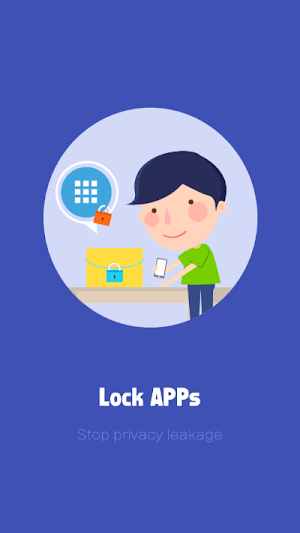
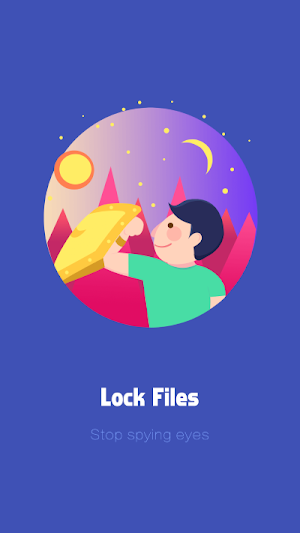
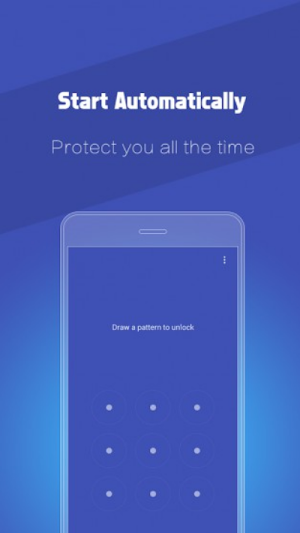

About LockMe (App & File locker)
LockMe is a project from INovex to lock App and File for your Android Phone. It is an amazing way to protect your privacy and security on your Android phone. With LockMe, you will never worry too much about the leakage of your personal sensitive date. Once you set lock for individual APPs and encrypt multimedia files – nobody will be able to access them without a correct master password - giving you entire control over who sees what.
Whatever you want to keep it to yourself, locking down your privacy has never been simpler at your fingertips. Now you can stay calm when you leave your phone, or even just sit and wait there to see who's been snooping on your phone.
Features:
• Protect your messages, SMS, call logs, photos, videos, emails and more private content on your Android device.
• Keep your social media APPs protected – – Facebook, Twitter, Instagram, Pinterest, Tumblr, WhatsApp, WeChat etc.
• Set controls for the games and APP store - prevent your kids from game addiction and random purchase.
• Encrypt almost all multimedia files your phone: images, GIF animation files, documents, videos & audios and other files.
Top features of LockMe:
• Brand new user interface: simpler, sleeker, more intuitive and easier to use.
• Take a snapshot of the person who entered wrong password up to three times.
• A new cool Vault - it's where you can encrypt strongly sensitive files and keep hold of them in it.
• LockMe can now be protected against accidental deletion. So it will not be deleted, unless the protection is removed.
Contact us:
For more information, please visit http://www.inovexidea.com
Find us on Facebook: https://www.facebook.com/inovexidea
If you have any question about LockMe, please send an email to [email protected]
Permission:
LockMe AppLock uses the Device Administrator permission.
To enable Advanced Protection, please activate LockMe AppLock as "device administrator". It's only used for preventing intruders uninstalling LockMe AppLock. Please be assured that LockMe AppLock will never use this permission to access your privacy data.
Whatever you want to keep it to yourself, locking down your privacy has never been simpler at your fingertips. Now you can stay calm when you leave your phone, or even just sit and wait there to see who's been snooping on your phone.
Features:
• Protect your messages, SMS, call logs, photos, videos, emails and more private content on your Android device.
• Keep your social media APPs protected – – Facebook, Twitter, Instagram, Pinterest, Tumblr, WhatsApp, WeChat etc.
• Set controls for the games and APP store - prevent your kids from game addiction and random purchase.
• Encrypt almost all multimedia files your phone: images, GIF animation files, documents, videos & audios and other files.
Top features of LockMe:
• Brand new user interface: simpler, sleeker, more intuitive and easier to use.
• Take a snapshot of the person who entered wrong password up to three times.
• A new cool Vault - it's where you can encrypt strongly sensitive files and keep hold of them in it.
• LockMe can now be protected against accidental deletion. So it will not be deleted, unless the protection is removed.
Contact us:
For more information, please visit http://www.inovexidea.com
Find us on Facebook: https://www.facebook.com/inovexidea
If you have any question about LockMe, please send an email to [email protected]
Permission:
LockMe AppLock uses the Device Administrator permission.
To enable Advanced Protection, please activate LockMe AppLock as "device administrator". It's only used for preventing intruders uninstalling LockMe AppLock. Please be assured that LockMe AppLock will never use this permission to access your privacy data.
What’s new
Version 2.10 · Updated July 15, 2018
• Brand new user interface: simpler, sleeker, more intuitive and easier to use. • Take a snapshot of the person who entered wrong password up to three times. • A new cool Vault - it's where you can encrypt strongly sensitive files and keep hold of them in it. • LockMe can now be protected against accidental deletion. So it will not be deleted, unless the protection is removed.
User reviews

Its a goood app ,i love it
Alternatives to LockMe (App & File locker)
Looking for apps like LockMe (App & File locker)? Here are 6 similar Android apps on Google Play. All of them are free to download.


| App | Rating | Price | Installs | Last updated | Compare |
|---|---|---|---|---|---|
| LockMe (App & File locker) | – | Free | 1,000+ | Jul 15, 2018 | |
| SportsMad | – | Free | 100+ | Nov 28, 2022 | Compare |
| বিক্রয়িকফার্মা(BikroyikPhrma) | – | Free | 500+ | – | Compare |
| MobiManager-AMAPI | – | Free | 10+ | Oct 13, 2021 | Compare |
| Sromiker Sashtha Katha | – | Free | 100+ | Oct 30, 2024 | Compare |
| MediLife | – | Free | 100+ | Apr 16, 2018 | Compare |
| Hello UI | – | Free | 100+ | Apr 10, 2018 | Compare |