

WebSafe 365
Productivity
Control Kids web browsing with WebSafe 365
- Downloads
- 100+
- on Google Play
- Price
- Free
- No in-app purchases
- Updated
- Mar 24
- 2022 · v1.4
Screenshots


About WebSafe 365
WebSafe 365 lets you control your kids web browsing on PC/Mac using our mobile app.
1. Install our free WebSafe 365 extension on your kid’s computer. - https://chrome.google.com/webstore/detail/websafe365/caalgailaopfobcgmhcglflekfefpcdn
2. install WebSafe 365 mobile app on parents’ mobile.
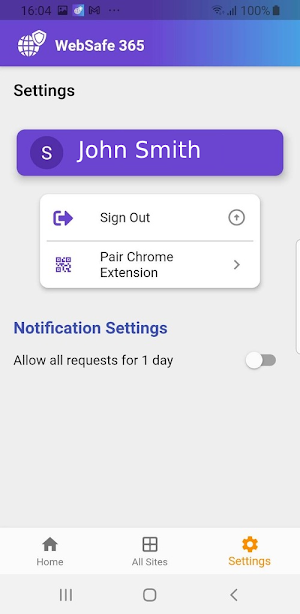
3. Scan the QR code using WebSafe 365 mobile app to link the kids desktop browser and your mobile app.
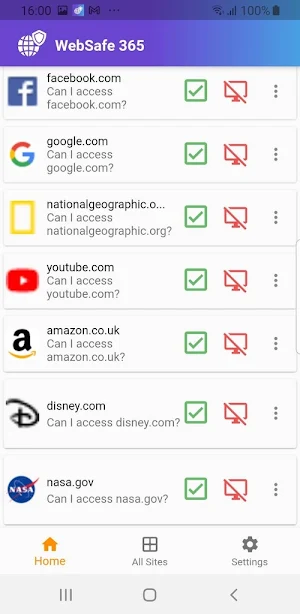
Once this is setup is complete, all websites on kid’s chrome browser will be blocked by default. When a kid wants to access a website, they will be given option to request the permission from parents mobile app.
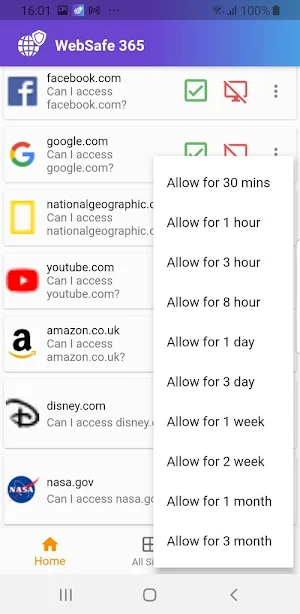
You can decide to give access or reject access to a website using your mobile app. If you accept the permission, kids web browser will redirect to the website automatically, otherwise website will remain blocked.
You can also set time limits on how long your kid should access a website. Such as 30 mins, 1 hour, 3 hours etc.
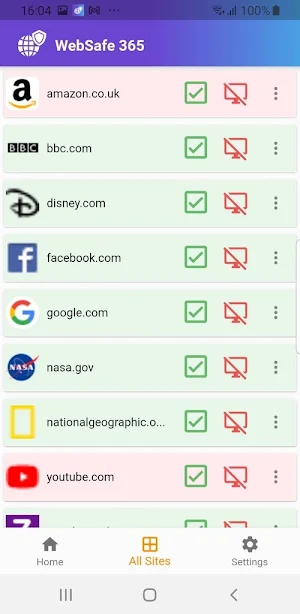
You can manage list of websites kids require access on their desktop computer through our mobile app.
WebSafe 365 is compatible with desktop Chrome Browsers (v60 onwards).
* PRICING
Chrome extension is free to try for 7 days. £19.99 per year, then onwards.
1. Install our free WebSafe 365 extension on your kid’s computer. - https://chrome.google.com/webstore/detail/websafe365/caalgailaopfobcgmhcglflekfefpcdn
2. install WebSafe 365 mobile app on parents’ mobile.
3. Scan the QR code using WebSafe 365 mobile app to link the kids desktop browser and your mobile app.
Once this is setup is complete, all websites on kid’s chrome browser will be blocked by default. When a kid wants to access a website, they will be given option to request the permission from parents mobile app.
You can decide to give access or reject access to a website using your mobile app. If you accept the permission, kids web browser will redirect to the website automatically, otherwise website will remain blocked.
You can also set time limits on how long your kid should access a website. Such as 30 mins, 1 hour, 3 hours etc.
You can manage list of websites kids require access on their desktop computer through our mobile app.
WebSafe 365 is compatible with desktop Chrome Browsers (v60 onwards).
* PRICING
Chrome extension is free to try for 7 days. £19.99 per year, then onwards.
What’s new
Version 1.4 · Updated March 24, 2022
Admob support - load smooth
Alternatives to WebSafe 365
Looking for apps like WebSafe 365? Here is 1 similar Android app on Google Play.

| App | Rating | Price | Installs | Last updated | Compare |
|---|---|---|---|---|---|
| WebSafe 365 | – | Free | 100+ | Mar 24, 2022 | |
| Snap Refine with AI | – | 5.99 USD | 1+ | Feb 26, 2023 | Compare |
Compare WebSafe 365 with the top alternatives: ratings, updates, ASO score and keyword gaps →