
MindPause : Think Before Tap
Productivity
Pause before opening apps. Build mindful screen habits.
- Downloads
- 67+
- on Google Play
- Price
- Free
- No in-app purchases
- Updated
- Oct 1
- 2026 · v1.0.3
Screenshots


About MindPause : Think Before Tap
Mind Pause – Think Before You Tap
Take a moment. Take control of your screen time.
How often do you open apps without thinking?
Mind Pause helps you manage screen time by adding a short pause before opening selected apps. This small delay gives you a moment to decide whether you want to continue.
✨ Build More Intentional Habits
Instead of opening apps instantly, Mind Pause creates a brief pause that encourages more mindful decisions.
A few seconds can help you stay aware of how you use your phone.
🚀 Why Mind Pause
Many app opens happen out of habit. Mind Pause adds a simple step between tapping and entering an app, helping you stay more in control of your usage.
🌟 Key Features
🤳 Screen Time Control
Manage how often you access selected apps.
🧠 Focus Support
Reduce interruptions and stay on track with your tasks.
⏱ Custom Pause Timer
Set a delay (e.g., 5 seconds) before apps open.
📱 App Selection
Choose which apps should trigger the pause screen.
🔕 Distraction Management
Limit unnecessary app usage during your day.
🛌 Daily Routine Support
Reduce late-night app usage and manage your routine.
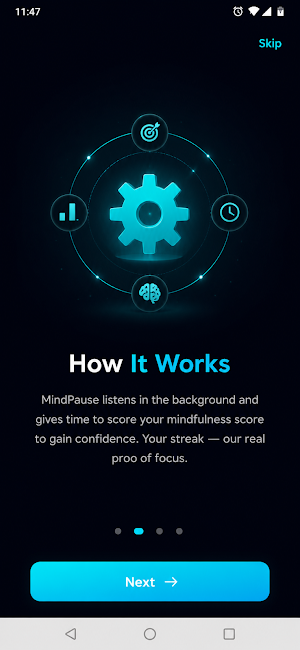
⚙️ How It Works
Select apps you want to manage
Set your pause duration
When you open those apps, Mind Pause activates
Wait briefly and decide whether to continue
🔒 Accessibility Service Usage (Required Disclosure)
Mind Pause uses the Android Accessibility Service to detect when you open selected apps and display a mindful pause screen before allowing access.
To provide this functionality, the app may monitor app activity and read on-screen content to determine when a selected app is launched.
This permission is used only for the core feature of triggering the pause screen.
Mind Pause:
❌ does NOT collect personal data
❌ does NOT store or share screen content
❌ does NOT use accessibility data for advertising or analytics
All processing happens locally on your device.
🔒 Privacy First
Mind Pause works entirely on your device.
No personal data is collected or shared.
⏳ Designed for Everyday Use
A simple way to stay aware of your app usage and build better screen habits over time.
📌 Start Managing Your Screen Time
Use Mind Pause to add a small delay that helps you stay in control of your daily app usage.
Take a moment. Take control of your screen time.
How often do you open apps without thinking?
Mind Pause helps you manage screen time by adding a short pause before opening selected apps. This small delay gives you a moment to decide whether you want to continue.
✨ Build More Intentional Habits
Instead of opening apps instantly, Mind Pause creates a brief pause that encourages more mindful decisions.
A few seconds can help you stay aware of how you use your phone.
🚀 Why Mind Pause
Many app opens happen out of habit. Mind Pause adds a simple step between tapping and entering an app, helping you stay more in control of your usage.
🌟 Key Features
🤳 Screen Time Control
Manage how often you access selected apps.
🧠 Focus Support
Reduce interruptions and stay on track with your tasks.
⏱ Custom Pause Timer
Set a delay (e.g., 5 seconds) before apps open.
📱 App Selection
Choose which apps should trigger the pause screen.
🔕 Distraction Management
Limit unnecessary app usage during your day.
🛌 Daily Routine Support
Reduce late-night app usage and manage your routine.
⚙️ How It Works
Select apps you want to manage
Set your pause duration
When you open those apps, Mind Pause activates
Wait briefly and decide whether to continue
🔒 Accessibility Service Usage (Required Disclosure)
Mind Pause uses the Android Accessibility Service to detect when you open selected apps and display a mindful pause screen before allowing access.
To provide this functionality, the app may monitor app activity and read on-screen content to determine when a selected app is launched.
This permission is used only for the core feature of triggering the pause screen.
Mind Pause:
❌ does NOT collect personal data
❌ does NOT store or share screen content
❌ does NOT use accessibility data for advertising or analytics
All processing happens locally on your device.
🔒 Privacy First
Mind Pause works entirely on your device.
No personal data is collected or shared.
⏳ Designed for Everyday Use
A simple way to stay aware of your app usage and build better screen habits over time.
📌 Start Managing Your Screen Time
Use Mind Pause to add a small delay that helps you stay in control of your daily app usage.
What’s new
Version 1.0.3 · Updated October 1, 2026
Application Maintenance and Continuous Improvement
Alternatives to MindPause : Think Before Tap
Looking for apps like MindPause : Think Before Tap? Here are 6 similar Android apps on Google Play. All of them are free to download.
-
FocusDock Minimal Launcher
-
Hindi Calendar 2026
-
FastingGo: Fast Timer & Diet
-
Priya Tamil Calendar 2026
-
Telugu Calendar 2026
-
InPlayer
| App | Rating | Price | Installs | Last updated | Compare |
|---|---|---|---|---|---|
| MindPause : Think Before Tap | – | Free | 50+ | Oct 1, 2026 | |
| FocusDock Minimal Launcher | – | Free | 10+ | Jul 23, 2026 | Compare |
| Hindi Calendar 2026 | – | Free | 10+ | – | Compare |
| FastingGo: Fast Timer & Diet | – | Free | 5+ | – | Compare |
| Priya Tamil Calendar 2026 | – | Free | 50+ | Oct 1, 2026 | Compare |
| Telugu Calendar 2026 | – | Free | 50+ | Aug 26, 2026 | Compare |
| InPlayer | – | Free | 1,000+ | – | Compare |