
OCR Scanner: Image to Text
Productivity
Scan & extract text from images.Copy, share & save instantly.Offline OCR scanner
- Downloads
- 164+
- on Google Play
- Price
- Free
- No in-app purchases
- Updated
- Feb 7
- 2026 · v1.0.9
Screenshots
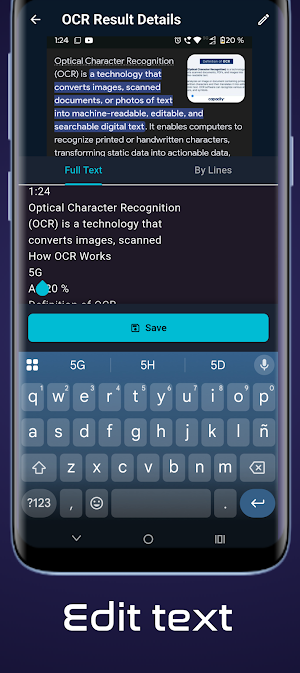

About OCR Scanner: Image to Text
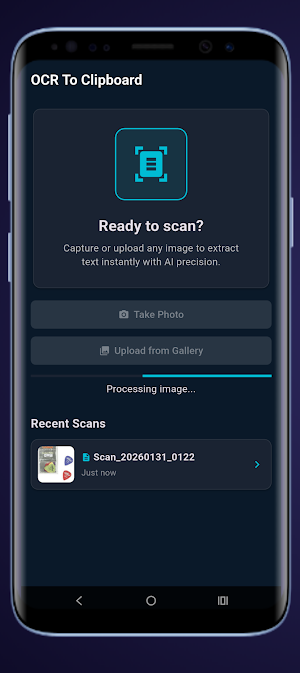
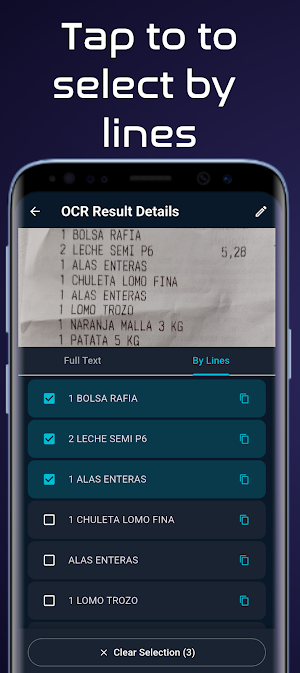
Transform any image into editable text instantly with OCR Scanner. Extract text from photos, screenshots, documents, and receipts in seconds. Copy to clipboard with one tap and use it anywhere.
100% offline & private: all text recognition happens on your device. No internet required, no data uploaded.
📸 KEY FEATURES
- Scan text from photos, screenshots & camera
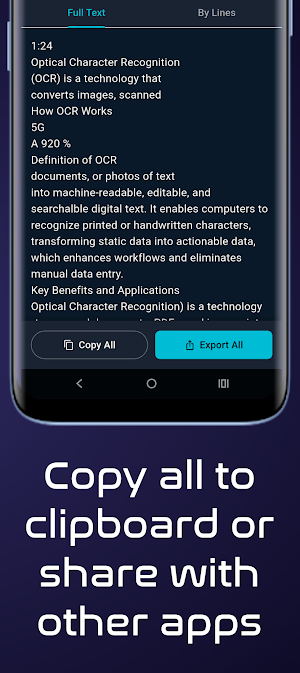
- Copy extracted text to clipboard instantly
- Share recognized text to any app
- Image to text conversion in 100+ languages
- Document scanner & receipt scanner
- Offline OCR – no internet needed
- Fast & accurate text recognition
- Clean interface, no ads interruptions
✨ PERFECT FOR
- Digitize notes & classroom materials
- Extract text from receipts, invoices & bills
- Copy text from photos, posters & signs
- Convert screenshots to editable text
- Scan documents & business cards
- Capture text from books & PDFs
- Save text from images for later use
⚡ WHY CHOOSE OCR SCANNER
✓ Free text scanner with no limits
✓ Works offline – extract text anywhere
✓ Privacy focused – nothing leaves your device
✓ Lightning fast text recognition
✓ No registration required
✓ Lightweight & battery efficient
Whether you need a document scanner, receipt scanner, or simple photo to text converter, OCR Scanner delivers accurate results every time.
Download now and start extracting text from images in seconds!
🌍 LANGUAGE SUPPORT
Latin (Latin alphabet):
Spanish, English, French, German, Italian, Portuguese, Dutch, Swedish, Danish, Norwegian, Finnish, Polish, Czech, Romanian, Hungarian, Turkish, Vietnamese, Indonesian, Malay, Filipino, and more
Also includes Arabic written with Latin characters (Arabizi / Franco-Arabic, e.g., salam, shukran, mar7ba)
Chinese (Hans / Hant – Simplified & Traditional):
Simplified Chinese, Traditional Chinese
Devanagari:
Hindi, Marathi, Nepali, Sanskrit
Japanese (Kanji + Hiragana + Katakana):
Japanese
Korean (Hangul):
Korean
ℹ️ Technical note:
Text recognition is based on the main writing systems supported by the device OCR engine. Accuracy may vary depending on image quality, font style, and mixed languages.
100% offline & private: all text recognition happens on your device. No internet required, no data uploaded.
📸 KEY FEATURES
- Scan text from photos, screenshots & camera
- Copy extracted text to clipboard instantly
- Share recognized text to any app
- Image to text conversion in 100+ languages
- Document scanner & receipt scanner
- Offline OCR – no internet needed
- Fast & accurate text recognition
- Clean interface, no ads interruptions
✨ PERFECT FOR
- Digitize notes & classroom materials
- Extract text from receipts, invoices & bills
- Copy text from photos, posters & signs
- Convert screenshots to editable text
- Scan documents & business cards
- Capture text from books & PDFs
- Save text from images for later use
⚡ WHY CHOOSE OCR SCANNER
✓ Free text scanner with no limits
✓ Works offline – extract text anywhere
✓ Privacy focused – nothing leaves your device
✓ Lightning fast text recognition
✓ No registration required
✓ Lightweight & battery efficient
Whether you need a document scanner, receipt scanner, or simple photo to text converter, OCR Scanner delivers accurate results every time.
Download now and start extracting text from images in seconds!
🌍 LANGUAGE SUPPORT
Latin (Latin alphabet):
Spanish, English, French, German, Italian, Portuguese, Dutch, Swedish, Danish, Norwegian, Finnish, Polish, Czech, Romanian, Hungarian, Turkish, Vietnamese, Indonesian, Malay, Filipino, and more
Also includes Arabic written with Latin characters (Arabizi / Franco-Arabic, e.g., salam, shukran, mar7ba)
Chinese (Hans / Hant – Simplified & Traditional):
Simplified Chinese, Traditional Chinese
Devanagari:
Hindi, Marathi, Nepali, Sanskrit
Japanese (Kanji + Hiragana + Katakana):
Japanese
Korean (Hangul):
Korean
ℹ️ Technical note:
Text recognition is based on the main writing systems supported by the device OCR engine. Accuracy may vary depending on image quality, font style, and mixed languages.
What’s new
Version 1.0.9 · Updated February 7, 2026
More languajes. Crop images. Lightning-fast image processing Minor Bug fixes
Alternatives to OCR Scanner: Image to Text
Looking for apps like OCR Scanner: Image to Text? Here are 2 similar Android apps on Google Play. All of them are free to download.

| App | Rating | Price | Installs | Last updated | Compare |
|---|---|---|---|---|---|
| OCR Scanner: Image to Text | – | Free | 100+ | Feb 7, 2026 | |
| QuickList: To-Do Lists & Tasks | – | Free | 50+ | Mar 5, 2026 | Compare |
| ARSpeedScope - Speed Tracker | – | Free | 500+ | Oct 9, 2025 | Compare |