

All in One Status, Photo & Video Saver
Productivity Contains ads
All in One Status Saver is used to store all kind of social media Status.
- Downloads
- 10+
- on Google Play
- Price
- Free
- No in-app purchases
- Updated
- Aug 15
- 2021 · v2.1
Screenshots
Save to Pinterest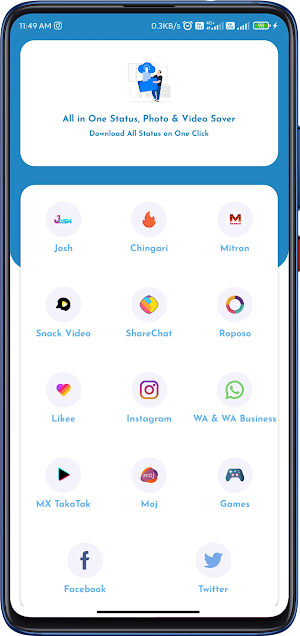


About All in One Status, Photo & Video Saver
All in One Photo & Video Saver is easy & helpful for those who want to save their favourite images and videos from Whatsapp, TikTok, Twitter, Instagram & Facebook.
▶️ App having following features:
◼️ Whatsapp status saver.
◼️ Video Downloader for Facebook.
◼️ Download Tiktok Video.
◼️ Instagram Poste Saver.
◼️ Twitter Post Saver.
◼️ Download to the gallery & Quick save whatsapp status.
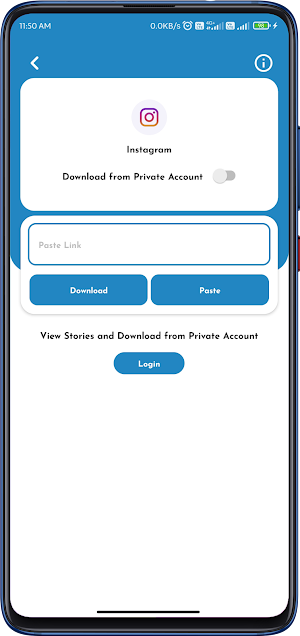
▶️ How To Use this App for Save Instagram Post.
◼️ Open the Instagram app
◼️ Click three dots icon of post's top right corner and click Copy Share URL or Copy Link option
◼️ Open this "All in One Status, Photo & Video Saver" application and go to Instagram Tab click on Paste button
◼️ Click on Download Button for Image or Video.
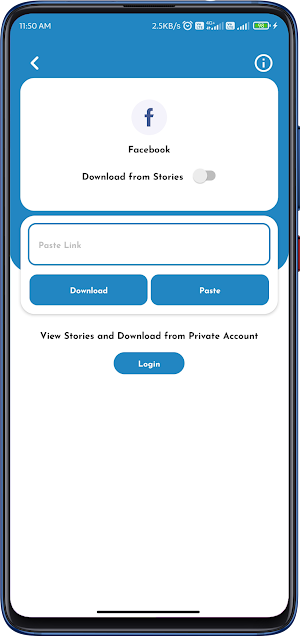
▶️ How To Use this App for Save Facebook Post.
◼️ Open the Facebook app
◼️ Copy Share URL or Copy Link of the post, that you want to save.
◼️ Open this "All in One Status, Photo & Video Saver" application and go Facebbok tab and click on Paste button
◼️ Click on Download Button for Image or Video.
▶️ Declaimer
◼️ This app is an independent one and is not affiliated with any 3rd Party including Whatsapp inc.
◼️ App not use to clone or hack Anything it just display downloaded files in app.
◼️ This app is not affiliated with Facebook, Instagram, Tiktok or Twitter.
If you need help, please send an email to [email protected]
Thank you for choosing us.
What’s new
Version 2.1 · Updated August 15, 2021
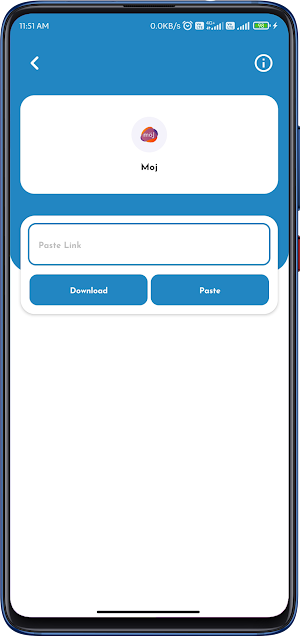
- Added Likee Downloader, Roposo Downloader, ShareChat Downloader, Snack Downloader, Twitter Downloader - Updated UI
User reviews

Amazing app 👌 Super duper.... Really need full application

Amazing app

જોરદાર એપ્લિકેશન છે મે તો ડાઉનલોડ કરી છે તમે પણ ડાઉનલોડ કરો
Alternatives to All in One Status, Photo & Video Saver
Looking for apps like All in One Status, Photo & Video Saver? Here are 4 similar Android apps on Google Play. All of them are free to download.
-
Shrimad Bhagavad Gita - eBooks
-
Ayurvedam - Ayurvedic Remedies
-
Gujju Videos - Gujarati Videos
-
Money Counter
| App | Rating | Price | Installs | Last updated | Compare |
|---|---|---|---|---|---|
| All in One Status, Photo & Video Saver | – | Free | 10+ | Aug 15, 2021 | |
| Shrimad Bhagavad Gita - eBooks | – | Free | 10,000+ | May 11, 2026 | Compare |
| Ayurvedam - Ayurvedic Remedies | – | Free | 1,000+ | Apr 29, 2026 | Compare |
| Gujju Videos - Gujarati Videos | – | Free | 5,000+ | Aug 19, 2021 | Compare |
| Money Counter | – | Free | 10,000+ | Mar 15, 2026 | Compare |