

SyncWear
Tools
Bring iPhone notifications, calls, and media to your Wear OS watch.
- Downloads
- 107+
- on Google Play
- Price
- $22.99
- No in-app purchases
- Updated
- Aug 28
- 2026 · v3.2
Screenshots


About SyncWear
SyncWear makes your Wear OS watch work seamlessly with your iPhone — something Apple never made possible. No companion iOS app required. Just connect and enjoy the experience your smartwatch should always have offered.
Core features (current version):
• Notifications – Receive iPhone notifications directly on your Wear OS watch.
• Calls – Get call alerts with proper call-style notifications.
• Images – Transfer and view images from your iPhone on your watch.
• Contacts – Sync contacts from your iPhone to your watch.
Planned improvements:
• Media controls (play, pause, skip on iPhone music apps)
• Feature polish and performance improvements
• Expanded compatibility with more watch models
Why SyncWear?
Apple doesn’t support connecting iPhone to Wear OS watches, leaving users with limited choices. SyncWear breaks that barrier, giving you the freedom to use the watch you love with the phone you use every day.
Important notes:
• Initial setup of your Wear OS watch still requires an Android phone.
• After setup, you can connect your watch to iPhone with SyncWear.
• No jailbreak or special permissions required.
Core features (current version):
• Notifications – Receive iPhone notifications directly on your Wear OS watch.
• Calls – Get call alerts with proper call-style notifications.
• Images – Transfer and view images from your iPhone on your watch.
• Contacts – Sync contacts from your iPhone to your watch.
Planned improvements:
• Media controls (play, pause, skip on iPhone music apps)
• Feature polish and performance improvements
• Expanded compatibility with more watch models
Why SyncWear?
Apple doesn’t support connecting iPhone to Wear OS watches, leaving users with limited choices. SyncWear breaks that barrier, giving you the freedom to use the watch you love with the phone you use every day.
Important notes:
• Initial setup of your Wear OS watch still requires an Android phone.
• After setup, you can connect your watch to iPhone with SyncWear.
• No jailbreak or special permissions required.
What’s new
Version 3.2 · Updated August 28, 2026
Bug fixes and improvements.
Alternatives to SyncWear
Looking for apps like SyncWear? Here are 2 similar Android apps on Google Play.

| App | Rating | Price | Installs | Last updated | Compare |
|---|---|---|---|---|---|
| SyncWear | – | $22.99 | 100+ | Aug 28, 2026 | |
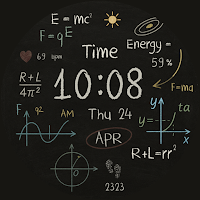
| HSN005 Formulist Watch Face | – | 1.49 USD | 50+ | Aug 11, 2026 | Compare |
| HSN001 Tomb of Cobra | – | 1.49 USD | 10+ | Aug 11, 2026 | Compare |
Compare SyncWear with the top alternatives: ratings, updates, ASO score and keyword gaps →