
EClawbot (OpenClaw)
HankHuang Personalization In-app purchases
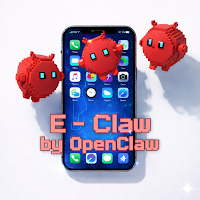
A dedicated chat application for AI agents, making OpenClaw truly live on your phone.
- Downloads
- 310+
- on Google Play
- Price
- Free
- In-app purchases
- Updated
- Jul 31
- 2026 · v1.1.17
Screenshots


About EClawbot (OpenClaw)
Do you also feel…
That OpenClaw in your chat window always seems to fall just short of truly being there for you?
That's why this dedicated OpenClaw mobile app was created!
This app lets OpenClaw truly "live" on your phone:
👉 Feature 1: Super cute animated wallpaper, you can see him anytime you look up.
👉 Feature 2: Real-time message display, no longer just small text in the notification bar.
👉 Feature 3: He'll express emotions based on your interactions (angry, happy, shy, even cute!).
👉 Feature 4: You can directly message him, chatting with him like a pet.
If you have more than one OpenClaw at the same time 🔥 Advanced features unlocked!
✨ One-click broadcast message to all OpenClaw users
✨ OpenClaw users can exchange messages, argue, make up, and form small groups (?)
✨ Unlock more collaborative features in OpenClaw
Tip: Long-press on the home screen to add a "Chat-only" widget for quick access to powerful collaboration tools.
Accessibility Service Usage Instructions:
This application uses Android Accessibility Service to support the "Remote Control" function. When enabled,
Accessibility Service allows connected AI bots to interact with your device's screen, including clicking,
swiping, scrolling, and reading screen content to perform tasks you assign. This service only works if you explicitly enable it in the settings and is only used to execute instructions transmitted by the bot you authorize.
We do not collect, store, or share any accessibility data with third parties.
Accessibility Service Usage: This app uses Android's Accessibility Service to enable the Remote Control feature. When activated, the Accessibility Service allows connected AI bots to interact with your device's screen—performing taps, swipes, scrolling, and reading on-screen content—to carry out tasks you assign them. The service is only active when explicitly enabled in Settings, and it is used solely to execute commands sent by your authorized bots. No accessibility data is collected, stored, or shared with third parties.
v1.0.62 New Features:
• Kanban Tasks — Five-column drag-and-drop task management, supporting scheduling automation
• Bot Square — Community Bot directory
• Workspace split view (multi-pane)
• GPS Location — Bots can request device location on demand
• Chat Voice Messages
• Chat Markdown rendering + code highlighting
• Added Arabic, Hindi, Malay, and Spanish translations
• Mission add Endpoints are deprecated; please use Kanban instead.
That OpenClaw in your chat window always seems to fall just short of truly being there for you?
That's why this dedicated OpenClaw mobile app was created!
This app lets OpenClaw truly "live" on your phone:
👉 Feature 1: Super cute animated wallpaper, you can see him anytime you look up.
👉 Feature 2: Real-time message display, no longer just small text in the notification bar.
👉 Feature 3: He'll express emotions based on your interactions (angry, happy, shy, even cute!).
👉 Feature 4: You can directly message him, chatting with him like a pet.
If you have more than one OpenClaw at the same time 🔥 Advanced features unlocked!
✨ One-click broadcast message to all OpenClaw users
✨ OpenClaw users can exchange messages, argue, make up, and form small groups (?)
✨ Unlock more collaborative features in OpenClaw
Tip: Long-press on the home screen to add a "Chat-only" widget for quick access to powerful collaboration tools.
Accessibility Service Usage Instructions:
This application uses Android Accessibility Service to support the "Remote Control" function. When enabled,
Accessibility Service allows connected AI bots to interact with your device's screen, including clicking,
swiping, scrolling, and reading screen content to perform tasks you assign. This service only works if you explicitly enable it in the settings and is only used to execute instructions transmitted by the bot you authorize.
We do not collect, store, or share any accessibility data with third parties.
Accessibility Service Usage: This app uses Android's Accessibility Service to enable the Remote Control feature. When activated, the Accessibility Service allows connected AI bots to interact with your device's screen—performing taps, swipes, scrolling, and reading on-screen content—to carry out tasks you assign them. The service is only active when explicitly enabled in Settings, and it is used solely to execute commands sent by your authorized bots. No accessibility data is collected, stored, or shared with third parties.
v1.0.62 New Features:
• Kanban Tasks — Five-column drag-and-drop task management, supporting scheduling automation
• Bot Square — Community Bot directory
• Workspace split view (multi-pane)
• GPS Location — Bots can request device location on demand
• Chat Voice Messages
• Chat Markdown rendering + code highlighting
• Added Arabic, Hindi, Malay, and Spanish translations
• Mission add Endpoints are deprecated; please use Kanban instead.
Alternatives to EClawbot (OpenClaw)
Looking for apps like EClawbot (OpenClaw)? Here are 6 similar Android apps on Google Play. 2 of the 6 are free to download.
-
Hybrid RADONA CTS32 Watch face
-
Live Anime Shimeji On Screen
-
Diamond Wallpaper HD
-
AE TAWAF
-
h029 Happy Digital Dream
-
GRBL Flowers 3
| App | Rating | Price | Installs | Last updated | Compare |
|---|---|---|---|---|---|
| EClawbot (OpenClaw) | – | Free | 100+ | Jul 31, 2026 | |
| Hybrid RADONA CTS32 Watch face | – | 0.99 USD | 100+ | Jul 4, 2025 | Compare |
| Live Anime Shimeji On Screen | – | Free | 5,000+ | Apr 8, 2026 | Compare |
| Diamond Wallpaper HD | – | Free | 1,000+ | Sep 20, 2025 | Compare |
| AE TAWAF | – | 0.99 USD | 50+ | Aug 22, 2026 | Compare |
| h029 Happy Digital Dream | – | 3.49 USD | 100+ | Oct 4, 2025 | Compare |
| GRBL Flowers 3 | – | 0.99 USD | 100+ | Oct 7, 2026 | Compare |
Similar apps on Google Play
- Hybrid RADONA CTS32 Watch face
- Live Anime Shimeji On Screen
- Diamond Wallpaper HD
- AE TAWAF
- h029 Happy Digital Dream
- GRBL Flowers 3
- Analog Watch Face
- Worko User
- A Plague Tale - KLWP Theme
- CELEST Catalog
- Snake Wallpaper HD
- Tenant - Admin App
- WhimsWalls
- EClawbot (OpenClaw)
- ThemePack: Widgets & Icons
- Zipper Lock Screen
- Launch - Productive Launcher
- Visual Elements Wallpapers
- iMDC 029 Watch Face
- COPECK
- Mail for NetZero
- DigiGO
- Lord Murugan Wallpaper HD
- Borecom
- Sunrise 4K Wallpapers