Signature Maker: Draw & Sign
Create signatures, scan from photos, and sign PDFs & images in seconds.
About Signature Maker: Draw & Sign
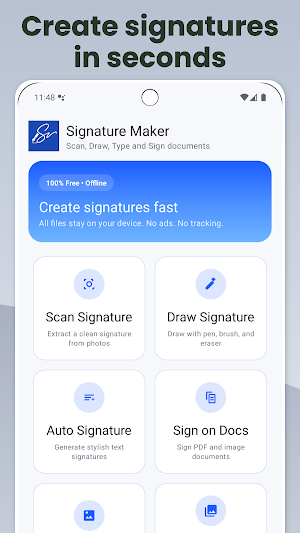
Create a professional signature in minutes and use it across your documents.
Signature Maker helps you:
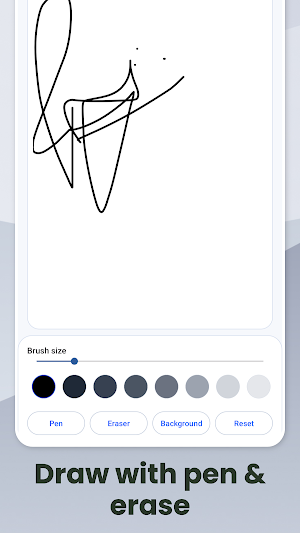
- Draw a signature with a smooth pen, adjustable brush size, and eraser
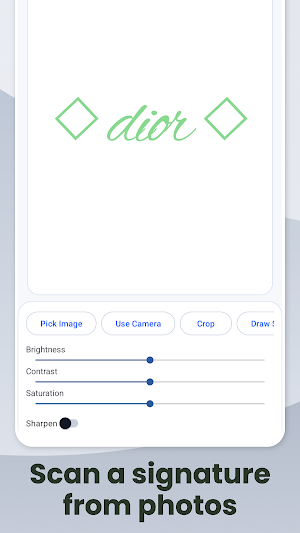
- Scan a signature from a photo and clean it for export
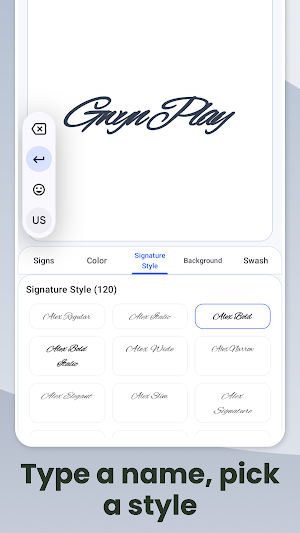
- Auto-generate signature styles from typed text (multiple fonts/styles)
- Sign documents by placing your signature on PDFs and images
- Add watermarks (text or signature) to photos
- Export & share your signature as an image (PNG)
Useful for
Contracts, forms, invoices, letters, school documents, and everyday signing.
Simple workflow
- Create a signature (draw / scan / type)
- Save it to My Creations
- Place it on a PDF or image and export
Designed to work offline and keep your files on your device.
Similar Apps

Text Swag: Logo, AI Text Maker
Design logos, text art, and posters with AI and 135+ text styles.

Typora: Text On Photo Editor
Text on Photo Editor | Add Text to Photos | Typography App to Write on Images

Humanize AI: AI Text Humanizer
Humanize AI text in one tap. Natural, undetectable-style rewriting - BypassGpt.
Text Swag - Classic Edition
Turn your words into beautiful photo text designs with over 75 typography styles

Video Journal: Daily Clips
Record daily video moments, add notes, and revisit memories by date - locally.

LGBTQ+ Mood Tracker Journal
Log emotions privately, view trends, and grow with inclusive Pride themes.
