
GNDEV: Digital Watch Face
Personalization
GNDEV: Digital Watch Face. Time, heart rate, battery, color. Wear OS perfection.
- Downloads
- 500+
- on Google Play
- Price
- Free
- No in-app purchases
- Updated
- Nov 11
- 2023 · v1.0.0
Screenshots
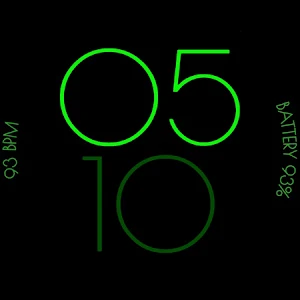


About GNDEV: Digital Watch Face
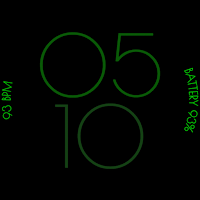
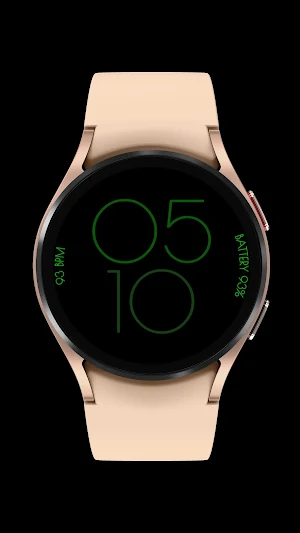
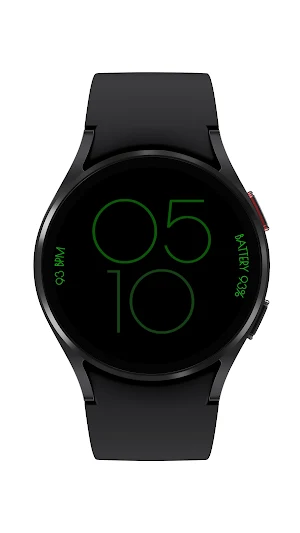
Elevate your Wear OS experience with GNDEV: Digital Watch Face, a sleek and versatile watch face designed to provide you with essential information at a glance. This feature-rich watch face seamlessly integrates time, heart rate, and battery level, all presented in a visually stunning and easily readable format.
Key Features:
🕒 Time at a Glance: The centerpiece of GNDEV: Digital Watch Face is a clear and elegant time display, ensuring that you're always on schedule and in style.
❤️ Heart Rate Monitoring: Keep tabs on your health and fitness with real-time heart rate monitoring, directly on your wrist. GNDEV: Digital Watch Face makes it easy to track your heart rate throughout the day, whether you're at work, hitting the gym, or just relaxing.
🔋 Battery Level Indicator: Stay ahead of the curve with a prominent battery level indicator. GNDEV: Digital Watch Face ensures you're aware of your device's power status, helping you manage your day without unexpected interruptions.
🌈 Customizable Color Themes: Express your personal style with GNDEV: Digital Watch Face's customizable color themes. Choose from a range of carefully curated palettes to match your mood, outfit, or even the season. Make your Wear OS watch uniquely yours with a simple tap.
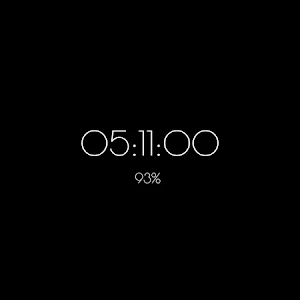
👁️ Always-On Display Compatible: GNDEV: Digital Watch Face is designed to be efficient, offering an always-on display option for supported devices without compromising battery life.
🌐 Optimized for Wear OS: Engineered for performance and compatibility, GNDEV: Digital Watch Face ensures a seamless experience on Wear OS devices, delivering a blend of style and functionality.
Download GNDEV: Digital Watch Face today and take control of your Wear OS smartwatch experience. Stay on top of your day with a watch face that's as unique as you are!
Key Features:
🕒 Time at a Glance: The centerpiece of GNDEV: Digital Watch Face is a clear and elegant time display, ensuring that you're always on schedule and in style.
❤️ Heart Rate Monitoring: Keep tabs on your health and fitness with real-time heart rate monitoring, directly on your wrist. GNDEV: Digital Watch Face makes it easy to track your heart rate throughout the day, whether you're at work, hitting the gym, or just relaxing.
🔋 Battery Level Indicator: Stay ahead of the curve with a prominent battery level indicator. GNDEV: Digital Watch Face ensures you're aware of your device's power status, helping you manage your day without unexpected interruptions.
🌈 Customizable Color Themes: Express your personal style with GNDEV: Digital Watch Face's customizable color themes. Choose from a range of carefully curated palettes to match your mood, outfit, or even the season. Make your Wear OS watch uniquely yours with a simple tap.
👁️ Always-On Display Compatible: GNDEV: Digital Watch Face is designed to be efficient, offering an always-on display option for supported devices without compromising battery life.
🌐 Optimized for Wear OS: Engineered for performance and compatibility, GNDEV: Digital Watch Face ensures a seamless experience on Wear OS devices, delivering a blend of style and functionality.
Download GNDEV: Digital Watch Face today and take control of your Wear OS smartwatch experience. Stay on top of your day with a watch face that's as unique as you are!
What’s new
Version 1.0.0 · Updated November 11, 2023
This release adds more color themes to the watch face.
Alternatives to GNDEV: Digital Watch Face
Looking for apps like GNDEV: Digital Watch Face? Here are 2 similar Android apps on Google Play.
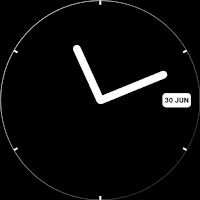
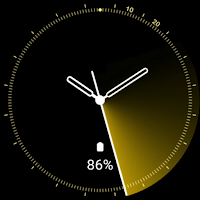
| App | Rating | Price | Installs | Last updated | Compare |
|---|---|---|---|---|---|
| GNDEV: Digital Watch Face | – | Free | 500+ | Nov 11, 2023 | |
| GNDEV: Oh So Simple Watch Face | – | 0.99 USD | 5+ | Apr 1, 2025 | Compare |
| GNDEV: Sweeping Watch Face | – | 0.99 USD | 100+ | Nov 8, 2023 | Compare |