

GenScreen Capture
Productivity Contains ads
A simple screen recording app without a floating button!
- Downloads
- 10+
- on Google Play
- Price
- Free
- No in-app purchases
- Updated
- Feb 8
- 2026 · v1.3
Screenshots


About GenScreen Capture
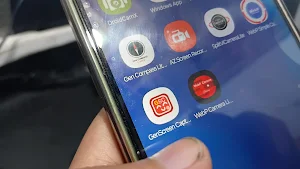
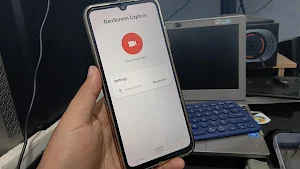
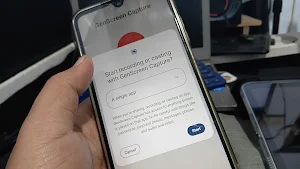
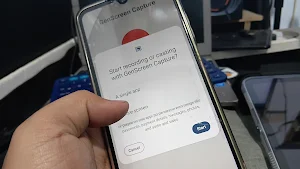
GenScreen Capture is a screen recording app designed to be simple, lightweight, and adaptable to your device. It's perfect for those who dislike floating buttons and permissions.
Furthermore, this app is lightweight and allows users to document what's on their screen by speaking through their smartphone's microphone.
This app focuses on screen recording, making it lightweight and stable. Therefore, we haven't designed it with complex features or additional functionality in the future, keeping the recording app focused on recording and keeping its size small.
This app is built using libraries provided directly by Google, and we don't use any third-party plugins or embed anything else. This app has also passed Google Play Protect screening, so you don't need to worry—at least that's all I can say. However, we don't rule out other possibilities, as we don't create our own libraries.
We've tried to minimize ads here. Currently, we only have banner ads. However, I know these banner ads generate very little revenue if not clicked, unlike reward ads, which have much larger payouts. However, this might be annoying for some. I want this app to have minimal ads, even if it impacts my small income. I hope you find it useful.
I might release a paid version of the app. If you have a lot of money or are financially able, you can purchase it without ads. I can't confirm when that will be, and I'm not making any promises, but it's part of the plan.
Latest Update: Version 1.3:
The app now has several quality settings, so you can choose them. The audio recording error has also been fixed.
However, I'm still unsure about screen orientation, as this can sometimes cause errors, so we've left it out. Alternatively, you can use screen rotation (auto) if you want to record landscape. Position it from the start, but first set the recording quality, then position your smartphone in landscape.
I've tested it running games on entry-level smartphones, and it's stable and not burdensome, as intended. Experiences vary, so please leave a review after trying it.
If your smartphone has limited codecs for its player, the video may not be detected properly because it uses modern, lightweight encoding technology and saves video file size. However, you can download 'Gen Video Player' for that, or download another player like VLC. I use the VLC library for Gen Video Player, so it's the same, just more minimalist.
Please feel free to use it, and I hope you find it useful. If you'd like to support the developer, you can send a copy of it to our website.
Thank you.
Furthermore, this app is lightweight and allows users to document what's on their screen by speaking through their smartphone's microphone.
This app focuses on screen recording, making it lightweight and stable. Therefore, we haven't designed it with complex features or additional functionality in the future, keeping the recording app focused on recording and keeping its size small.
This app is built using libraries provided directly by Google, and we don't use any third-party plugins or embed anything else. This app has also passed Google Play Protect screening, so you don't need to worry—at least that's all I can say. However, we don't rule out other possibilities, as we don't create our own libraries.
We've tried to minimize ads here. Currently, we only have banner ads. However, I know these banner ads generate very little revenue if not clicked, unlike reward ads, which have much larger payouts. However, this might be annoying for some. I want this app to have minimal ads, even if it impacts my small income. I hope you find it useful.
I might release a paid version of the app. If you have a lot of money or are financially able, you can purchase it without ads. I can't confirm when that will be, and I'm not making any promises, but it's part of the plan.
Latest Update: Version 1.3:
The app now has several quality settings, so you can choose them. The audio recording error has also been fixed.
However, I'm still unsure about screen orientation, as this can sometimes cause errors, so we've left it out. Alternatively, you can use screen rotation (auto) if you want to record landscape. Position it from the start, but first set the recording quality, then position your smartphone in landscape.
I've tested it running games on entry-level smartphones, and it's stable and not burdensome, as intended. Experiences vary, so please leave a review after trying it.
If your smartphone has limited codecs for its player, the video may not be detected properly because it uses modern, lightweight encoding technology and saves video file size. However, you can download 'Gen Video Player' for that, or download another player like VLC. I use the VLC library for Gen Video Player, so it's the same, just more minimalist.
Please feel free to use it, and I hope you find it useful. If you'd like to support the developer, you can send a copy of it to our website.
Thank you.
What’s new
Version 1.3 · Updated February 8, 2026
- Fixed Microphone Voice Recording Failure Error - Target Video Quality Selection - User Interface Improvements - Application Stability - Other Error Fixes
Alternatives to GenScreen Capture
Looking for apps like GenScreen Capture? Here are 5 similar Android apps on Google Play. The highest rated is yescan - PDF OCR Scanner (4.3/5), and all 5 are free to download.
-
Private Screenshots 3.7
-
Loom – Screen and Cam Recorder 3.5
-
yescan - PDF OCR Scanner 4.3
-
Focus Launcher
-
Screen Recorder Unlimited 4.3
| App | Rating | Price | Installs | Last updated | Compare |
|---|---|---|---|---|---|
| GenScreen Capture | – | Free | 10+ | Feb 8, 2026 | |
| Private Screenshots | 3.7 / 5 | Free | 1,000,000+ | Aug 6, 2026 | Compare |
| Loom – Screen and Cam Recorder | 3.5 / 5 | Free | 1,000,000+ | Oct 13, 2026 | Compare |
| yescan - PDF OCR Scanner | 4.3 / 5 | Free | 50,000+ | Sep 16, 2026 | Compare |
| Focus Launcher | – | Free | 5,000+ | Oct 21, 2026 | Compare |
| Screen Recorder Unlimited | 4.3 / 5 | Free | 1,000,000+ | Aug 5, 2026 | Compare |
Compare GenScreen Capture with the top alternatives: ratings, updates, ASO score and keyword gaps →