
GameBench FPS Monitor
GameBench Ltd Tools
FPS overlay and session charts for Android games with wireless setup.
- Rating
- 4.3
- 129 ratings
- Downloads
- 10K+
- on Google Play
- Price
- Free
- No in-app purchases
- Updated
- Sep 15
- 2026 · v1.1 (1055)
Screenshots


About GameBench FPS Monitor
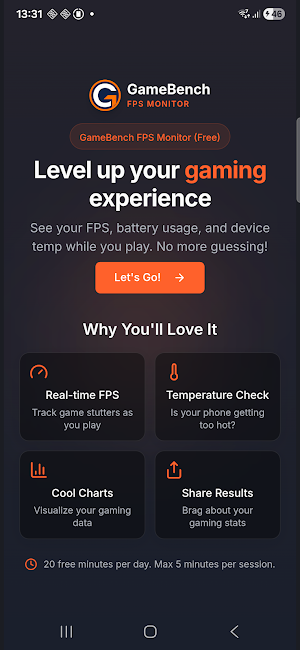
GameBench FPS Monitor measures FPS, jank, and battery temperature for Android games. It shows a floating overlay during gameplay and saves recorded sessions for review in the app dashboard.
SETUP
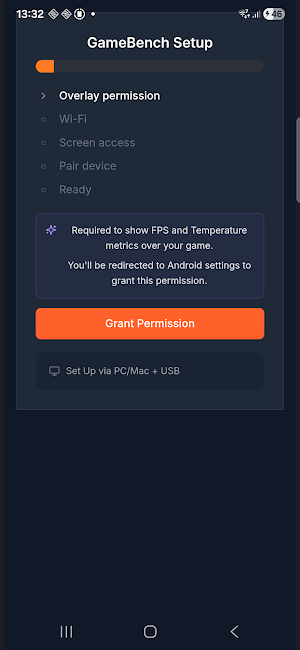
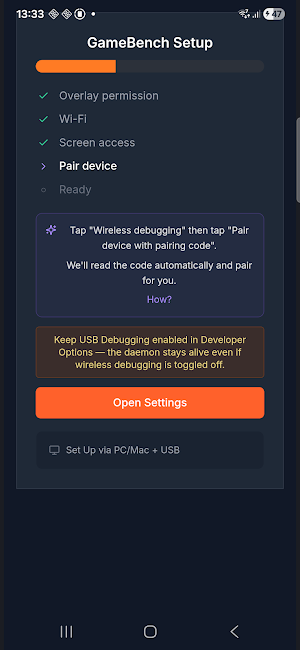
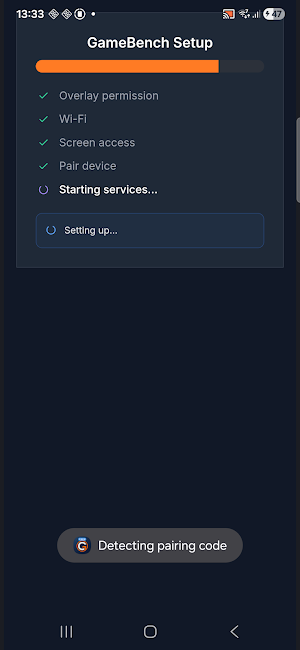
Use the guided wireless setup on supported devices. The app uses Android wireless debugging during setup. A PC is not required, and root access is not required.
OVERLAY
Show a floating overlay while you play to monitor:
• FPS
• Jank counts
• Battery temperature
RECORDINGS
Start and stop a recording from the overlay. Each recording is saved in the dashboard with session details and charts.
RESULTS
Review recorded sessions in the dashboard, including:
• FPS charts
• Session duration
• Temperature data
SHARING
Share session screenshots and recorded results from the app.
USAGE LIMITS
The app currently allows up to 20 minutes of usage per day.
REQUIREMENTS
• Android 11 or above
• Developer Options enabled
• Wireless Debugging enabled during setup
• Wi-Fi or mobile hotspot connection for wireless setup
PRIVACY
No account is required to use the app. Recorded sessions stay on the device unless the user chooses to share them. Optional support logs can be sent from the app when troubleshooting is needed.
SUPPORT
If you need help, use the Send logs option in the app or contact [email protected].
SETUP
Use the guided wireless setup on supported devices. The app uses Android wireless debugging during setup. A PC is not required, and root access is not required.
OVERLAY
Show a floating overlay while you play to monitor:
• FPS
• Jank counts
• Battery temperature
RECORDINGS
Start and stop a recording from the overlay. Each recording is saved in the dashboard with session details and charts.
RESULTS
Review recorded sessions in the dashboard, including:
• FPS charts
• Session duration
• Temperature data
SHARING
Share session screenshots and recorded results from the app.
USAGE LIMITS
The app currently allows up to 20 minutes of usage per day.
REQUIREMENTS
• Android 11 or above
• Developer Options enabled
• Wireless Debugging enabled during setup
• Wi-Fi or mobile hotspot connection for wireless setup
PRIVACY
No account is required to use the app. Recorded sessions stay on the device unless the user chooses to share them. Optional support logs can be sent from the app when troubleshooting is needed.
SUPPORT
If you need help, use the Send logs option in the app or contact [email protected].
User reviews

perfect ❤️🥹

This is really good surprisingly wow, if premium was added I would definitely buy it

good 😊

Easy to use and will get the job done well

really useful app

best app in the world my experience in favourite app. please try kro
Alternatives to GameBench FPS Monitor
Looking for apps like GameBench FPS Monitor? Here are 6 similar Android apps on Google Play. The highest rated is Game Booster 4x Faster Pro (4.4/5), and 3 of the 6 are free to download.
-
Game Booster 4x Faster Pro 4.4
-
Simply Adaptive Icon Pack 4.2
-
Screen Time for Focus -Blockin 4.3
-
DNSChanger for IPv4/IPv6 4.4
-
Photo Widget Pro 3.9
-
G-CPU:Monitor CPU, RAM, Widget 4.2
| App | Rating | Price | Installs | Last updated | Compare |
|---|---|---|---|---|---|
| GameBench FPS Monitor | 4.3 / 5 | Free | 10,000+ | Sep 15, 2026 | |
| Game Booster 4x Faster Pro | 4.4 / 5 | 0.29 USD | 1,000,000+ | Sep 27, 2026 | Compare |
| Simply Adaptive Icon Pack | 4.2 / 5 | 0.69 USD | 10,000+ | Sep 29, 2026 | Compare |
| Screen Time for Focus -Blockin | 4.3 / 5 | Free | 100,000+ | Sep 1, 2026 | Compare |
| DNSChanger for IPv4/IPv6 | 4.4 / 5 | Free | 5,000,000+ | Dec 23, 2020 | Compare |
| Photo Widget Pro | 3.9 / 5 | 0.39 USD | 5,000+ | Sep 15, 2026 | Compare |
| G-CPU:Monitor CPU, RAM, Widget | 4.2 / 5 | Free | 1,000,000+ | Sep 15, 2026 | Compare |
Similar apps on Google Play
- Game Booster 4x Faster Pro
- Simply Adaptive Icon Pack
- Screen Time for Focus -Blockin
- DNSChanger for IPv4/IPv6
- Photo Widget Pro
- G-CPU:Monitor CPU, RAM, Widget
- Taskbar
- Seestar
- blockit | stop phone addiction
- CPU Monitor - temperature
- IQAir AirVisual | Air Quality
- realme Link
- Cold Shower
- Sleep as Android Unlock
- LagoFast Game Booster: Low Lag
- Workout Quest - Gamified Gym
- Segway Mobility
- Razer Cortex Games: Rewards
- DevCheck Device & System Info
- Charge Meter
- AccuBattery
- Probuilds for LoL & Wild Rift
- Switch Access
- 3DMark — The Gamer's Benchmark
- Sensi
- One Hand Operation +
- dynamicSpot - Dynamic Island
- Widgeet-Color Widgets(Widget)
- Skit Premium - apps manager
- Reveri: Relief in Minutes