
AI Drawing Generator
Tools In-app purchases Contains ads
Create stunning AI drawings from detailed prompts. Just fresh Drawing.
- Downloads
- 100+
- on Google Play
- Price
- Free
- In-app purchases
- Updated
- Aug 27
- 2026 · v2.0
Screenshots
About AI Drawing Generator
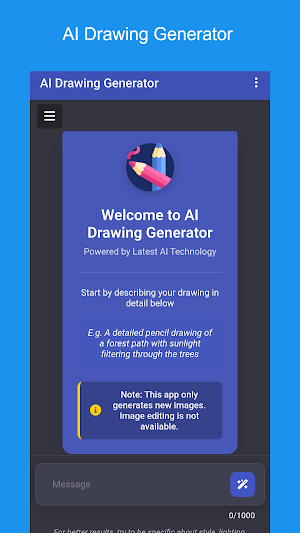
AI Drawing Generator makes it simple to turn detailed text prompts into brand‑new images using the latest AI technology, all from a clean, distraction‑free interface.
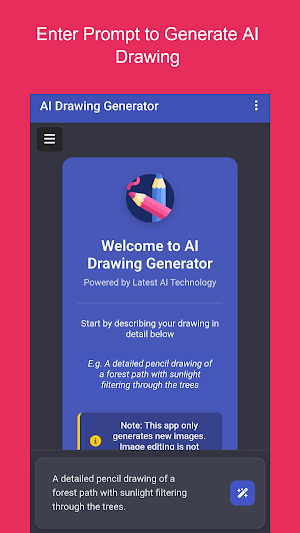
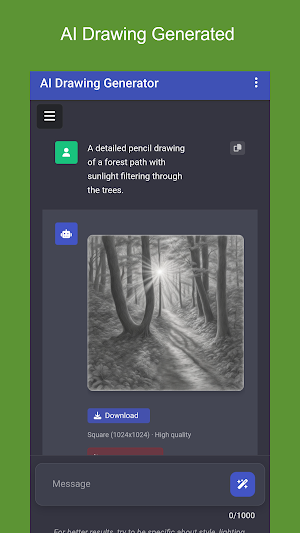
Start by describing the drawing in the message box, and send the prompt. It will generate an AI Drawing as per the prompt. The app focuses on creating new artwork only. Image editing isn’t available, so time is spent crafting prompts and exploring creative results quickly.
Key Features:
Prompt‑to‑Image Creation: Type a detailed description (up to 1000 characters) and instantly generate a new drawing from scratch.
Helpful Prompt Tips: Built‑in examples like “a detailed pencil drawing of a forest path with sunlight filtering through the trees” guide better outputs.
Clean Workspace: A minimalist canvas with a clear message field keeps attention on creativity, not clutter.
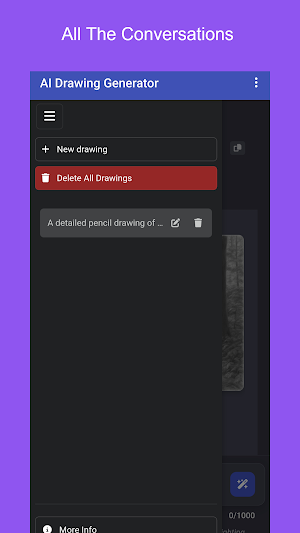
Project Management: Start a New Drawing anytime, rename it, or clean up with Delete All Drawings.
Powered by Latest AI Technology: Enjoy modern AI capabilities behind a friendly, professional UI.
Why it helps:
Faster ideation for artists, students, and creators who want quick visuals without complex tools.
Clear limits mean predictable results. Generate new images rapidly without editing overhead.
Structured workflow from prompt to output encourages better descriptions and more precise art.
Start a New Drawing, write a vivid prompt, and let the AI Drawing Generator create fresh artwork tailored to the description.
Start by describing the drawing in the message box, and send the prompt. It will generate an AI Drawing as per the prompt. The app focuses on creating new artwork only. Image editing isn’t available, so time is spent crafting prompts and exploring creative results quickly.
Key Features:
Prompt‑to‑Image Creation: Type a detailed description (up to 1000 characters) and instantly generate a new drawing from scratch.
Helpful Prompt Tips: Built‑in examples like “a detailed pencil drawing of a forest path with sunlight filtering through the trees” guide better outputs.
Clean Workspace: A minimalist canvas with a clear message field keeps attention on creativity, not clutter.
Project Management: Start a New Drawing anytime, rename it, or clean up with Delete All Drawings.
Powered by Latest AI Technology: Enjoy modern AI capabilities behind a friendly, professional UI.
Why it helps:
Faster ideation for artists, students, and creators who want quick visuals without complex tools.
Clear limits mean predictable results. Generate new images rapidly without editing overhead.
Structured workflow from prompt to output encourages better descriptions and more precise art.
Start a New Drawing, write a vivid prompt, and let the AI Drawing Generator create fresh artwork tailored to the description.
What’s new
Version 2.0 · Updated August 27, 2026
Bug Fixes!
Alternatives to AI Drawing Generator
Looking for apps like AI Drawing Generator? Here are 6 similar Android apps on Google Play. The highest rated is AI Javascript Code Generator (3.8/5), and all 6 are free to download.
-
AI Javascript Code Generator 3.8
-
Any Model AI
-
AI Researcher
-
AI Cartoon Generator
-
AI Anime Generator
-
AI Character Generator
| App | Rating | Price | Installs | Last updated | Compare |
|---|---|---|---|---|---|
| AI Drawing Generator | – | Free | 100+ | Aug 27, 2026 | |
| AI Javascript Code Generator | 3.8 / 5 | Free | 500+ | Oct 5, 2026 | Compare |
| Any Model AI | – | Free | 500+ | – | Compare |
| AI Researcher | – | Free | 100+ | – | Compare |
| AI Cartoon Generator | – | Free | 100+ | – | Compare |
| AI Anime Generator | – | Free | 100+ | Aug 28, 2026 | Compare |
| AI Character Generator | – | Free | 500+ | – | Compare |