
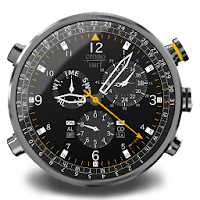
Cronosurf Wave watch
Personalization Contains ads
Mega chronograph watch with stopwatch, countdown timer, alarm, calendar + more!
- Rating
- 4.4
- 7.9K ratings
- Downloads
- 1.9M+
- on Google Play
- Price
- Free
- No in-app purchases
- Updated
- Aug 30
- 2026 · v4.6.1
Screenshots


About Cronosurf Wave watch
Cronosurf Wave is a chronograph watch app for Android devices and a watch face for Wear OS watches.
NOTE: The Tizen operating system and thus Samsung Gear/Galaxy watches are NOT supported as of today!
This app is based on the original design started 2014 as a web-based technology demonstrator (cronosurf.com). Its main focus lays on design, functionality and usability. If you are a chronograph watch lover, you'll find yourself using Cronosurf as your day-to-day app for alarm, countdown timer and stopwatch.
Since Cronosurf has many features, the app includes a comprehensive user manual. The Button Assistant (also available on the web version) labels each button according to the momentary state of the watch and helps you to quickly get familiarized with the basics. To activate it, simply tap on the area above the watch.
Discover all the special features and great usability of Cronosurf Wave. You will love it!
Cronosurf Wave runs on Wear OS watches with complete functionality and without the need of an Android device!
Note: For touch interactivity, Android 6.+ on the watch is required
There is also a dedicated "Android Smartwatch Mode" for standalone Android Smartwatches that optimizes the app for the watch screen. Note that Cronosurf runs as a regular app on these devices (not as a watch face).
Key features
• 12-Hour Stopwatch/Chronometer with 1/20 seconds resolution
• 12-Hour Countdown-Timer (CD) with optional automatic repetition
• Daily/Once Alarm (AL) with optional gradual volume
• Optional vibration for AL/CD signals
• Customizable presets for both AL and CD
• World Time with 15 minutes steps
• Current date, day of the week and the unique Cronosurf's monthly calendar
• Innovative 100-year-Calendar
• Week number
• Indication of moon phases
• Compass (when supported by device)
• Screen-On timer
• Analog and digital battery level indicators
• Second hand: pulse or sweep motion
• Set mode supports set-by-drag (not on Wear OS watches)
• Torch function
• Day/Night modes (white/colored components)
• Wear OS: Optional automatic Day/Night mode switching via light sensor (when available)
• Wear OS: Optional minimalist ambient mode
• Wear OS: Support for Moto 360 and other 'flat tire' displays
• Live Wallpaper (basic interactivity, customizable background, adjustable size/position; enable it like any other Live Wallpaper.)
• Lots of extra functionality you've probably never seen on other chronographs
• Ad-based, (only small banner, no fullscreen ads)
The PRO version is also available and offers these extra features:
- Ad-free
- 5 customizable colors presets
- 4 instead of 2 presets each for AL and CD
- Quick stopwatch (one button press from time mode)
- Split function for the stopwatch
- Flyback chronograph function
- *NEW* Thousandths of a second for stopwatch (experimental)
- Reference pointer for the compass
- Weather information for a user defined location (temperature and humidity, sunrise/sunset times)
- Landscape mode support
- For the Live Wallpaper, any image from the gallery can be set as a background image
- WEAR OS: Optional automatic Day/Night mode switching via sunrise/sunset times
- WEAR OS: Party Mode (automatic color change every couple of minutes)
- WEAR OS: Auto-Return to TME mode after 1 minute; long press [B] disables for current mode till next mode change
- WEAR OS: Optional hourly chime
- WEAR OS: Button lock
- WEAR OS: The info box shows the watch temperature
=====
SEPARATE MANUALS AND FAQ: cronosurf.com/support
=====
Permissions:
- Run at startup: Used for reactivating a pending AL or CD.
- Prevent device from sleeping: While an alarm is being played, so the user can see the watch and stop the alarm.
NOTE: The Tizen operating system and thus Samsung Gear/Galaxy watches are NOT supported as of today!
This app is based on the original design started 2014 as a web-based technology demonstrator (cronosurf.com). Its main focus lays on design, functionality and usability. If you are a chronograph watch lover, you'll find yourself using Cronosurf as your day-to-day app for alarm, countdown timer and stopwatch.
Since Cronosurf has many features, the app includes a comprehensive user manual. The Button Assistant (also available on the web version) labels each button according to the momentary state of the watch and helps you to quickly get familiarized with the basics. To activate it, simply tap on the area above the watch.
Discover all the special features and great usability of Cronosurf Wave. You will love it!
Cronosurf Wave runs on Wear OS watches with complete functionality and without the need of an Android device!
Note: For touch interactivity, Android 6.+ on the watch is required
There is also a dedicated "Android Smartwatch Mode" for standalone Android Smartwatches that optimizes the app for the watch screen. Note that Cronosurf runs as a regular app on these devices (not as a watch face).
Key features
• 12-Hour Stopwatch/Chronometer with 1/20 seconds resolution
• 12-Hour Countdown-Timer (CD) with optional automatic repetition
• Daily/Once Alarm (AL) with optional gradual volume
• Optional vibration for AL/CD signals
• Customizable presets for both AL and CD
• World Time with 15 minutes steps
• Current date, day of the week and the unique Cronosurf's monthly calendar
• Innovative 100-year-Calendar
• Week number
• Indication of moon phases
• Compass (when supported by device)
• Screen-On timer
• Analog and digital battery level indicators
• Second hand: pulse or sweep motion
• Set mode supports set-by-drag (not on Wear OS watches)
• Torch function
• Day/Night modes (white/colored components)
• Wear OS: Optional automatic Day/Night mode switching via light sensor (when available)
• Wear OS: Optional minimalist ambient mode
• Wear OS: Support for Moto 360 and other 'flat tire' displays
• Live Wallpaper (basic interactivity, customizable background, adjustable size/position; enable it like any other Live Wallpaper.)
• Lots of extra functionality you've probably never seen on other chronographs
• Ad-based, (only small banner, no fullscreen ads)
The PRO version is also available and offers these extra features:
- Ad-free
- 5 customizable colors presets
- 4 instead of 2 presets each for AL and CD
- Quick stopwatch (one button press from time mode)
- Split function for the stopwatch
- Flyback chronograph function
- *NEW* Thousandths of a second for stopwatch (experimental)
- Reference pointer for the compass
- Weather information for a user defined location (temperature and humidity, sunrise/sunset times)
- Landscape mode support
- For the Live Wallpaper, any image from the gallery can be set as a background image
- WEAR OS: Optional automatic Day/Night mode switching via sunrise/sunset times
- WEAR OS: Party Mode (automatic color change every couple of minutes)
- WEAR OS: Auto-Return to TME mode after 1 minute; long press [B] disables for current mode till next mode change
- WEAR OS: Optional hourly chime
- WEAR OS: Button lock
- WEAR OS: The info box shows the watch temperature
=====
SEPARATE MANUALS AND FAQ: cronosurf.com/support
=====
Permissions:
- Run at startup: Used for reactivating a pending AL or CD.
- Prevent device from sleeping: While an alarm is being played, so the user can see the watch and stop the alarm.
What’s new
Version 4.6.1 · Updated August 30, 2026
v4.6.1 Phone - Lite - Bug fix: Button assistant was not correctly updating the [D]-label - Targeted SDK updated from 35 to 36 - Other minor improvements and bug fixes
User reviews

Very nice ...

Awesome watch face and even better support! I tested this free version and LOVED it. The pro features sold me on the upgrade. I tested the beta version of the next version and discovered an issue with the watch face. The support I received was top notch and definitely makes the cost of the pro app worth it. Thank yo...

Good App

Voiceless!. Cheers!.

Love it

Excellent
Frequently asked questions
What is Cronosurf Wave?
Cronosurf Wave is a chronograph watch app for Android devices and a watch face for Wear OS watches.
Can Cronosurf Wave be used on Samsung Gear/Galaxy watches?
No, Cronosurf Wave does not support the Tizen operating system and thus Samsung Gear/Galaxy watches.
What are the key features of Cronosurf Wave?
The key features of Cronosurf Wave include a stopwatch/chronometer, countdown timer, daily/once alarm, world time, moon phases indication, compass (when supported by device), battery level indicators, and many more.
Is there a user manual available for Cronosurf Wave?
Yes, Cronosurf Wave includes a comprehensive user manual to help users understand and navigate its features.
Are there any additional features available in the PRO version of Cronosurf Wave?
Yes, the PRO version offers ad-free experience, customizable color presets, quick stopwatch, split function for the stopwatch, flyback chronograph function, and many more additional features.
Where can I find separate manuals and FAQs for Cronosurf Wave?
Separate manuals and FAQs for Cronosurf Wave can be found at cronosurf.com/support.
What permissions does Cronosurf Wave require?
Cronosurf Wave requires permissions to run at startup and prevent the device from sleeping while an alarm is being played.
Alternatives to Cronosurf Wave watch
Looking for apps like Cronosurf Wave watch? Here are 6 similar Android apps on Google Play. The highest rated is Cronosurf Breeze & Air Pro (4.6/5), and 3 of the 6 are free to download.
-
Battery Life Extender (Level N 4.0
-
Edge Slider Volume Brightness 3.8
-
Cronosurf Wave Live Wallpaper
-
Cronosurf Soccer Pro
-
Cronosurf Soccer
-
Cronosurf Breeze & Air Pro 4.6
| App | Rating | Price | Installs | Last updated | Compare |
|---|---|---|---|---|---|
| Cronosurf Wave watch | 4.4 / 5 | Free | 1,000,000+ | Aug 30, 2026 | |
| Battery Life Extender (Level N | 4.0 / 5 | Free | 10,000+ | Jan 24, 2021 | Compare |
| Edge Slider Volume Brightness | 3.8 / 5 | 0.99 USD | 1,000+ | Aug 29, 2026 | Compare |
| Cronosurf Wave Live Wallpaper | – | Free | 100+ | Aug 6, 2021 | Compare |
| Cronosurf Soccer Pro | – | 1.99 USD | 50+ | Aug 19, 2019 | Compare |
| Cronosurf Soccer | – | Free | 5,000+ | Aug 19, 2019 | Compare |
| Cronosurf Breeze & Air Pro | 4.6 / 5 | 1.49 USD | 1,000+ | Jan 14, 2026 | Compare |