DataRevive-Recovery Assistant
Scan lost photos, videos, audio and documents, then recover them.
About DataRevive-Recovery Assistant
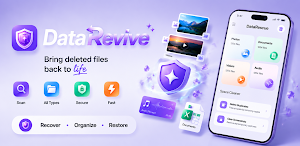
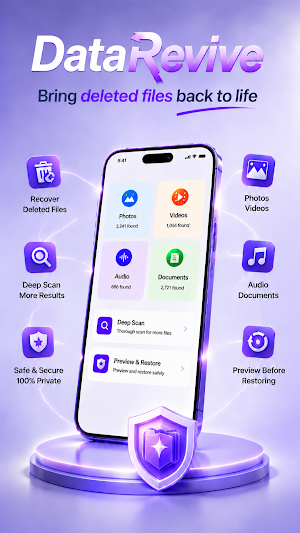
DataRevive is a practical file recovery app designed to help users scan device storage for files that may still be recoverable. It supports common recovery needs such as photos, videos, audio files, documents, and other file types. Users can start a scan, review detected results, and save selected files back to local storage.
The recovery workflow in DataRevive is user controlled. Users choose a file category, begin scanning, and check the detected items before restoring anything. The app does not automatically recover every file it finds. Instead, it provides a clear result list so users can decide which files they want to restore.
DataRevive may be useful after accidental deletion, missing media, lost documents, or when users want to check whether recoverable files still remain on the device. Recovery results depend on storage conditions, deletion timing, device activity, and whether the original file data has already been overwritten. DataRevive does not guarantee that every deleted file can be recovered.
Main features include:
- Scan for recoverable photos, videos, audio files, and documents
- Review detected files before restoring
- Recover only the files selected by the user
- Save restored files locally on the device
- View recovery progress and completion status
- Receive recovery-related status or completion notifications
- Use simple cleanup tools for duplicate photos and screenshots
DataRevive uses storage access for its core recovery function. Broader storage access may be required because standard file picker permissions cannot fully scan storage locations where recoverable files may exist. This access is used to scan for files, display possible recovery results, and save selected files back to the device. It is not used for unrelated advertising targeting or unnecessary personalization.
Some recovery tasks may take time, especially when the device contains many files or large storage areas. During longer recovery tasks, DataRevive may show a foreground notification so users can see that scanning or recovery is still running. These notifications are used for recovery progress and completion updates, not unrelated promotional messages.
DataRevive is built around a simple recovery flow: scan, review, select, and restore. Recovery results may vary, and overwritten files may no longer be recoverable. For better chances, users should scan as soon as possible after accidental deletion.
Similar Apps

Fortect Mobile Security
Fortect Mobile Security: Secure Your Phone. Requires Fortect Premium Account

ASTRO File Manager & Cleaner
Organize your files and manage your cloud storage with ASTRO File Manager

Cleaner Antivirus VPN Cleaner
Cleaner Master - clean phone & Antivirus - virus cleaner & Secure VPN

Norton Cleaner – Junk removal
Clean up your photo library. Delete junk and clutter. Optimize your device.
AVG Cleaner – Storage Cleaner
Clean your phone and remove hidden junk from storage with our master cleaner app

MobiSaver: Data&Photo Recovery
Easiest Android data recovery app, recovers deleted photo, video, contact,SMS
