
Avicenna Keyboard
Personalization
Custom keyboard for research — collects anonymous typing data with consent
- Downloads
- 50+
- on Google Play
- Price
- Free
- No in-app purchases
- Updated
- Sep 1
- 2026 · v0.5.0-rc04
Screenshots


About Avicenna Keyboard
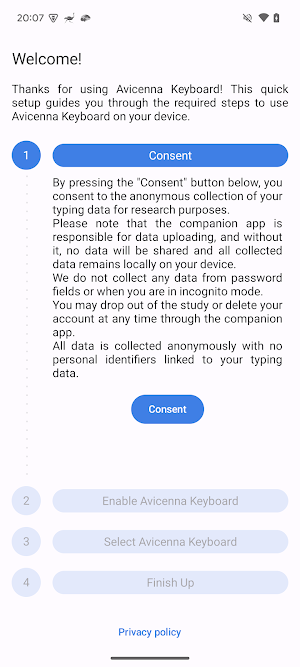
Avicenna Keyboard is a custom Android keyboard app designed exclusively for research participants enrolled in health research studies. It allows for the anonymous collection of typing behavior data to support academic and scientific research, with your full consent and control.
Privacy First:
• We do not collect any personal identifiers.
• We do not collect keystrokes from password fields.
• We do not collect data when you are using incognito mode.
• All data collection is anonymous and securely stored on your device.
How It Works:
This keyboard logs typing behavior (like typing speed, key presses) for research purposes. No sensitive data is collected. The companion app is responsible for uploading data. Without it, the data stays only on your device.
Easy Setup:
1. Install this keyboard app.
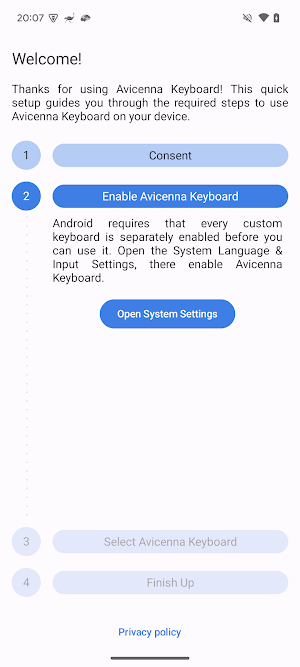
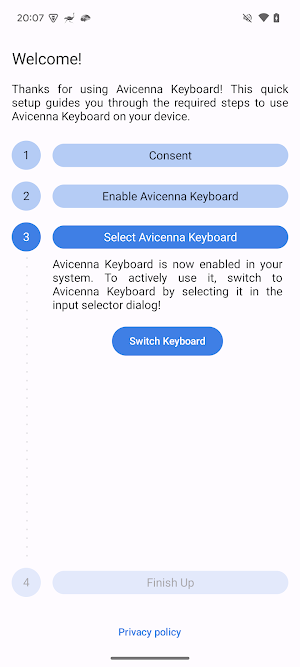
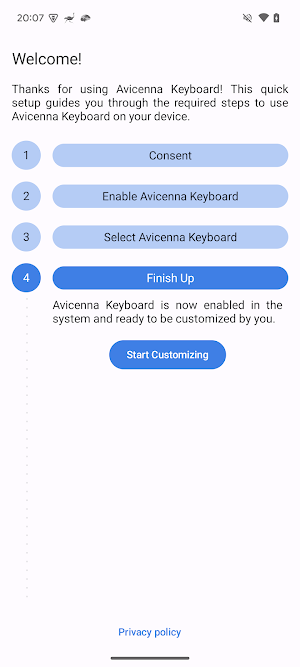
2. Follow on-screen instructions to:
• Set it as your default keyboard
• Grant "Full Access" permission (required for local logging)
3. Install the companion app to manage your data and participate in the study.
You're in Control:
• You can uninstall the keyboard app at any time to stop data collection.
• You can delete your account or withdraw from the study anytime via the companion app.
• You can toggle permissions or change your default keyboard from device settings.
Privacy First:
• We do not collect any personal identifiers.
• We do not collect keystrokes from password fields.
• We do not collect data when you are using incognito mode.
• All data collection is anonymous and securely stored on your device.
How It Works:
This keyboard logs typing behavior (like typing speed, key presses) for research purposes. No sensitive data is collected. The companion app is responsible for uploading data. Without it, the data stays only on your device.
Easy Setup:
1. Install this keyboard app.
2. Follow on-screen instructions to:
• Set it as your default keyboard
• Grant "Full Access" permission (required for local logging)
3. Install the companion app to manage your data and participate in the study.
You're in Control:
• You can uninstall the keyboard app at any time to stop data collection.
• You can delete your account or withdraw from the study anytime via the companion app.
• You can toggle permissions or change your default keyboard from device settings.
What’s new
Version 0.5.0-rc04 · Updated September 1, 2026
- Toggle Avicenna logo on spacebar
Alternatives to Avicenna Keyboard
Looking for apps like Avicenna Keyboard? Here are 6 similar Android apps on Google Play. The highest rated is Avicenna (4.2/5), and all 6 are free to download.
-
Avicenna 4.2
-
GAMMA Research Study
-
The Ohio Study
-
MiBi (Mind Body Integration)
-
DigiHealth@NUS
-
Health & Happiness Study
| App | Rating | Price | Installs | Last updated | Compare |
|---|---|---|---|---|---|
| Avicenna Keyboard | – | Free | 50+ | Sep 1, 2026 | |
| Avicenna | 4.2 / 5 | Free | 10,000+ | Oct 21, 2026 | Compare |
| GAMMA Research Study | – | Free | 10,000+ | – | Compare |
| The Ohio Study | – | Free | 10+ | Oct 11, 2026 | Compare |
| MiBi (Mind Body Integration) | – | Free | 100+ | Oct 11, 2026 | Compare |
| DigiHealth@NUS | – | Free | 500+ | Oct 11, 2026 | Compare |
| Health & Happiness Study | – | Free | 1,000+ | Oct 11, 2026 | Compare |
Compare Avicenna Keyboard with the top alternatives: ratings, updates, ASO score and keyword gaps →