
Pixel Paint: Color & Create
Nadzeya Yashchuk Puzzle In-app purchases
Tap pixels into art. Import photos, color mandalas, unwind. No skills needed.
- Downloads
- 297+
- on Google Play
- Price
- Free
- In-app purchases
- Updated
- Oct 25
- 2026 · v1.0.31
Screenshots
About Pixel Paint: Color & Create
Pick a picture, tap a color, and watch a tiny world light up—one pixel at a time.
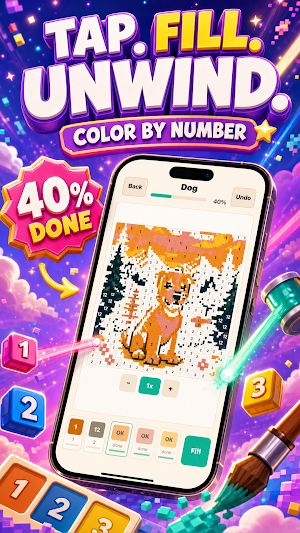
Pixel Paint transforms simple pixels into beautiful scenes. Color by number or convert your own photos into pixel puzzles. The perfect blend of relaxation and creativity.
WHAT YOU GET:
• Instant pixel coloring—just tap to fill, no drawing required
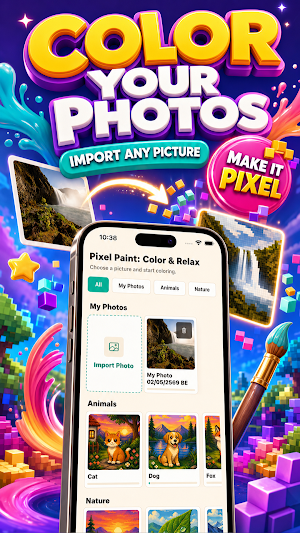
• Photo-to-pixel conversion—turn memories into personalized puzzles
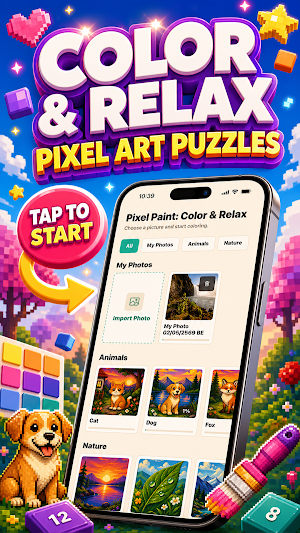
• Huge collection: Animals, Nature, Mandalas, Anime, and beyond
• Full customization: adjust detail (30×30 to 90×90) and pick your palette (12, 16, or 24 colors)
• Powerful tools: bucket fill, zoom, unlimited undo, automatic saving
• Share finished artwork with confetti celebration
IDEAL FOR:
Stress relief, mindfulness practice, focus breaks, or immersive creative sessions. Five minutes or five hours—Pixel Paint adapts to your rhythm.
ONE-TIME PURCHASE removes ads forever. Zero subscriptions, zero hassle.
Relaxing, rewarding, endlessly satisfying.
Just tap and color.
Pixel Paint transforms simple pixels into beautiful scenes. Color by number or convert your own photos into pixel puzzles. The perfect blend of relaxation and creativity.
WHAT YOU GET:
• Instant pixel coloring—just tap to fill, no drawing required
• Photo-to-pixel conversion—turn memories into personalized puzzles
• Huge collection: Animals, Nature, Mandalas, Anime, and beyond
• Full customization: adjust detail (30×30 to 90×90) and pick your palette (12, 16, or 24 colors)
• Powerful tools: bucket fill, zoom, unlimited undo, automatic saving
• Share finished artwork with confetti celebration
IDEAL FOR:
Stress relief, mindfulness practice, focus breaks, or immersive creative sessions. Five minutes or five hours—Pixel Paint adapts to your rhythm.
ONE-TIME PURCHASE removes ads forever. Zero subscriptions, zero hassle.
Relaxing, rewarding, endlessly satisfying.
Just tap and color.
Alternatives to Pixel Paint: Color & Create
Looking for apps like Pixel Paint: Color & Create? Here are 6 similar Android apps on Google Play. All of them are free to download.
-
Compass: Find Way Back
-
Слова из слова: Игра в слова.
-
Puzzle Slide Solver
-
MushTrail: Forest Navigator
-
Ear Lab: Hearing Age
-
Kreis: Private Photo Groups
| App | Rating | Price | Installs | Last updated | Compare |
|---|---|---|---|---|---|
| Pixel Paint: Color & Create | – | Free | 100+ | Oct 25, 2026 | |
| Compass: Find Way Back | – | Free | 10+ | Sep 11, 2026 | Compare |
| Слова из слова: Игра в слова. | – | Free | 5+ | Sep 14, 2026 | Compare |
| Puzzle Slide Solver | – | Free | 10+ | – | Compare |
| MushTrail: Forest Navigator | – | Free | 100+ | – | Compare |
| Ear Lab: Hearing Age | – | Free | 5+ | Aug 29, 2026 | Compare |
| Kreis: Private Photo Groups | – | Free | 5+ | – | Compare |
Similar apps on Google Play
- Compass: Find Way Back
- Слова из слова: Игра в слова.
- Puzzle Slide Solver
- MushTrail: Forest Navigator
- Ear Lab: Hearing Age
- Kreis: Private Photo Groups
- Headphone Sound Check
- Kids Math: Count & Add
- GeoQuizzes: World Geography
- Lullaby Luno: Baby Sleep
- CoffeeLine: Barista Arcade
- Clock Widgets: Flip & Digital
- Wise Husband: Cycle Tracker
- Colorful Hearts: Paint Fun
- Arrows Puzzle - Neon Game
- Arrow Puzzle: Tap & Escape
- WORDSPIN: Crossword Puzzle
- Bead Art: Mosaic Puzzles
- HowLoud – Decibel Meter
- Slide Puzzle: 8-15-24-35
- Untangle Worms: Knot Puzzle
- Word Chain Chat
- Easy Jigsaw Puzzles
- Morse Code Translator & Signal
- Block Puzzle Blast: FlowBlocks
- Города Онлайн: чат-игра
- Sudoku by PuzzleFree
- Kids Sudoku: Just Play
- CalcSprint: Brain Math
- Sudoku: Just Play
- Jigsaw Puzzles for Kids
- Jigsaw Puzzles by PuzzleFree