
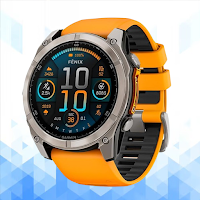
Garmin Fenix 8 Guide
Tools Contains ads
Garmin Fenix 8 Guide: setup, maps, battery, fixes, and FAQs
- Downloads
- 500+
- on Google Play
- Price
- Free
- No in-app purchases
- Updated
- Apr 12
- 2026 · v1.1.2
Screenshots
About Garmin Fenix 8 Guide
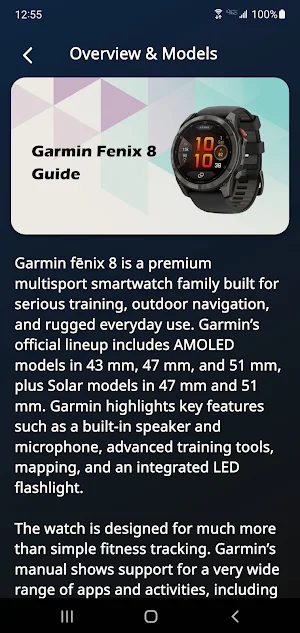
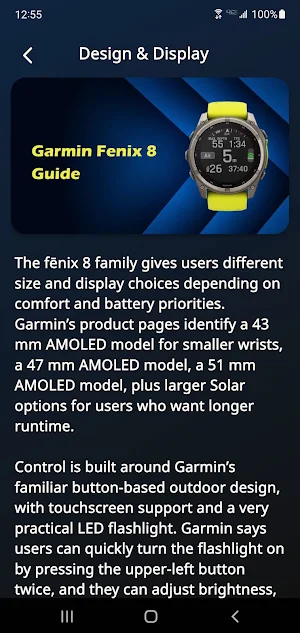
Garmin Fenix 8 Guide is a practical reference app for users who want clear help with setup, daily use, features, and troubleshooting. It is written for people looking for an easy guide to Garmin Fenix 8 pairing, Garmin Connect basics, GPS settings, battery tips, maps, training tools, notifications, and common fixes. Garmin officially positions the fēnix 8 as a premium multisport smartwatch line, with AMOLED and Solar options available in the series.
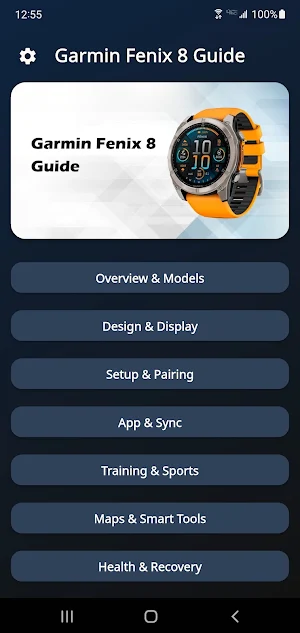
Inside the app, users can explore organized help for the features people search for most. The guide focuses on first setup, phone pairing, activity tracking, map and navigation basics, display settings, music features, health and wellness settings, power management, and connectivity. Garmin’s official owner’s manual includes sections for maps, navigation, music, notifications, health settings, power manager settings, and connectivity, which makes these topics especially important for a useful guide app.
The guide is especially useful for first-time setup. It helps users understand how to turn on the watch, complete the initial setup, pair it with a phone, charge it correctly, and check for software updates. Garmin’s getting started guide also notes that pairing supports notifications, syncing activities, and moving saved settings or courses from a compatible previous watch.
Garmin Fenix 8 Guide also explains the headline features many buyers care about most. Official Garmin pages highlight a bright AMOLED option or solar charging option depending on model, plus a built-in speaker and microphone, advanced training tools, rugged design, and an integrated LED flashlight. The content is written in natural English so users can understand these features more easily in everyday use for training, hiking, navigation, and smartwatch functions.
Another strong part of the app is navigation and outdoor guidance. Garmin’s manual shows support for maps, navigation tools, safety and tracking features, and route-related functions, making the watch relevant for runners, hikers, cyclists, and outdoor users. The guide brings these topics together in a simpler format so users can better understand GPS watch behavior, route use, and practical outdoor settings.
Troubleshooting is a major part of Garmin Fenix 8 Guide. Many users search for help when the watch is not pairing, notifications are missing, syncing feels slow, GPS is confusing, or battery drain seems too fast. This app is designed to gather the most useful support-style information in one place so users can better understand setup mistakes, connection requirements, software update checks, and practical reset or re-pairing steps.
This app is useful for anyone searching for a Garmin Fenix 8 guide, Garmin Fenix 8 manual reference, Garmin Fenix 8 setup help, Garmin Connect pairing support, GPS smartwatch tips, map and navigation help, battery advice, training features, notification support, and common FAQ answers in one place. The wording is natural and user-focused so it stays relevant for search while remaining Google Play friendly without misleading claims or keyword stuffing.
This application is for educational and informational purposes only. It does not connect to the watch, does not replace Garmin Connect or any official Garmin service, and does not provide official device control, firmware tools, account access, payment features, or medical advice. It is intended only to help users better understand setup, features, settings, and common troubleshooting related to Garmin Fenix 8 devices.
Disclaimer:
Garmin Fenix 8 Guide is not an official application and is not affiliated with, endorsed by, authorized by, or sponsored by Garmin or any related brand owner. All product names, trademarks, and brand references are the property of their respective owners. This app was created only as an independent educational guide for reference and learning purposes.
Inside the app, users can explore organized help for the features people search for most. The guide focuses on first setup, phone pairing, activity tracking, map and navigation basics, display settings, music features, health and wellness settings, power management, and connectivity. Garmin’s official owner’s manual includes sections for maps, navigation, music, notifications, health settings, power manager settings, and connectivity, which makes these topics especially important for a useful guide app.
The guide is especially useful for first-time setup. It helps users understand how to turn on the watch, complete the initial setup, pair it with a phone, charge it correctly, and check for software updates. Garmin’s getting started guide also notes that pairing supports notifications, syncing activities, and moving saved settings or courses from a compatible previous watch.
Garmin Fenix 8 Guide also explains the headline features many buyers care about most. Official Garmin pages highlight a bright AMOLED option or solar charging option depending on model, plus a built-in speaker and microphone, advanced training tools, rugged design, and an integrated LED flashlight. The content is written in natural English so users can understand these features more easily in everyday use for training, hiking, navigation, and smartwatch functions.
Another strong part of the app is navigation and outdoor guidance. Garmin’s manual shows support for maps, navigation tools, safety and tracking features, and route-related functions, making the watch relevant for runners, hikers, cyclists, and outdoor users. The guide brings these topics together in a simpler format so users can better understand GPS watch behavior, route use, and practical outdoor settings.
Troubleshooting is a major part of Garmin Fenix 8 Guide. Many users search for help when the watch is not pairing, notifications are missing, syncing feels slow, GPS is confusing, or battery drain seems too fast. This app is designed to gather the most useful support-style information in one place so users can better understand setup mistakes, connection requirements, software update checks, and practical reset or re-pairing steps.
This app is useful for anyone searching for a Garmin Fenix 8 guide, Garmin Fenix 8 manual reference, Garmin Fenix 8 setup help, Garmin Connect pairing support, GPS smartwatch tips, map and navigation help, battery advice, training features, notification support, and common FAQ answers in one place. The wording is natural and user-focused so it stays relevant for search while remaining Google Play friendly without misleading claims or keyword stuffing.
This application is for educational and informational purposes only. It does not connect to the watch, does not replace Garmin Connect or any official Garmin service, and does not provide official device control, firmware tools, account access, payment features, or medical advice. It is intended only to help users better understand setup, features, settings, and common troubleshooting related to Garmin Fenix 8 devices.
Disclaimer:
Garmin Fenix 8 Guide is not an official application and is not affiliated with, endorsed by, authorized by, or sponsored by Garmin or any related brand owner. All product names, trademarks, and brand references are the property of their respective owners. This app was created only as an independent educational guide for reference and learning purposes.
Alternatives to Garmin Fenix 8 Guide
Looking for apps like Garmin Fenix 8 Guide? Here are 6 similar Android apps on Google Play. All of them are free to download.
-
Ray-Ban Meta-Display Guide
-
CMF Watch Pro 2 Guide
-
Bose QuietComfort Ultra Guide
-
Fitbit Charge 6 Guide
-
Redmi Buds 5 Pro Guide
-
Motorola Moto Buds 2 Guide
| App | Rating | Price | Installs | Last updated | Compare |
|---|---|---|---|---|---|
| Garmin Fenix 8 Guide | – | Free | 500+ | Apr 12, 2026 | |
| Ray-Ban Meta-Display Guide | – | Free | 1,000+ | Apr 15, 2026 | Compare |
| CMF Watch Pro 2 Guide | – | Free | 5,000+ | Apr 10, 2026 | Compare |
| Bose QuietComfort Ultra Guide | – | Free | 1,000+ | Mar 29, 2026 | Compare |
| Fitbit Charge 6 Guide | – | Free | 100+ | Jun 8, 2025 | Compare |
| Redmi Buds 5 Pro Guide | – | Free | 10,000+ | Mar 29, 2026 | Compare |
| Motorola Moto Buds 2 Guide | – | Free | 1,000+ | Apr 15, 2026 | Compare |