
Applock - App Lock & Applock fingerprint
Tools In-app purchases Contains ads
Lock App & App lock fingerprint help you secure all information
- Rating
- 4.1
- 119K ratings
- Downloads
- 41.6M+
- on Google Play
- Price
- Free
- In-app purchases
- Updated
- May 12
- 2026 · v5.0.93
Screenshots


About Applock - App Lock & Applock fingerprint
The best free App Lock with Fingerprint support
App lock - The fingerprint lock app helps you lock all your apps. You need to keep your personal information secure, you don't want strangers to access applications on your personal phone, immediately download Lock app, completely free, professional and convenient.
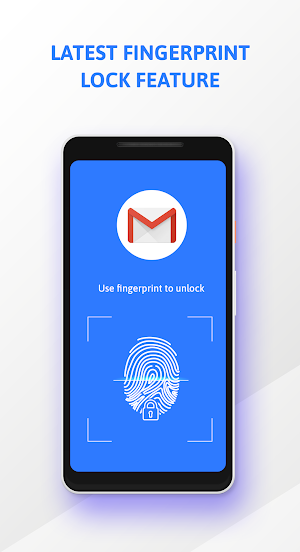
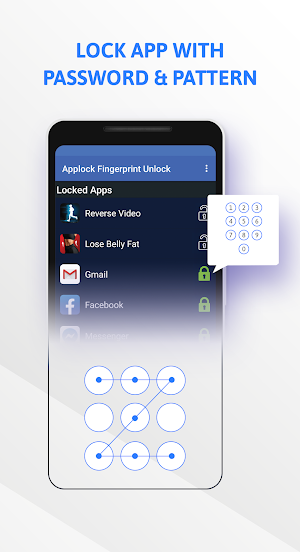
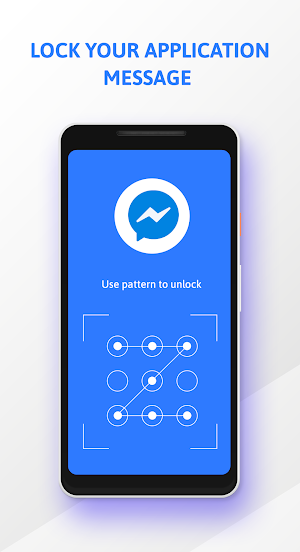
With the App lock fingerprint you can lock your app with your pin, pattern and even your fingerprint. You can also change the method to lock the app whenever you want. Now you no longer have to worry about your personal information being viewed by others by downloading the Applock - App locker application.
Applock - App lock fingerprint can lock all apps in your device:
✔️ Block all social apps, no one will be able to snoop on your private conversations anymore
✔️ Lock application system. System applications such as contacts, messages, collections, etc. can all be easily locked with one click.
✔️ All payment apps will have an extra layer of protection when you use Applock
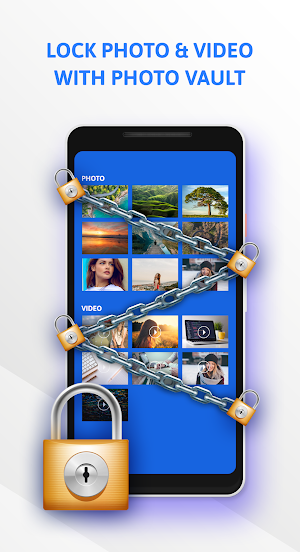
✔️ Your images and videos will also be viewable only when you set password for app to lock them
Salient features of AppLock:
✔️ Screen Lock: The screen will never turn off or adjust screen brightness when the app is running
✔️ Uninstallation Prevention: Activate the feature so that others cannot uninstall the App Lock application, the locked applications will be absolutely confidential
✔️Intruder Selfie - Who try to break in my phone?: A photo will be taken and saved here when someone snoops on your apps
Questions & answers:
🤔 Q: How do I use a fingerprint lock?
Answer: App lock fingerprint will work on Android devices running OS 6.0 [Marshmallow] and above and your device supports Fingerprint Recognition.
Go to settings and enable fingerprint lock. After activation, you can use this feature immediately. Be sure to add your fingerprint information to the device beforehand to use this fingerprint lock feature.
🤔 Q: Why should use the "Access to use" permission?
Answer: App Lock uses this permission to detect if an app is locked to launch.
🤔 Q: Does the application consume memory of your device and is it easy to set up and use?
Answer: Applock has a simple interface you can perform any task easily and smoothly.
Thank you for installing and using App Lock - Lock app & App locker. If you see it useful, please rate 5 stars to encourage us to develop better apps.
App lock - The fingerprint lock app helps you lock all your apps. You need to keep your personal information secure, you don't want strangers to access applications on your personal phone, immediately download Lock app, completely free, professional and convenient.
With the App lock fingerprint you can lock your app with your pin, pattern and even your fingerprint. You can also change the method to lock the app whenever you want. Now you no longer have to worry about your personal information being viewed by others by downloading the Applock - App locker application.
Applock - App lock fingerprint can lock all apps in your device:
✔️ Block all social apps, no one will be able to snoop on your private conversations anymore
✔️ Lock application system. System applications such as contacts, messages, collections, etc. can all be easily locked with one click.
✔️ All payment apps will have an extra layer of protection when you use Applock
✔️ Your images and videos will also be viewable only when you set password for app to lock them
Salient features of AppLock:
✔️ Screen Lock: The screen will never turn off or adjust screen brightness when the app is running
✔️ Uninstallation Prevention: Activate the feature so that others cannot uninstall the App Lock application, the locked applications will be absolutely confidential
✔️Intruder Selfie - Who try to break in my phone?: A photo will be taken and saved here when someone snoops on your apps
Questions & answers:
🤔 Q: How do I use a fingerprint lock?
Answer: App lock fingerprint will work on Android devices running OS 6.0 [Marshmallow] and above and your device supports Fingerprint Recognition.
Go to settings and enable fingerprint lock. After activation, you can use this feature immediately. Be sure to add your fingerprint information to the device beforehand to use this fingerprint lock feature.
🤔 Q: Why should use the "Access to use" permission?
Answer: App Lock uses this permission to detect if an app is locked to launch.
🤔 Q: Does the application consume memory of your device and is it easy to set up and use?
Answer: Applock has a simple interface you can perform any task easily and smoothly.
Thank you for installing and using App Lock - Lock app & App locker. If you see it useful, please rate 5 stars to encourage us to develop better apps.
User reviews

Mgaya

Yousaf Khan is a director

Yeah

Australasia xoxo, ldv HCM ek if ex the ya ek woodworker woodcock specialities co Clare

Good app

Like yhis app alot great privacy lock
Frequently asked questions
How do I use a fingerprint lock?
App lock fingerprint will work on Android devices running OS 6.0 [Marshmallow] and above and your device supports Fingerprint Recognition. Go to settings and enable fingerprint lock. After activation, you can use this feature immediately. Be sure to add your fingerprint information to the device beforehand to use this fingerprint lock feature.
Why should use the "Access to use" permission?
App Lock uses this permission to detect if an app is locked to launch.
Does the application consume memory of your device and is it easy to set up and use?
Applock has a simple interface you can perform any task easily and smoothly. Thank you for installing and using App Lock - Lock app & App locker. If you see it useful, please rate 5 stars to encourage us to develop better apps.
Alternatives to Applock - App Lock & Applock fingerprint
Looking for apps like Applock - App Lock & Applock fingerprint? Here are 6 similar Android apps on Google Play. The highest rated is WTMP — Who touched my phone? (4.7/5), and all 6 are free to download.
-
AppLock 4.3
-
ALocker: Private App Lock 4.3
-
Touch Lock Screen - Touch Phot 3.7
-
WTMP — Who touched my phone? 4.7
-
Caller Name Announcer 4.2
-
PassKeep - Password Manager 4.4
| App | Rating | Price | Installs | Last updated | Compare |
|---|---|---|---|---|---|
| Applock - App Lock & Applock fingerprint | 4.1 / 5 | Free | 10,000,000+ | May 12, 2026 | |
| AppLock | 4.3 / 5 | Free | 100,000,000+ | Oct 30, 2026 | Compare |
| ALocker: Private App Lock | 4.3 / 5 | Free | 1,000+ | Oct 27, 2020 | Compare |
| Touch Lock Screen - Touch Phot | 3.7 / 5 | Free | 10,000,000+ | Oct 21, 2026 | Compare |
| WTMP — Who touched my phone? | 4.7 / 5 | Free | 10,000,000+ | Oct 27, 2026 | Compare |
| Caller Name Announcer | 4.2 / 5 | Free | 10,000,000+ | Nov 1, 2025 | Compare |
| PassKeep - Password Manager | 4.4 / 5 | Free | 1,000,000+ | Aug 26, 2026 | Compare |
Similar apps on Google Play
- AppLock
- ALocker: Private App Lock
- Touch Lock Screen - Touch Phot
- WTMP — Who touched my phone?
- Caller Name Announcer
- PassKeep - Password Manager
- My Diary - Daily Diary Journal
- AI Gallery
- HD Camera
- Applock
- Smart AppLock (Privacy Protec
- AppLock
- Applock - Gallery Vault
- Snapchat
- Norton App Lock
- WhatsApp Business
- Truecaller: Caller ID & Block