
Pomlo - Project & Goal Tracker
Productivity In-app purchases
Track time on work, habits, and life. Beautiful time tracker for everyone.
- Downloads
- 23+
- on Google Play
- Price
- Free
- In-app purchases
- Updated
- Jul 21
- 2026 · v1.2.0
Screenshots


About Pomlo - Project & Goal Tracker
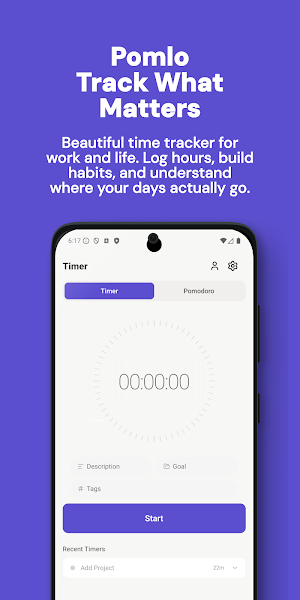
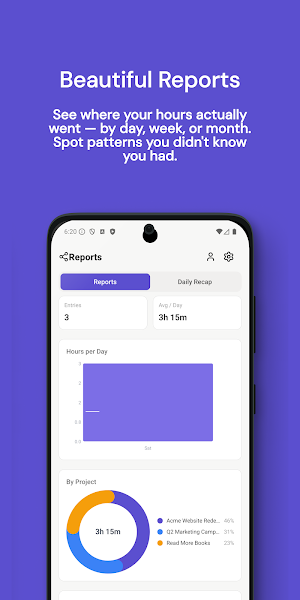
Track time with a single tap. Organize by project, goal, or habit. See reports that actually tell you something. Everything works offline and syncs when you're back online.
WHY POMLO
• Beautiful, distraction-free design — no cluttered dashboards, no fake urgency
• One-tap start, pause, and stop from anywhere — app, home screen widget, or notification
• Organize by project, client, hobby, habit, or goal — whatever matters to you
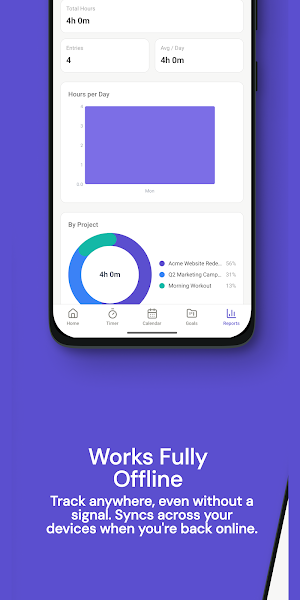
• See what you actually spent your day on with clean, visual reports
• Works 100% offline — no internet required to track
• Syncs across your devices when you're back online
CORE FEATURES
• Home screen widget shows your running timer in real time
• Persistent notification with quick timer controls
• Pomodoro mode with custom work and break intervals
• Project + goal organization with color coding
• Flexible tags for cross-cutting categorization
• Daily review screen to close out your day
• Dark mode support
FOR WORK
• Track billable hours by client and project
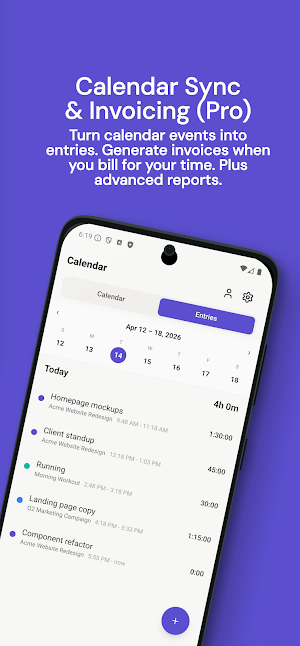
• Generate invoices with customizable templates (Pro)
• Calendar integration — turn events into time entries (Pro)
• Advanced reports and exports (Pro)
• Team-friendly workspace structure
FOR PERSONAL USE
• Build habits by tracking time on what you care about — reading, workouts, learning, side projects
• Visualize where your free time really goes
• Tag activities (focus, learning, wellness, creative) to spot patterns
• Track hobbies and goals alongside work in separate workspaces
PRIVACY FIRST
Your time data stays yours. We only collect what's strictly necessary to run your account. No tracking, no ads, no data sales. Full account deletion is one tap away in Settings.
SUBSCRIPTION
Pomlo is free to use with all core tracking features. Upgrade to Pomlo Pro to unlock calendar integration, invoicing, and advanced reports. Subscription auto-renews unless cancelled at least 24 hours before the end of the current period. You can manage and cancel subscriptions in Google Play Settings.
Terms: https://pomlo.app/terms
Privacy: https://pomlo.app/privacy
Support: [email protected]
What’s new
Version 1.2.0 · Updated July 21, 2026
A complete redesign. Pomlo has a new icon, a brighter timer dial, and refreshed home, calendar, goals and reports screens, plus matching widgets. Pomlo now speaks 22 languages, with a language picker in Settings and full right to left support. Also in this update: • Rebuilt Settings with a notifications screen • Export all your data to CSV • More reliable cloud sync • Fixed Pomodoro drift and invoice dates showing a day early
Alternatives to Pomlo - Project & Goal Tracker
Looking for apps like Pomlo - Project & Goal Tracker? Here are 3 similar Android apps on Google Play. All of them are free to download.


| App | Rating | Price | Installs | Last updated | Compare |
|---|---|---|---|---|---|
| Pomlo - Project & Goal Tracker | – | Free | 10+ | Jul 21, 2026 | |
| QRDock - QR Scanner & Creator | – | Free | 50+ | Jul 19, 2026 | Compare |
| Privara - Private Photo Vault | – | Free | 100+ | – | Compare |
| NFCore - NFC Tag Reader Writer | – | Free | 5,000+ | – | Compare |