

Camera: My Style
Photography Contains ads
Capture photos with pose and composition guides using camera overlays.
- Downloads
- 109+
- on Google Play
- Price
- Free
- No in-app purchases
- Updated
- Oct 14
- 2026 · v1.0.17
Screenshots

About Camera: My Style
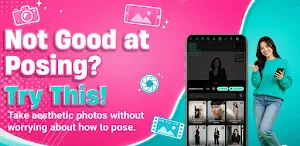
Ever seen aesthetic photos on social media and wished you could recreate them, but didn't know the right angle or composition? Or felt disappointed because the photos taken by your friend or partner didn't turn out the way you expected?
My Style Camera is the perfect solution! Designed for everyone—even if you have no photography experience—it helps you recreate the composition and poses of your favorite reference photos with remarkable accuracy.
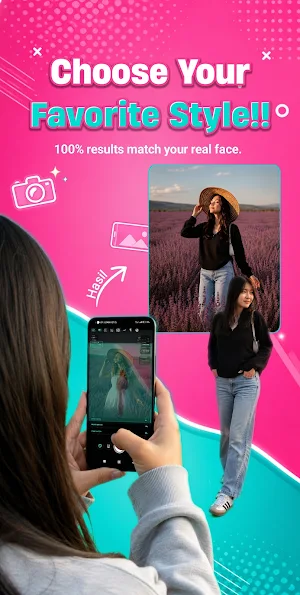
Using Ghost Overlay, your reference image appears as a transparent guide directly on the camera preview. Simply align your subject with the overlay, snap the picture, and achieve clean, balanced, and stunning results every time.
✨ KEY FEATURES ✨
📸 1. Ghost Overlay & Pose Guide
Display a reference photo or pose silhouette as a semi-transparent overlay on your camera screen. Simply align your subject with the guide and capture the perfect shot.
📐 2. Precision Camera Angle Guidance
Go beyond basic reference images with real-time guidance for accurate framing and composition:
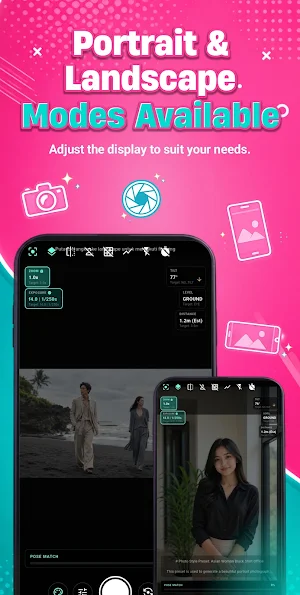
Zoom Rate: Match the zoom level to replicate the proportions of the reference photo.
Camera Tilt & Level: Get real-time guidance on tilting your phone up or down and positioning the camera at eye level, chest level, or ground level.
Distance Guide: Estimate the ideal distance between the camera and your subject for the best framing.
Style Lines: Perspective guides help align buildings, floors, horizons, and other background elements.
🔍 3. Find Photo Ideas for Your Location (Scene Finder)
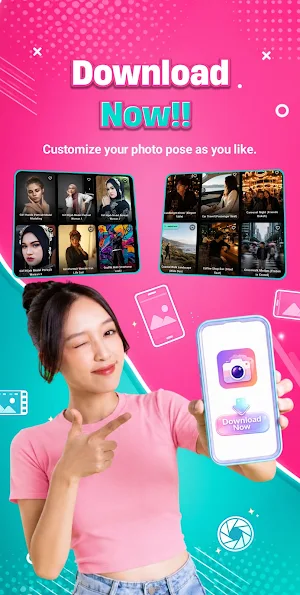
Not sure what kind of photo to take where you are? Browse pose ideas using practical filters such as:
Venue: Café, Home, Car, Outdoor, and more.
Elements: Chairs, tables, windows, streets, plants, and more.
Lighting: Sunlight, indoor lighting, shadows, and more.
Props: Food, drinks, sunglasses, bags, and more.
🔒 4. 100% Offline & Privacy First
Everything works entirely on your device:
No account creation or sign-in required.
No internet connection needed to access the pose database, making it perfect for remote travel destinations with limited signal.
Your photos are never uploaded to any server—they remain safely stored in your phone's gallery.
👥 WHO IS THIS APP FOR?
Couples
Help your partner capture perfect OOTD and travel photos without endless retakes or frustration.
Travelers & Solo Creators
Make it easy for strangers or friends to take great photos of you, or use it with a tripod for consistently framed shots.
Content Creators
Recreate trending photo styles and compositions with professional-level precision.
Become the director of your own photos and turn every ordinary shot into an eye-catching masterpiece.
Download My Style Camera today and start shooting like a professional photographer!
My Style Camera is the perfect solution! Designed for everyone—even if you have no photography experience—it helps you recreate the composition and poses of your favorite reference photos with remarkable accuracy.
Using Ghost Overlay, your reference image appears as a transparent guide directly on the camera preview. Simply align your subject with the overlay, snap the picture, and achieve clean, balanced, and stunning results every time.
✨ KEY FEATURES ✨
📸 1. Ghost Overlay & Pose Guide
Display a reference photo or pose silhouette as a semi-transparent overlay on your camera screen. Simply align your subject with the guide and capture the perfect shot.
📐 2. Precision Camera Angle Guidance
Go beyond basic reference images with real-time guidance for accurate framing and composition:
Zoom Rate: Match the zoom level to replicate the proportions of the reference photo.
Camera Tilt & Level: Get real-time guidance on tilting your phone up or down and positioning the camera at eye level, chest level, or ground level.
Distance Guide: Estimate the ideal distance between the camera and your subject for the best framing.
Style Lines: Perspective guides help align buildings, floors, horizons, and other background elements.
🔍 3. Find Photo Ideas for Your Location (Scene Finder)
Not sure what kind of photo to take where you are? Browse pose ideas using practical filters such as:
Venue: Café, Home, Car, Outdoor, and more.
Elements: Chairs, tables, windows, streets, plants, and more.
Lighting: Sunlight, indoor lighting, shadows, and more.
Props: Food, drinks, sunglasses, bags, and more.
🔒 4. 100% Offline & Privacy First
Everything works entirely on your device:
No account creation or sign-in required.
No internet connection needed to access the pose database, making it perfect for remote travel destinations with limited signal.
Your photos are never uploaded to any server—they remain safely stored in your phone's gallery.
👥 WHO IS THIS APP FOR?
Couples
Help your partner capture perfect OOTD and travel photos without endless retakes or frustration.
Travelers & Solo Creators
Make it easy for strangers or friends to take great photos of you, or use it with a tripod for consistently framed shots.
Content Creators
Recreate trending photo styles and compositions with professional-level precision.
Become the director of your own photos and turn every ordinary shot into an eye-catching masterpiece.
Download My Style Camera today and start shooting like a professional photographer!
Alternatives to Camera: My Style
Looking for apps like Camera: My Style? Here are 6 similar Android apps on Google Play. The highest rated is Photone - Grow Light Meter (4.6/5), and all 6 are free to download.
-
Drawify - Photo to Sketch 4.5
-
Cut Cut: Photo Editor & CutOut 4.1
-
Photone - Grow Light Meter 4.6
-
BIGVU Teleprompter & Captions 4.5
-
GOGH: Animated Drawings 2.7
-
PicWish: AI Photo Editor 2.8
| App | Rating | Price | Installs | Last updated | Compare |
|---|---|---|---|---|---|
| Camera: My Style | – | Free | 100+ | Oct 14, 2026 | |
| Drawify - Photo to Sketch | 4.5 / 5 | Free | 1,000,000+ | Mar 25, 2026 | Compare |
| Cut Cut: Photo Editor & CutOut | 4.1 / 5 | Free | 100,000,000+ | Jul 22, 2025 | Compare |
| Photone - Grow Light Meter | 4.6 / 5 | Free | 500,000+ | Sep 10, 2026 | Compare |
| BIGVU Teleprompter & Captions | 4.5 / 5 | Free | 5,000,000+ | Oct 21, 2026 | Compare |
| GOGH: Animated Drawings | 2.7 / 5 | Free | 10,000+ | Oct 23, 2025 | Compare |
| PicWish: AI Photo Editor | 2.8 / 5 | Free | 5,000,000+ | Oct 28, 2026 | Compare |
Compare Camera: My Style with the top alternatives: ratings, updates, ASO score and keyword gaps →
Similar apps on Google Play
- Drawify - Photo to Sketch
- Cut Cut: Photo Editor & CutOut
- Photone - Grow Light Meter
- BIGVU Teleprompter & Captions
- GOGH: Animated Drawings
- PicWish: AI Photo Editor
- Pose: AI Video Maker, AI Photo
- Image Toolbox - Edit & Convert
- Lensa: photo editor & AI art
- LightX AI Photo Editor Retouch
- Lightleap by Lightricks
- Skintory
- Teleprompter for Video
- Drma: AI Short Drama Maker
- MeeAww-AI Photo & Video Editor
- Anime AI - Photo Enhancer
- Manual Camera DSLR (Lite)
- AIUTA Editorial
- FitRoom: Virtual Try On Clothe
- ARTA: AI Art & Photo Generator
- Arvin® - AI Logo Maker
- Sketchar AR Drawing Sketchpad
- Avatarify: AI Face Animator
- Handy Art Reference Tool
- Prisma Art Effect Photo Editor
- FilmBox Film Negatives Scanner
- GenZArt: Fast AI Art Generator
- Nelko
- Polycam: 3D Scanner & Editor
- Tenada: Graphic Design & Logo
- Black Diamonds New York
- Luca AI
- AI Image Generator - Monet
- AI Logo Maker, AI Design: Hexa
- Mens Hairstyles And Haircuts
- DaVinci - AI Image Generator
- Gencraft - AI Art Generator
- LightCut -AI Auto Video Editor
- PreInk – Tattoo design maker
- PixelFlow: Intro Video maker
- Cretapedia
- Show My Colors: Color Palettes
- Napoly Menswear
- MTailor
- Revive: AI Photo Animator
- Winkit - AI Video Enhancer
- Glitch Photo Editor & Glitch V
- The Lyss Method V2
- Remodel AI - Home Renovation
- ZOZOFIT: 3D Body Scanner
- Presets & Filters - Koloro
- Color Grab (color detection)
- Lift: AI Photo Editor
- ScreenMaster:Screenshot Markup
- Dog Scanner: Breed Recognition