
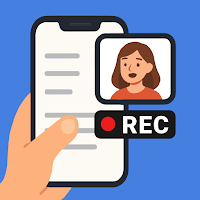
Float Cam - Background camera
Photography In-app purchases Contains ads
Use floating camera to record videos or take photos while using your phone.
- Rating
- 3.8
- 228 ratings
- Downloads
- 23K+
- on Google Play
- Price
- Free
- In-app purchases
- Updated
- Sep 15
- 2026 · v1.0.37
Screenshots


About Float Cam - Background camera
Float Cam – Background camera is a smart floating camera app that lets you record videos and take pictures while using your phone. Unlike the standard system camera, Float Cam allows multitasking — you can keep a floating camera window on screen while reading notes, browsing the web, or checking your script within the app.
🎥 MAIN FEATURES:
• 📸 Floating camera window: Move, resize, and position the floating camera anywhere on your screen.
• 🎬 Background camera recording: Record videos while keeping other content visible.
• 🧠 See your notes while recording: Ideal for creators, vloggers, students, or anyone reading a script.
• 🌐 Built-in web browser: Open any website while recording yourself.
• 🖼️ Open images, PDFs, or documents: Display reference materials, lyrics, or presentations during video recording.
• 🔄 Switch front or back camera: Use either the selfie camera or rear camera easily.
• 📷 Capture photos anytime: Take photos directly from the floating camera bubble.
• 💡 Simple, intuitive, and powerful UI.
⸻
PERFECT FOR:
• 🎤 Content creators, vloggers, and YouTubers who want to record themselves while reading notes or a teleprompter.
• 🎸 Musicians and singers who want to see lyrics or chords while recording video performances.
• 🎓 Students and teachers who record study videos, tutorials, or online lessons while referencing their materials.
• 🧘♀️ Coaches, trainers, and speakers who want to see their key points while recording motivational or training videos.
• 💼 Business users who record video messages, product demos, or presentations with reference documents visible.
⸻
WHY FLOAT CAM?
Traditional cameras block your screen while recording. Float Cam – Background camera gives you freedom. The floating camera view stays on top, so you can record video and use your phone at the same time.
With the in-app browser, document viewer, and notes editor, you can open:
• Websites, YouTube, or Google Docs
• Images, PDFs, or DOCX files
• Personal notes or scripts
Float Cam is not just a camera — it’s a complete multitasking video recording tool. Whether you’re filming a tutorial, singing your favorite song, presenting your project, or rehearsing a speech, Float Cam helps you stay focused and efficient.
⸻
🔑 More reasons to love Float Cam
Float Cam combines everything you need in one floating camera app — a picture-in-picture camera, background video recorder, and teleprompter-style note viewer.
Whether you want to record video while using other apps, take photos while multitasking, or overlay a floating selfie camera while browsing, Float Cam does it all.
It’s perfect as a floating camera for YouTube, musicians, teachers, and vloggers who want a camera with notes, lyrics, or PDF viewer always visible on screen.
⸻
✨ Download Float Cam – Background camera now and experience the freedom of recording videos while multitasking. Stay creative, productive, and focused — all in one floating camera app.
🎥 MAIN FEATURES:
• 📸 Floating camera window: Move, resize, and position the floating camera anywhere on your screen.
• 🎬 Background camera recording: Record videos while keeping other content visible.
• 🧠 See your notes while recording: Ideal for creators, vloggers, students, or anyone reading a script.
• 🌐 Built-in web browser: Open any website while recording yourself.
• 🖼️ Open images, PDFs, or documents: Display reference materials, lyrics, or presentations during video recording.
• 🔄 Switch front or back camera: Use either the selfie camera or rear camera easily.
• 📷 Capture photos anytime: Take photos directly from the floating camera bubble.
• 💡 Simple, intuitive, and powerful UI.
⸻
PERFECT FOR:
• 🎤 Content creators, vloggers, and YouTubers who want to record themselves while reading notes or a teleprompter.
• 🎸 Musicians and singers who want to see lyrics or chords while recording video performances.
• 🎓 Students and teachers who record study videos, tutorials, or online lessons while referencing their materials.
• 🧘♀️ Coaches, trainers, and speakers who want to see their key points while recording motivational or training videos.
• 💼 Business users who record video messages, product demos, or presentations with reference documents visible.
⸻
WHY FLOAT CAM?
Traditional cameras block your screen while recording. Float Cam – Background camera gives you freedom. The floating camera view stays on top, so you can record video and use your phone at the same time.
With the in-app browser, document viewer, and notes editor, you can open:
• Websites, YouTube, or Google Docs
• Images, PDFs, or DOCX files
• Personal notes or scripts
Float Cam is not just a camera — it’s a complete multitasking video recording tool. Whether you’re filming a tutorial, singing your favorite song, presenting your project, or rehearsing a speech, Float Cam helps you stay focused and efficient.
⸻
🔑 More reasons to love Float Cam
Float Cam combines everything you need in one floating camera app — a picture-in-picture camera, background video recorder, and teleprompter-style note viewer.
Whether you want to record video while using other apps, take photos while multitasking, or overlay a floating selfie camera while browsing, Float Cam does it all.
It’s perfect as a floating camera for YouTube, musicians, teachers, and vloggers who want a camera with notes, lyrics, or PDF viewer always visible on screen.
⸻
✨ Download Float Cam – Background camera now and experience the freedom of recording videos while multitasking. Stay creative, productive, and focused — all in one floating camera app.
What’s new
Version 1.0.37 · Updated September 15, 2026
Improve stability of the app
Alternatives to Float Cam - Background camera
Looking for apps like Float Cam - Background camera? Here are 6 similar Android apps on Google Play. The highest rated is Lightbox Draw - Tracing paper (4.7/5), and all 6 are free to download.
-
Paint my Room - Try wall color 4.2
-
Paint my House: change color 4.3
-
Lightbox Draw - Tracing paper 4.7
-
Bowling speed Meter - accurate
-
Video background Changer Pro
-
AR Draw: Trace & Sketch Master
| App | Rating | Price | Installs | Last updated | Compare |
|---|---|---|---|---|---|
| Float Cam - Background camera | 3.8 / 5 | Free | 10,000+ | Sep 15, 2026 | |
| Paint my Room - Try wall color | 4.2 / 5 | Free | 1,000,000+ | Oct 16, 2026 | Compare |
| Paint my House: change color | 4.3 / 5 | Free | 100,000+ | Sep 15, 2026 | Compare |
| Lightbox Draw - Tracing paper | 4.7 / 5 | Free | 1,000,000+ | Sep 15, 2026 | Compare |
| Bowling speed Meter - accurate | – | Free | 100,000+ | Sep 15, 2026 | Compare |
| Video background Changer Pro | – | Free | 10,000+ | – | Compare |
| AR Draw: Trace & Sketch Master | – | Free | 10,000+ | Sep 14, 2026 | Compare |