ClipboardX - Clipboard Sync
Sync clipboard text and images securely between Android and Windows.
About ClipboardX - Clipboard Sync
ClipboardX makes copy and paste across Android and Windows simple.
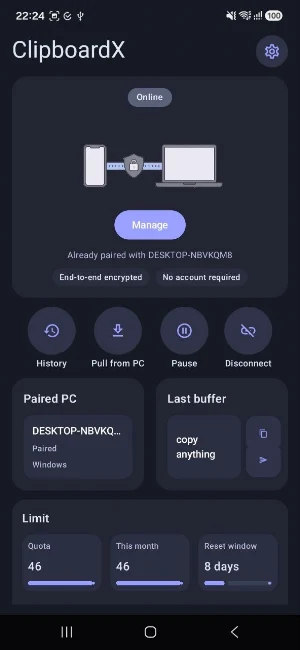
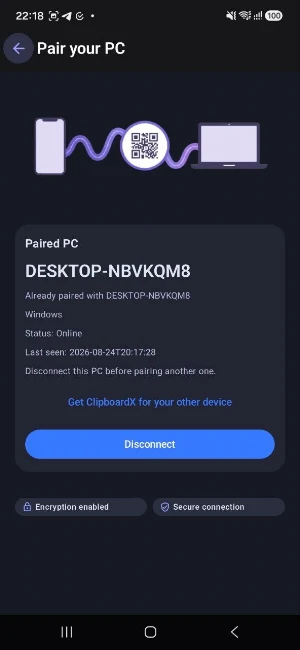
Copy text or a supported image on your Android phone and access it on your Windows PC, or copy on Windows and send it back to Android. Pair your devices once with a QR code and keep your clipboard available across both devices.
With ClipboardX you can:
• Sync clipboard text between Android and Windows
• Sync supported single-image clipboard items
• Pair devices quickly with a QR code or manual pairing code
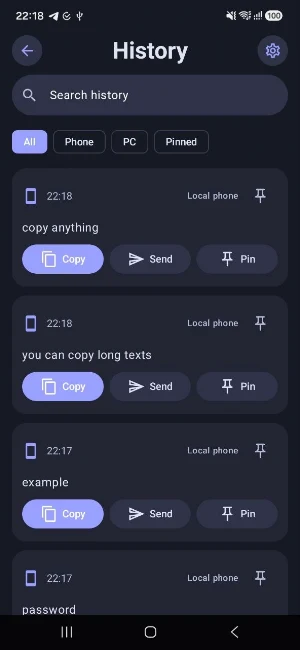
• View recent clipboard history with text and image previews
• Search, pin, copy, send and delete history items
• Turn Image Sync on or off independently from text sync
• Pause synchronization whenever you want
• Protect sensitive clipboard data and exclude selected Android apps
• Use the ClipboardX keyboard on Android for quick access to clipboard history
• See paired-device status and reconnect automatically
• Transfer clipboard content with encrypted transport
ClipboardX is designed to stay lightweight and out of the way while helping you move copied content between your phone and PC without sending messages to yourself.
A Windows PC with the ClipboardX companion app is required for cross-device synchronization. ClipboardX currently supports text and supported single-image clipboard items. File, folder and video synchronization are not supported.
Similar Apps

UserLAnd - Linux on Android
Run Linux on Android. No root required.
spacedesk - USB Display for PC
Multi Monitor Remote Desktop. Screen share, mirror and extend. USB, WiFi and LAN

WiFi Mouse Pro
PC remote: Pro wireless mouse, keyboard, scanner, AI tools & desktop.
RealVNC Viewer: Remote Desktop
Remotely control a desktop anywhere in the world from your Android device!

Elgato Stream Deck Mobile
Control any workflow from your phone or tablet

Scientific Calculator Pro
A powerful scientific and graphing calculator with matrices and complex numbers.
