

List Notes - Notes & Tables
Dash Fusion Productivity Contains ads
Simple offline notes with checklists, tables, attachments & PDF export.
- Downloads
- 44+
- on Google Play
- Price
- Free
- No in-app purchases
- Updated
- Sep 21
- 2026 · v1.1.1
Screenshots


About List Notes - Notes & Tables
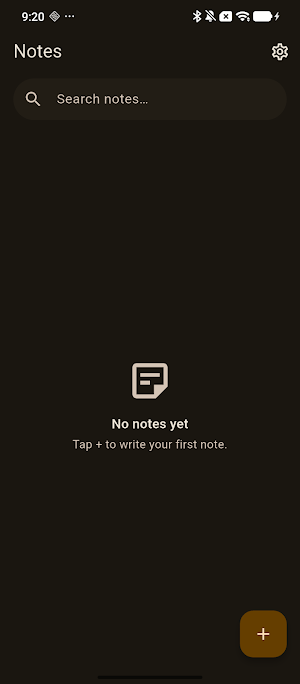
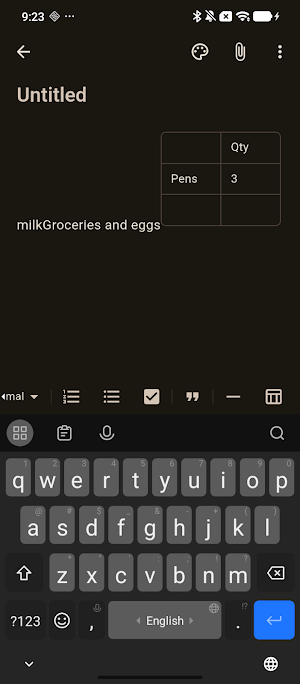
List Notes keeps it simple on the outside: one list of your notes, newest first, with instant search. Inside each note there's a capable editor — headings, bold/italic/underline/strikethrough, bullet and numbered lists, checkboxes, quotes, dividers… and real tables.
✏️ A pleasant editor
• Headings, text styles, checklists, quotes and dividers
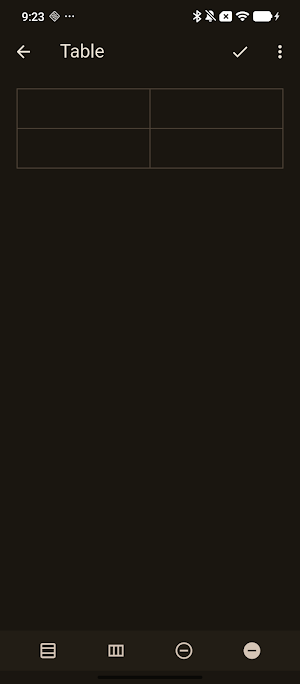
• Tables: insert a table, add or remove rows and columns, edit every cell
• Autosave on every change — your words are never lost
📎 Attach and preview files
• Attach photos, PDFs, spreadsheets — any file — to a note
• Images open full-screen, PDFs open in a built-in viewer
• Attachments are preview-only: List Notes never modifies your files
📄 Export & share
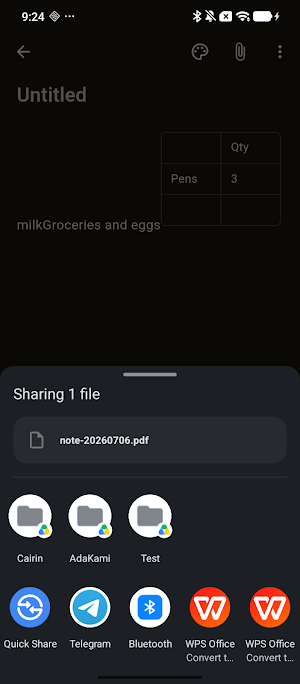
• Export a whole note to PDF — formatting and tables included
• Export any table to an XLSX spreadsheet
• Share via the regular Android share sheet
🔒 Private & offline
• Works 100% offline — no account, no sign-up, no cloud
• Your notes stay on your device
• Local JSON backup & restore, whenever you want
🎨 Comfortable to write in
• Warm, paper-like design with light & dark themes
• Optional accent color per note
• The writing screen is always clean — no ads while you write
More apps by Dash Fusion — the "List" family of simple, offline tools:
· List Counter
· List Timer
· List Score
· List Picker
· List Date
· List Percent
· List Debt
What’s new
Version 1.1.1 · Updated September 21, 2026
• The "Note deleted / Undo" bar never went away by itself — it sat there and followed you onto other screens, still offering to restore a note long after you had moved on. It now clears itself after a few seconds, and waits only when TalkBack is on. • Delete two notes quickly and the Undo shown belonged to the first. It is now always the note you just deleted. • Deleting no longer claims it can't be undone, because it can. • Times follow your phone's 12- or 24-hour setting.
Alternatives to List Notes - Notes & Tables
Looking for apps like List Notes - Notes & Tables? Here are 6 similar Android apps on Google Play. All of them are free to download.
-
Neon PingPong: 2 Player Game
-
List QR: QR Code Generator
-
Potion Sort: Color Puzzle 999
-
List Budget: Expense Tracker
-
List Debt: Installment Tracker
-
List Percent Calculator
| App | Rating | Price | Installs | Last updated | Compare |
|---|---|---|---|---|---|
| List Notes - Notes & Tables | – | Free | 10+ | Sep 21, 2026 | |
| Neon PingPong: 2 Player Game | – | Free | 50+ | Aug 27, 2026 | Compare |
| List QR: QR Code Generator | – | Free | 10+ | Sep 21, 2026 | Compare |
| Potion Sort: Color Puzzle 999 | – | Free | 10+ | Sep 8, 2026 | Compare |
| List Budget: Expense Tracker | – | Free | 50+ | Sep 16, 2026 | Compare |
| List Debt: Installment Tracker | – | Free | 100+ | – | Compare |
| List Percent Calculator | – | Free | 10+ | Aug 31, 2026 | Compare |
Similar apps on Google Play
- Neon PingPong: 2 Player Game
- List QR: QR Code Generator
- Potion Sort: Color Puzzle 999
- List Budget: Expense Tracker
- List Debt: Installment Tracker
- List Percent Calculator
- List Date – Date Calculator
- List Picker — Random Decider
- List Score: Score Keeper
- List Timer – Multi Timer
- List Counter
- List Calculator