

FileRevive-File Recovery
VLOG24INDIA Tools
Recover photos, videos, audio, and documents from your device.
- Downloads
- 126K+
- on Google Play
- Price
- Free
- No in-app purchases
- Updated
- Aug 28
- 2026 · v1.0.3
Screenshots

About FileRevive-File Recovery
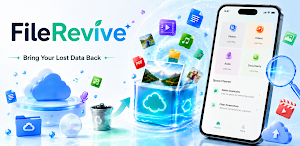
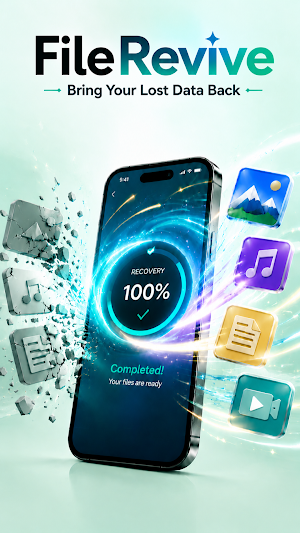
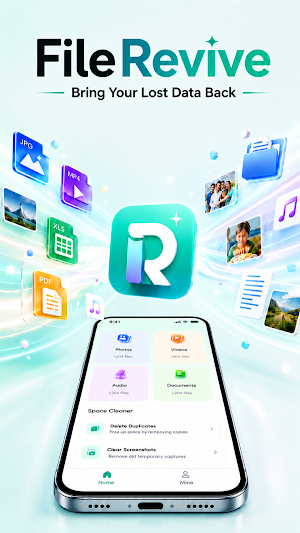
FileRevive is a practical file recovery app that helps users look through device storage for files that may still be recoverable. It is designed for everyday recovery situations involving photos, videos, audio files, documents, and other common file types. Users can start a scan, check the results, and save the files they choose back to local storage.
The recovery process is controlled by the user from start to finish. In FileRevive, users can select a file category, begin scanning, and review detected items before restoring anything. The app does not automatically restore all found files. Instead, it gives users a clear result list so they can decide which files are useful and which ones should be ignored.
FileRevive may be useful when media or documents were deleted by mistake, when files appear to be missing, or when users want to check whether older items can still be found on the device. Recovery success depends on many factors, including device storage condition, how recently the file was deleted, and whether the original storage space has already been reused. FileRevive does not promise that every deleted file can be recovered.
Key features include:
- Scan for recoverable images, videos, music, audio, and documents
- Browse detected results before saving
- Recover only the files selected by the user
- View progress during scanning or recovery tasks
- Receive status or completion notifications
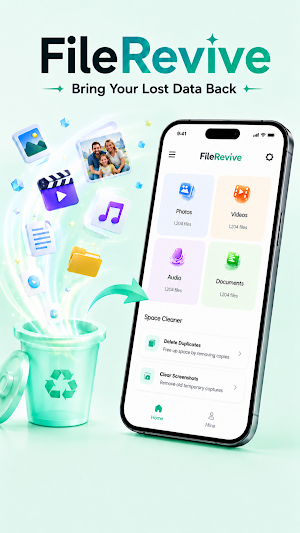
- Use simple tools for duplicate photo and screenshot cleanup
FileRevive uses storage access for its core recovery workflow. Wider storage access may be needed because limited file picker permissions are not enough to scan storage areas where recoverable files may exist. This access is used to scan for files, display recovery results, and save selected files back to the device. It is not used for unrelated advertising targeting or unnecessary personalization.
Some scans may take longer when the device has many files or large storage areas to check. During longer recovery tasks, FileRevive may display a foreground notification so users can see that scanning or recovery is still active. These notifications are intended for recovery progress and completion updates, not unrelated promotional messages.
FileRevive is built to provide a straightforward recovery experience: scan, review, choose, and restore. Recovery results may vary, and files that have been overwritten may not be recoverable. For better results, users should scan as soon as possible after accidental deletion.
The recovery process is controlled by the user from start to finish. In FileRevive, users can select a file category, begin scanning, and review detected items before restoring anything. The app does not automatically restore all found files. Instead, it gives users a clear result list so they can decide which files are useful and which ones should be ignored.
FileRevive may be useful when media or documents were deleted by mistake, when files appear to be missing, or when users want to check whether older items can still be found on the device. Recovery success depends on many factors, including device storage condition, how recently the file was deleted, and whether the original storage space has already been reused. FileRevive does not promise that every deleted file can be recovered.
Key features include:
- Scan for recoverable images, videos, music, audio, and documents
- Browse detected results before saving
- Recover only the files selected by the user
- View progress during scanning or recovery tasks
- Receive status or completion notifications
- Use simple tools for duplicate photo and screenshot cleanup
FileRevive uses storage access for its core recovery workflow. Wider storage access may be needed because limited file picker permissions are not enough to scan storage areas where recoverable files may exist. This access is used to scan for files, display recovery results, and save selected files back to the device. It is not used for unrelated advertising targeting or unnecessary personalization.
Some scans may take longer when the device has many files or large storage areas to check. During longer recovery tasks, FileRevive may display a foreground notification so users can see that scanning or recovery is still active. These notifications are intended for recovery progress and completion updates, not unrelated promotional messages.
FileRevive is built to provide a straightforward recovery experience: scan, review, choose, and restore. Recovery results may vary, and files that have been overwritten may not be recoverable. For better results, users should scan as soon as possible after accidental deletion.
Alternatives to FileRevive-File Recovery
Looking for apps like FileRevive-File Recovery? Here are 6 similar Android apps on Google Play. The highest rated is pCloud Pass - Password manager (4.7/5), and all 6 are free to download.
-
ASTRO File Manager & Cleaner 4.1
-
Fortect Mobile Security 4.2
-
pCloud Pass - Password manager 4.7
-
SMA Energy 4.4
-
Swift Backup 3.6
-
PDK Access by ProdataKey 2.2
| App | Rating | Price | Installs | Last updated | Compare |
|---|---|---|---|---|---|
| FileRevive-File Recovery | – | Free | 100,000+ | Aug 28, 2026 | |
| ASTRO File Manager & Cleaner | 4.1 / 5 | Free | 50,000,000+ | Sep 24, 2026 | Compare |
| Fortect Mobile Security | 4.2 / 5 | Free | 10,000+ | Aug 17, 2026 | Compare |
| pCloud Pass - Password manager | 4.7 / 5 | Free | 50,000+ | Aug 31, 2026 | Compare |
| SMA Energy | 4.4 / 5 | Free | 1,000,000+ | Oct 27, 2026 | Compare |
| Swift Backup | 3.6 / 5 | Free | 500,000+ | Jul 30, 2026 | Compare |
| PDK Access by ProdataKey | 2.2 / 5 | Free | 100,000+ | Jul 21, 2026 | Compare |
Similar apps on Google Play
- ASTRO File Manager & Cleaner
- Fortect Mobile Security
- pCloud Pass - Password manager
- SMA Energy
- Swift Backup
- PDK Access by ProdataKey
- AVG Cleaner – Storage Cleaner
- AnyTracker - track anything!
- Mobile Hotel PMS by Hotel Sync
- PDF Reader Zone
- 1Tap Cleaner (clear cache)
- Cleaner Antivirus VPN Cleaner
- Autosync - File Sync & Backup
- Norton Cleaner – Junk removal
- HyperClean AI
- Phone Cleaner – Junk Files
- Photo Recovery: Restore Files
- PRIVARY Secure Photo Vault
- DAVx⁵ – CalDAV CardDAV WebDAV
- Storage Analyzer & Disk Usage
- CSV File Viewer - Smart CSV
- MobiSaver: Data&Photo Recovery
- Super File Manager Explorer
- Trend Micro ID Protection
- MiraClean - File Manager
- Personio
- WhatisRemoved+
- UltData: Photo & Data Recovery
- F-Secure Mobile Security
- Avast Cleanup – Phone Cleaner
- Restore My Old Deleted Photos
- AVG Protection
- Avast One: Antivirus, Security
- Bundeling
- Smart Gallery - Photo Manager
- LockTrip
- Total Drive - Cloud Storage
- MeisterTask - Task Management
- Gallery
- Dropbox: Secure Cloud Storage
- File Manager
- MobiDrive Cloud Storage & Sync
- File Manager
- Dr.Fone: Photo & Data Recovery