

Cool Clean
Tools
Check storage, clear app cache, and open Android care tools safely.
- Downloads
- 2.5K+
- on Google Play
- Price
- Free
- No in-app purchases
- Updated
- Jun 25
- 2026
Screenshots

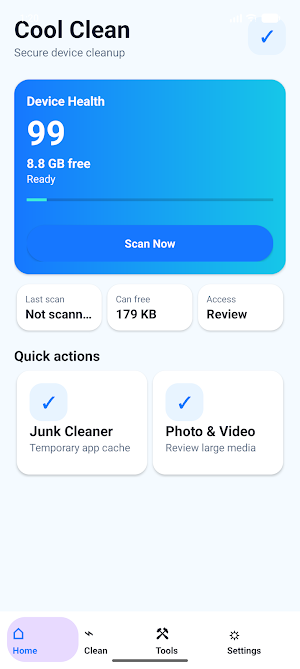
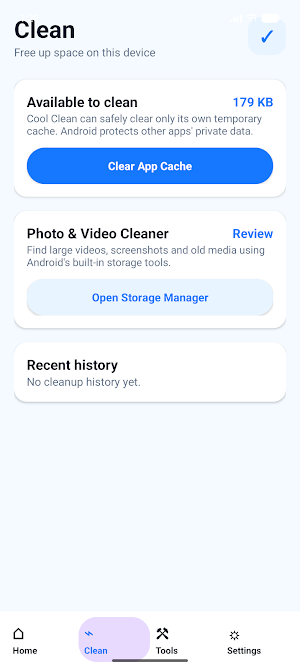
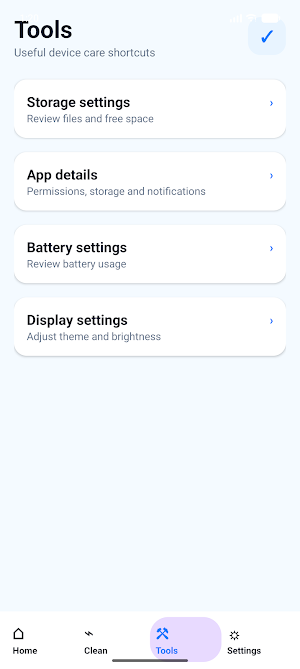
About Cool Clean
Cool Clean is a lightweight device care assistant for Android.
It helps you understand available storage, review simple cleanup options, and open Android's built-in device management tools from one clear place.
Key features:
- Storage overview: see device health, free space, and last scan time.
- Safe app cache cleanup: clear temporary files created by Cool Clean itself.
- Media review shortcut: open Android storage tools to review photos, videos, and large files.
- Device care shortcuts: jump to storage, app details, battery saver, display, and permission settings.
- Simple settings: review privacy links, terms, app details, and display preferences.
Privacy-focused by design:
- Cool Clean does not upload your files.
- Cool Clean does not require broad all-files access.
- Cool Clean does not delete other apps' private data.
- Cool Clean uses Android system screens for sensitive device management actions.
Important note:
Available storage and cleanup results depend on Android system settings and user choices. Cool Clean is designed as a safe assistant, not a performance booster or a tool that bypasses Android storage protections.
It helps you understand available storage, review simple cleanup options, and open Android's built-in device management tools from one clear place.
Key features:
- Storage overview: see device health, free space, and last scan time.
- Safe app cache cleanup: clear temporary files created by Cool Clean itself.
- Media review shortcut: open Android storage tools to review photos, videos, and large files.
- Device care shortcuts: jump to storage, app details, battery saver, display, and permission settings.
- Simple settings: review privacy links, terms, app details, and display preferences.
Privacy-focused by design:
- Cool Clean does not upload your files.
- Cool Clean does not require broad all-files access.
- Cool Clean does not delete other apps' private data.
- Cool Clean uses Android system screens for sensitive device management actions.
Important note:
Available storage and cleanup results depend on Android system settings and user choices. Cool Clean is designed as a safe assistant, not a performance booster or a tool that bypasses Android storage protections.
What’s new
Updated June 25, 2026
fix bug
Alternatives to Cool Clean
Looking for apps like Cool Clean? Here are 3 similar Android apps on Google Play. All of them are free to download.

| App | Rating | Price | Installs | Last updated | Compare |
|---|---|---|---|---|---|
| Cool Clean | – | Free | 1,000+ | Jun 25, 2026 | |
| Easy Torch | – | Free | 50+ | – | Compare |
| CleanBox | – | Free | 10+ | Oct 7, 2026 | Compare |
| PDF All Reader | – | Free | 1,000+ | – | Compare |
Compare Cool Clean with the top alternatives: ratings, updates, ASO score and keyword gaps →