

Image To PDF
Productivity Contains ads
Convert images to PDF instantly. Fast, easy & works offline.
- Downloads
- 16+
- on Google Play
- Price
- Free
- No in-app purchases
- Updated
- Oct 3
- 2026 · v1.0.0
Screenshots
About Image To PDF
Image to PDF Converter - Convert your images into high-quality PDF files in seconds with Image to PDF App.
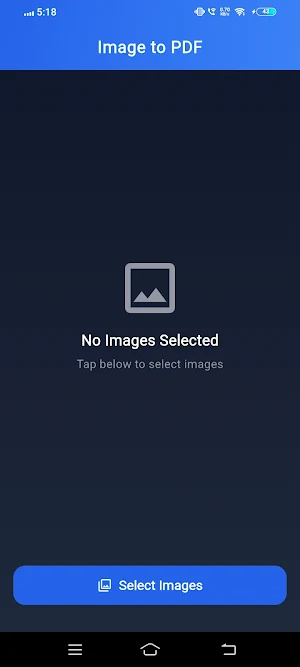
This app is designed to be fast, simple, and completely offline. Whether you need to create PDFs from photos, documents, or screenshots, this tool makes it easy.
🔹 Key Features:
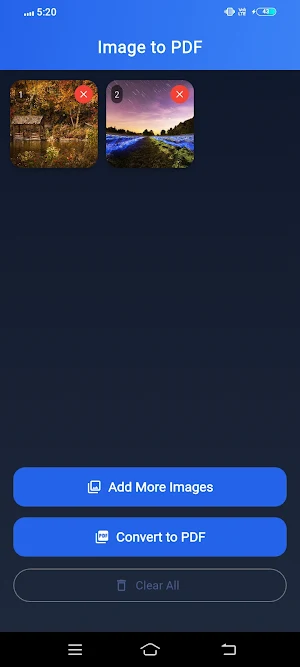
• Convert multiple images to a single PDF
• Reorder images before creating PDF
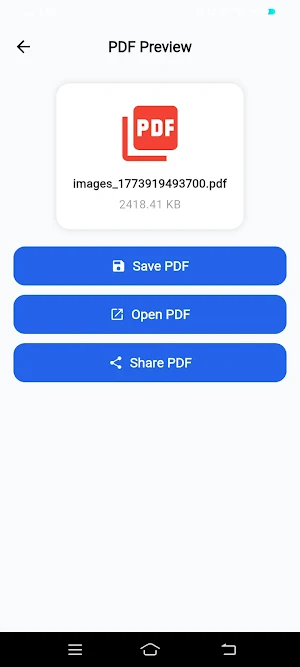
• High-quality PDF output
• Fast processing with offline support
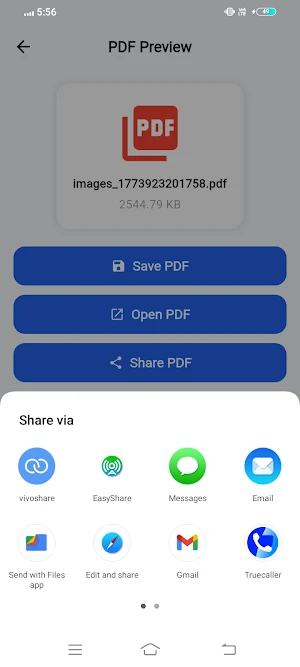
• Share PDF directly from the app
• Easy and clean user interface
📂 How it works:
1. Select images from your device
2. Arrange them in your preferred order
3. Convert to PDF instantly
4. Save or share your file
🔒 Privacy First:
All files are processed locally on your device. Your images are never uploaded to any server.
📱 Perfect for:
• Students and assignments
• Office documents
• Scanned notes
• Personal file organization
Download now and convert your images to PDF quickly and easily!
This app is designed to be fast, simple, and completely offline. Whether you need to create PDFs from photos, documents, or screenshots, this tool makes it easy.
🔹 Key Features:
• Convert multiple images to a single PDF
• Reorder images before creating PDF
• High-quality PDF output
• Fast processing with offline support
• Share PDF directly from the app
• Easy and clean user interface
📂 How it works:
1. Select images from your device
2. Arrange them in your preferred order
3. Convert to PDF instantly
4. Save or share your file
🔒 Privacy First:
All files are processed locally on your device. Your images are never uploaded to any server.
📱 Perfect for:
• Students and assignments
• Office documents
• Scanned notes
• Personal file organization
Download now and convert your images to PDF quickly and easily!
Alternatives to Image To PDF
Looking for apps like Image To PDF? Here are 5 similar Android apps on Google Play. All of them are free to download.

| App | Rating | Price | Installs | Last updated | Compare |
|---|---|---|---|---|---|
| Image To PDF | – | Free | 10+ | Oct 3, 2026 | |
| File Converter | – | Free | 500+ | Oct 4, 2026 | Compare |
| Bulk Rename – File Renamer | – | Free | 1,000+ | Oct 3, 2026 | Compare |
| World Clock | – | Free | 100+ | Oct 5, 2026 | Compare |
| Invoice Maker | – | Free | 10+ | – | Compare |
| QCalci | – | Free | – | – | Compare |
Compare Image To PDF with the top alternatives: ratings, updates, ASO score and keyword gaps →