

Mill Inspection
Christian Pfeiffer Maschinenfabrik GmbH Tools
Gain an uncomplicated overview of the condition of your grinding plant.
- Downloads
- 100+
- on Google Play
- Price
- Free
- No in-app purchases
- Updated
- Aug 31
- 2023 · v1.3.1
Screenshots
About Mill Inspection
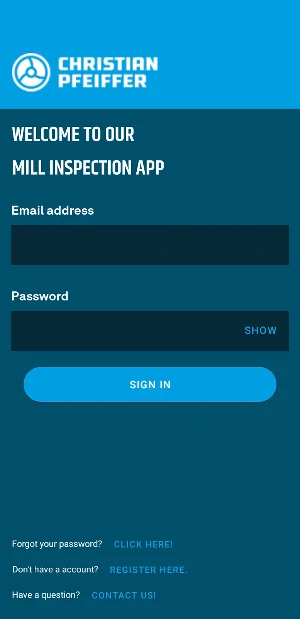
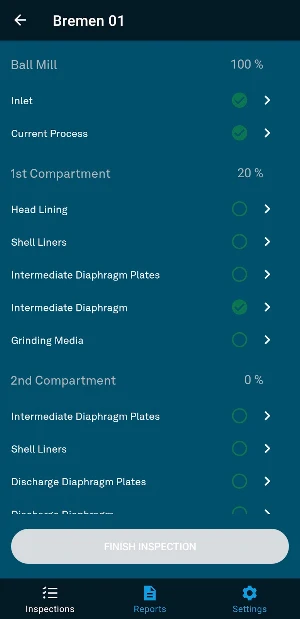
The Christian Pfeiffer Mill Inspection App helps users to ensure that the grinding plant is operating as energy-efficiently as possible. Step by step, the user is guided through the inspection of the cement grinding plant, measurements and photos are saved directly in the smartphone through the input mask. The user then receives an automatically generated report that can be accessed in PDF form in the app. Recording the condition of the ball mill is facilitated by the intuitive guidance.
Any number of mills can be created in the Mill Inspection app. Users have all data available at a glance and always at hand through the smartphone.
The desktop application makes it even easier for you to enter data and keep track of your equipment. Please visit the following website: www.mill-inspection.christianpfeiffer.com
The app is free of charge, collected data is stored exclusively on Christian Pfeiffer servers.
Features:
- Convenient creation of your equipment on the desktop
The desktop application at www.mill-inspection.christianpfeiffer.com makes it easy for you to enter the extensive data of your grinding equipment. On the large monitor you enter all unchangeable data of your grinding plant and have a quick overview of your mills.
- Step-by-step explanation
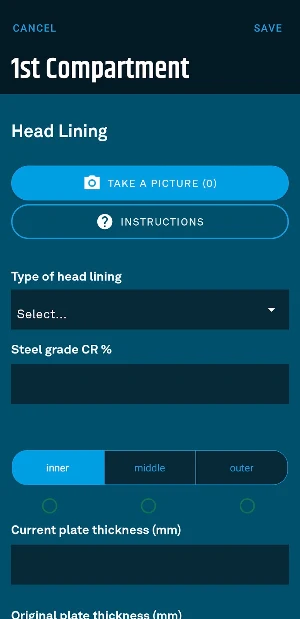
Your smartphone comes into play during the mill inspection. The app guides you step-by-step through the inspection and explains what you need to pay attention to. This is how you expand your process know-how.
- Upload photos
During the inspection, the app prompts you to take pictures of the mill internals. For this, the app needs access to your camera. The pictures will be included in the report, giving you a coherent overall impression.
- Automatic report
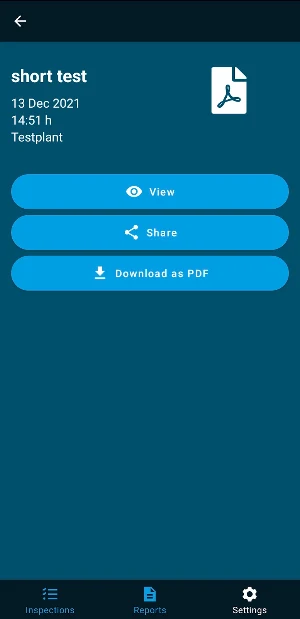
The data and images you enter are summarized in an automatically generated report. You can view the report in the app and download it as a PDF. The file format makes it easy to send the report to colleagues and can be easily printed if needed.
- Create different plants - all data in one app.
You can create as many mills as you like in your app and keep track of all grinding plants.
Any number of mills can be created in the Mill Inspection app. Users have all data available at a glance and always at hand through the smartphone.
The desktop application makes it even easier for you to enter data and keep track of your equipment. Please visit the following website: www.mill-inspection.christianpfeiffer.com
The app is free of charge, collected data is stored exclusively on Christian Pfeiffer servers.
Features:
- Convenient creation of your equipment on the desktop
The desktop application at www.mill-inspection.christianpfeiffer.com makes it easy for you to enter the extensive data of your grinding equipment. On the large monitor you enter all unchangeable data of your grinding plant and have a quick overview of your mills.
- Step-by-step explanation
Your smartphone comes into play during the mill inspection. The app guides you step-by-step through the inspection and explains what you need to pay attention to. This is how you expand your process know-how.
- Upload photos
During the inspection, the app prompts you to take pictures of the mill internals. For this, the app needs access to your camera. The pictures will be included in the report, giving you a coherent overall impression.
- Automatic report
The data and images you enter are summarized in an automatically generated report. You can view the report in the app and download it as a PDF. The file format makes it easy to send the report to colleagues and can be easily printed if needed.
- Create different plants - all data in one app.
You can create as many mills as you like in your app and keep track of all grinding plants.
What’s new
Version 1.3.1 · Updated August 31, 2023
* small improvements to the user interface
Alternatives to Mill Inspection
Looking for apps like Mill Inspection? Here are 6 similar Android apps on Google Play. The highest rated is PUBG - SKIN HACK (3.7/5), and 5 of the 6 are free to download.
-
PUBG - SKIN HACK 3.7
-
Recipe Converter Pro - Cooking
-
Talking Calculator
-
Live Mobile 3.5
-
TP-Partner
-
All Movie & Video Downloader
| App | Rating | Price | Installs | Last updated | Compare |
|---|---|---|---|---|---|
| Mill Inspection | – | Free | 100+ | Aug 31, 2023 | |
| PUBG - SKIN HACK | 3.7 / 5 | Free | 1,000+ | Apr 29, 2024 | Compare |
| Recipe Converter Pro - Cooking | – | 1.99 USD | 10+ | Feb 3, 2019 | Compare |
| Talking Calculator | – | Free | 500+ | Nov 14, 2019 | Compare |
| Live Mobile | 3.5 / 5 | Free | 10,000+ | Aug 2, 2018 | Compare |
| TP-Partner | – | Free | 10,000+ | Jan 30, 2026 | Compare |
| All Movie & Video Downloader | – | Free | 1,000+ | Apr 18, 2024 | Compare |
Compare Mill Inspection with the top alternatives: ratings, updates, ASO score and keyword gaps →
Similar apps on Google Play
- PUBG - SKIN HACK
- Recipe Converter Pro - Cooking
- Talking Calculator
- Live Mobile
- TP-Partner
- All Movie & Video Downloader
- Age Calculator
- Swipe & Delete
- AI Chatbot - Ask Me Anything
- 부메랑RPG 쿠폰
- Easy PDF Scanner
- My Livebox Fiber Luxembourg
- InvestmentPlanner
- Chispa ForTest
- Gestational Age Calculator
- All Video Saver Pro
- Dräger X-node
- Measurement Notebook
- DVD Player Remote
- Skinner Tools
- 판타스틱 베이스볼 쿠폰
- TEKTELIC LeapX
- Lenovo PC Diagnostics 2.0
- Status Save -Status Downloader
- SRT FAST