CMYK Color Separator
CMYK Separator: separate, analyze, and share the color channels of your photos

About CMYK Color Separator
CMYK Separator: The Ultimate App for Color Separation
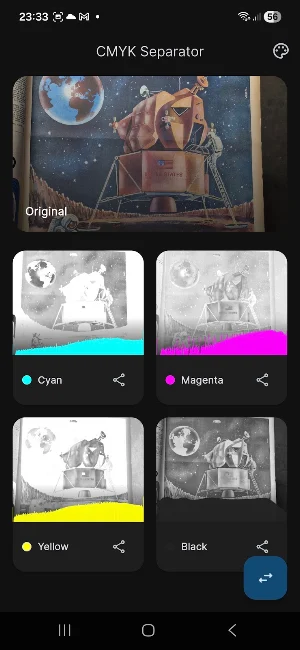
Have you ever wanted to see how an image is composed for professional printing? With CMYK Separator, you can turn your smartphone into a powerful graphic analysis tool. Instantly decompose any photograph into its four fundamental channels: Cyan, Magenta, Yellow, and Black (CMYK).
Whether you're a professional graphic designer, a design student, or an offset printing expert, this app gives you a detailed, technical view of your images — helping you understand how colors interact to create the final result.
WHY CHOOSE CMYK SEPARATOR?
🔹 Accurate Separation
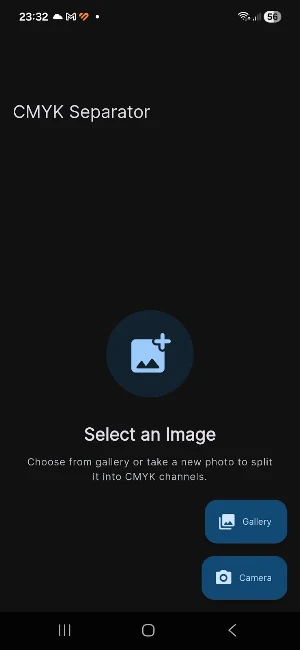
Load an image from your gallery or take a photo in real time. CMYK Separator instantly isolates the four color channels, letting you examine each component individually.
🔹 Dual Display Mode
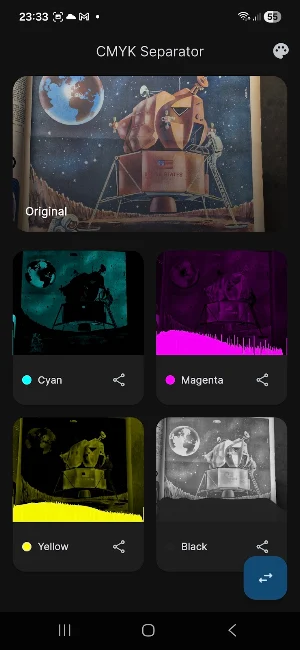
• Color Mode: view the channels in their actual hues (e.g., Cyan displayed as cyan).
• Grayscale Mode: ideal for analyzing dot intensity and ink density, just like professional printing plates.
🔹 Real-Time Histograms
Each channel comes with its own dedicated logarithmic histogram. Monitor tone distribution and saturation for each color (C, M, Y, K) for unprecedented technical control.
🔹 Easy Sharing
Share individual channels or the full analysis with colleagues, clients, or students via social media, email, or messaging apps.
KEY FEATURES
✅ Intuitive Interface — clean, Material-style design
✅ Camera & Gallery Support — import images from any source
✅ High-Resolution Analysis — fast processing, no loss of detail
✅ No Complex Setup — open the app and start right away
WHO IS THIS APP FOR?
🎨 Graphic Designers — verify color rendering and black coverage in compositions
📷 Photographers — deepen your understanding of color theory and chromatic decomposition
🖨️ Print Managers — virtually preview plates before going to press
🎓 Students & Educators — a great teaching tool for subtractive color synthesis and printing processes
HOW IT WORKS
1. Select — choose a photo from your gallery or use the camera
2. Analyze — the app automatically generates the four C, M, Y, K versions
3. Explore — view each channel in full screen, check the histogram, switch between color and grayscale
4. Share — send the result with a single tap
Download CMYK Separator today and discover what's hiding behind every pixel of your images!
---
The app uses advanced conversion algorithms to simulate standard CMYK separation — a perfect quick-reference tool for your everyday graphic workflow.
Similar Apps

Reading Today's News
Every morning, a thought is waiting for you

Trova la mia auto-ma non solo
Find my car, save useful locations and find everything in an instant

Dot Gain Simulation
Simulates dot gain in printing. Film, dot gain, and curve.
Color Lab Studio
Color Lab Studio — Customize Palettes & Discover New Colors
Wucius Wong Design Lab
Visual Lab: Explore and generate compositions based on design principles

Event Time Logger
Your Event Logger: Track Times, Durations, and History with Precision