
Screen Mirror- Cast to TV & PC
Tools Contains ads
Mirror your phone screen to any TV wirelessly. Fast, stable & HD screen casting!
- Downloads
- 370+
- on Google Play
- Price
- Free
- No in-app purchases
- Updated
- Jun 15
- 2026 · v1.4
Screenshots

About Screen Mirror- Cast to TV & PC
📺 Screen Mirror - Cast to TV | The Easiest Way to Mirror Your Phone to Any Smart TV, PC, or Chromecast!
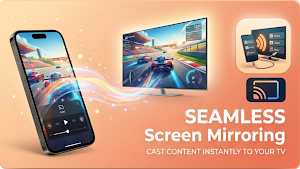
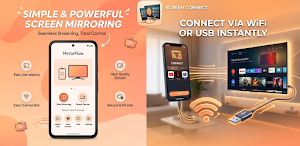
Tired of watching videos, photos, and presentations on a small screen? Screen Mirror - Cast to TV lets you instantly cast your phone screen to any Smart TV, Chromecast, PC, or laptop — wirelessly via Wi-Fi or through a fast USB connection. Enjoy real-time, high-quality screen mirroring with zero lag and crystal-clear HD streaming.
Whether you want to mirror your phone to TV for movie night, share a presentation at work, stream mobile games on a big screen, or cast photos to your Chromecast — our screen mirroring app makes it effortless. Just connect and cast!
⭐ KEY FEATURES
📱 One-Tap Screen Mirroring
Mirror your Android screen to any Smart TV, Chromecast, Fire TV, or PC in seconds. No complicated setup — just tap and cast your phone to TV instantly.
📡 Wireless & USB Connection
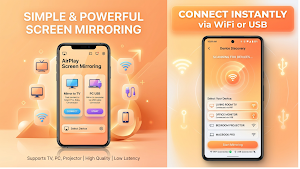
Connect via Wi-Fi for wireless display casting, or use USB for ultra-fast, zero-latency screen casting. Two powerful ways to mirror your screen.
📺 Chromecast Support
Full Chromecast integration built-in. Discover and cast to your Chromecast device automatically. Stream videos, mirror apps, and share your screen to TV effortlessly.
🖥️ Mirror to PC & Laptop
Cast your phone screen to any PC or laptop through your web browser. Perfect for presentations, remote work, or extending your display wirelessly.
🎬 HD Streaming Quality
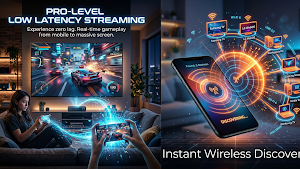
Experience smooth, high-definition screen mirroring with adaptive bitrate technology. Our screen cast engine automatically adjusts quality to deliver lag-free, real-time streaming — even on slower networks.
🔊 Audio Mirroring
Mirror your screen with sound! Cast videos, music, and games to your TV with full audio support. Enjoy a complete big-screen experience.
🔒 Secure & Private
PIN-protected connections ensure your screen sharing session stays private. Only authorized devices can view your mirrored screen.
⚡ HOW TO USE
1️⃣ Connect your phone and TV to the same Wi-Fi network
2️⃣ Open the app and tap "Mirror to TV" to scan for devices
3️⃣ Select your Smart TV, Chromecast, or PC from the device list
4️⃣ Start mirroring! Your phone screen will appear on the big screen instantly
For USB connection: Simply plug in your USB cable, enable USB debugging, and enjoy zero-latency mirroring with the highest quality.
📺 SUPPORTED DEVICES
✅ Samsung Smart TV, LG Smart TV, Sony Smart TV, TCL, Hisense
✅ Google Chromecast (all generations)
✅ Amazon Fire TV & Fire TV Stick
✅ Roku TV & Roku Streaming Stick
✅ Miracast-compatible TVs and displays
✅ Any PC or laptop with a web browser
✅ DLNA-enabled devices
✅ Android TV & Google TV
🎯 PERFECT FOR
🎬 Watching movies, shows & videos on a big screen
🎮 Playing mobile games on your TV with low latency
📸 Sharing photos and family memories on the big screen
📊 Giving presentations and business demos wirelessly
🎵 Streaming music with full audio casting support
📺 Using your phone as a wireless display for your PC
💡 WHY CHOOSE SCREEN MIRROR - CAST TO TV?
✅ Ultra-Fast Connection — Connect to your TV in under 3 seconds
✅ Low Latency Streaming — Real-time mirroring with minimal delay
✅ Adaptive Bitrate — Automatically adjusts quality for smooth streaming
✅ Easy Setup — No technical knowledge required. Truly plug and play
✅ Universal Compatibility — Works with almost all Smart TVs, Chromecast, and Miracast devices
✅ Multiple Connection Modes — Wi-Fi, USB, and browser-based screen casting
✅ Lightweight App — Small app size, fast performance, no bloat
🌟 Screen Mirror - Cast to TV transforms your small phone screen into a powerful wireless display. Download now and start casting to your TV, Chromecast, PC, or any Smart TV — anytime, anywhere!
For support or feedback, reach us through the app settings or email us directly. We're always improving to give you a seamless screen mirroring experience.
Email: [email protected]
Tired of watching videos, photos, and presentations on a small screen? Screen Mirror - Cast to TV lets you instantly cast your phone screen to any Smart TV, Chromecast, PC, or laptop — wirelessly via Wi-Fi or through a fast USB connection. Enjoy real-time, high-quality screen mirroring with zero lag and crystal-clear HD streaming.
Whether you want to mirror your phone to TV for movie night, share a presentation at work, stream mobile games on a big screen, or cast photos to your Chromecast — our screen mirroring app makes it effortless. Just connect and cast!
⭐ KEY FEATURES
📱 One-Tap Screen Mirroring
Mirror your Android screen to any Smart TV, Chromecast, Fire TV, or PC in seconds. No complicated setup — just tap and cast your phone to TV instantly.
📡 Wireless & USB Connection
Connect via Wi-Fi for wireless display casting, or use USB for ultra-fast, zero-latency screen casting. Two powerful ways to mirror your screen.
📺 Chromecast Support
Full Chromecast integration built-in. Discover and cast to your Chromecast device automatically. Stream videos, mirror apps, and share your screen to TV effortlessly.
🖥️ Mirror to PC & Laptop
Cast your phone screen to any PC or laptop through your web browser. Perfect for presentations, remote work, or extending your display wirelessly.
🎬 HD Streaming Quality
Experience smooth, high-definition screen mirroring with adaptive bitrate technology. Our screen cast engine automatically adjusts quality to deliver lag-free, real-time streaming — even on slower networks.
🔊 Audio Mirroring
Mirror your screen with sound! Cast videos, music, and games to your TV with full audio support. Enjoy a complete big-screen experience.
🔒 Secure & Private
PIN-protected connections ensure your screen sharing session stays private. Only authorized devices can view your mirrored screen.
⚡ HOW TO USE
1️⃣ Connect your phone and TV to the same Wi-Fi network
2️⃣ Open the app and tap "Mirror to TV" to scan for devices
3️⃣ Select your Smart TV, Chromecast, or PC from the device list
4️⃣ Start mirroring! Your phone screen will appear on the big screen instantly
For USB connection: Simply plug in your USB cable, enable USB debugging, and enjoy zero-latency mirroring with the highest quality.
📺 SUPPORTED DEVICES
✅ Samsung Smart TV, LG Smart TV, Sony Smart TV, TCL, Hisense
✅ Google Chromecast (all generations)
✅ Amazon Fire TV & Fire TV Stick
✅ Roku TV & Roku Streaming Stick
✅ Miracast-compatible TVs and displays
✅ Any PC or laptop with a web browser
✅ DLNA-enabled devices
✅ Android TV & Google TV
🎯 PERFECT FOR
🎬 Watching movies, shows & videos on a big screen
🎮 Playing mobile games on your TV with low latency
📸 Sharing photos and family memories on the big screen
📊 Giving presentations and business demos wirelessly
🎵 Streaming music with full audio casting support
📺 Using your phone as a wireless display for your PC
💡 WHY CHOOSE SCREEN MIRROR - CAST TO TV?
✅ Ultra-Fast Connection — Connect to your TV in under 3 seconds
✅ Low Latency Streaming — Real-time mirroring with minimal delay
✅ Adaptive Bitrate — Automatically adjusts quality for smooth streaming
✅ Easy Setup — No technical knowledge required. Truly plug and play
✅ Universal Compatibility — Works with almost all Smart TVs, Chromecast, and Miracast devices
✅ Multiple Connection Modes — Wi-Fi, USB, and browser-based screen casting
✅ Lightweight App — Small app size, fast performance, no bloat
🌟 Screen Mirror - Cast to TV transforms your small phone screen into a powerful wireless display. Download now and start casting to your TV, Chromecast, PC, or any Smart TV — anytime, anywhere!
For support or feedback, reach us through the app settings or email us directly. We're always improving to give you a seamless screen mirroring experience.
Email: [email protected]
Alternatives to Screen Mirror- Cast to TV & PC
Looking for apps like Screen Mirror- Cast to TV & PC? Here are 5 similar Android apps on Google Play. The highest rated is Volume Control: Sound Launcher (3.8/5), and all 5 are free to download.
-
Volume Control: Sound Launcher 3.8
-
Volume Booster: Sound Launcher
-
Full Audery Body Scanner Xray
-
TV Remote Control
-
WiFI Lab: Speed Test App
| App | Rating | Price | Installs | Last updated | Compare |
|---|---|---|---|---|---|
| Screen Mirror- Cast to TV & PC | – | Free | 100+ | Jun 15, 2026 | |
| Volume Control: Sound Launcher | 3.8 / 5 | Free | 10,000+ | Sep 6, 2026 | Compare |
| Volume Booster: Sound Launcher | – | Free | 100+ | Aug 17, 2026 | Compare |
| Full Audery Body Scanner Xray | – | Free | 1,000+ | Aug 19, 2026 | Compare |
| TV Remote Control | – | Free | 100+ | – | Compare |
| WiFI Lab: Speed Test App | – | Free | 100+ | – | Compare |