HEIC to JPG Converter Pro
Convert HEIC to JPG, PNG & PDF in one tap. 100% offline, private & fast.
About HEIC to JPG Converter Pro
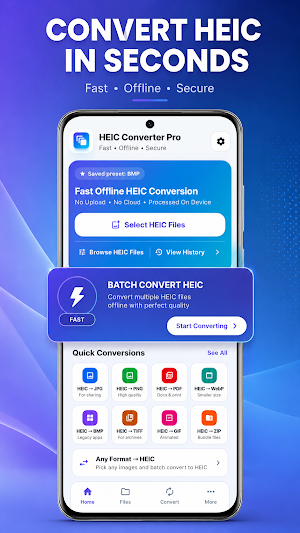
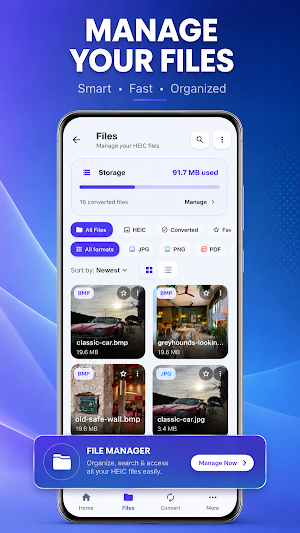
Can't open iPhone photos on your Android phone or PC? HEIC Converter Pro turns HEIC and HEIF images into JPG, PNG, PDF, or WebP in one tap — fast, offline, and 100% private.
Apple devices save photos in HEIC (High Efficiency Image Container). It saves space, but many Android apps, Windows PCs, websites, and printing services still can't open HEIC files. This HEIC to JPG converter fixes that in seconds: pick your photos, choose a format, done. No upload. No watermark. No sign-up.
WHY HEIC CONVERTER PRO
✓ HEIC to JPG — the universal format for sharing, email, and web uploads
✓ HEIC to PNG — lossless quality for editing
✓ HEIC to PDF — turn photos into documents for forms and printing
✓ HEIC to WebP — small, modern files for the web
✓ Batch conversion — convert dozens or hundreds of photos at once
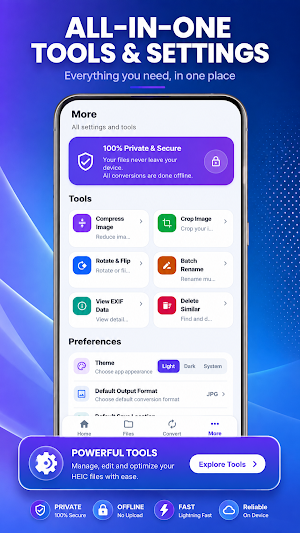
✓ 100% offline — every conversion happens on your device
✓ Keeps EXIF metadata — camera info and settings stay intact
✓ Keeps original dates — your gallery timeline stays in order
✓ No watermark, no file limits, no account
PRIVATE BY DESIGN
Your photos never leave your phone. HEIC Converter Pro collects no data and shares no data — you can verify this in the Data safety section of this listing. Unlike online HEIC converters, nothing is uploaded to a server.
PERFECT FOR
• Opening HEIC photos sent from an iPhone by WhatsApp, email, or cloud drive
• Uploading pictures to websites and forms that only accept JPG or PNG
• Sending photos to a Windows PC, school portal, or office printer
• Fixing "file type not supported" errors on older devices and apps
• Photographers converting HEIF shots for clients and editing apps
HOW IT WORKS
1. Select one HEIC photo — or batch select your whole album
2. Choose JPG, PNG, PDF, or WebP
3. Tap Convert. Your images are saved and ready to share
HEIC, HEIF, JPG — WHAT'S THE DIFFERENCE?
HEIC (HEIF) is Apple's space-saving photo format introduced with iOS 11. JPG (JPEG) is the most widely supported image format in the world, and PNG offers lossless quality. When a website, app, or device rejects your photo, converting HEIC to JPG or HEIC to JPEG is the quickest fix.
A FAST, LIGHTWEIGHT PHOTO CONVERTER
HEIC Converter Pro is built to stay small and quick — a no-bloat image converter with bulk conversion that works even in airplane mode.
Found a file that won't convert, or want a new feature? Email [email protected] — we ship fixes fast.
Download HEIC Converter Pro now and open every iPhone photo on Android — convert HEIC to JPG, PNG, PDF, and WebP today.
Similar Apps

Photo EXIF Remover: MetaClean
Erase GPS location and EXIF metadata from photos and videos before sharing.

GIF Maker: Video to GIF Editor
Create & edit animated GIFs from video & photos in seconds. No watermark!
CropFlow: Photo Crop & Resize
Fast offline photo cropping, aspect ratio presets, image rotation, and sharing.

Product Photo Studio Remove BG
Background remover for product photos. White BG for Amazon, eBay, Etsy. Offline

Photo Compressor, Resizer: KB
Compress photo size in KB & MB. Batch image resizer & fast PNG/JPG converter.
