
ChromaKey Screen
%EB%B8%8C%EB%A1%9C%EC%8B%9C%EC%8A%A4%ED%84%B0 Photography Contains ads
Essential app for video compositing, background removal, and studio lighting
- Downloads
- 139+
- on Google Play
- Price
- Free
- No in-app purchases
- Updated
- Feb 26
- 2026 · v1.0.0
Screenshots


About ChromaKey Screen
ChromaKey Screen – Your Pocket Studio
The perfect green screen for video compositing.
An essential tool for green screen backgrounds, studio lighting, tracking markers, and background removal.
Turn your smartphone or tablet into a professional green screen and soft light—anytime, anywhere.
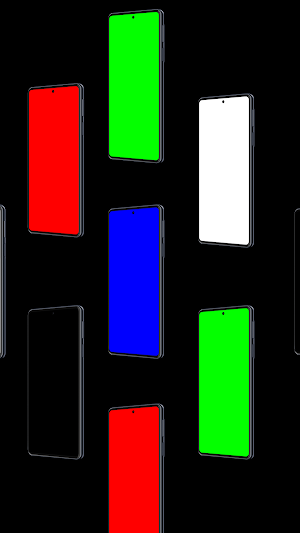
ChromaKey Screen delivers clean, vibrant, and perfectly even color screens optimized for chroma keying and background removal, without any extra equipment.
Create a professional filming setup instantly, whether you’re at home, outdoors, or on the go.
[Key Features]
1. Perfect Chroma Key Colors
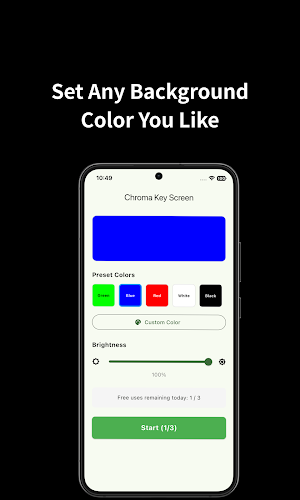
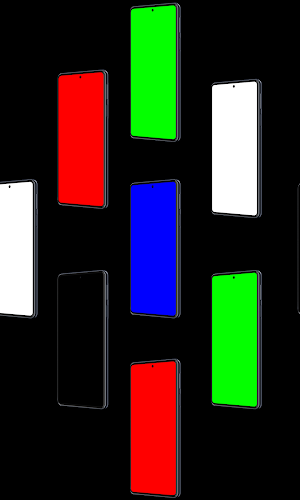
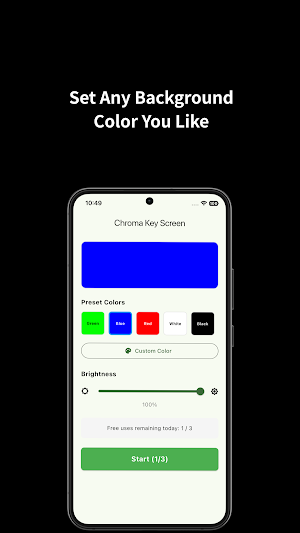
- Green & Blue Screens : Industry-standard colors optimized for video compositing and chroma key effects.
- Multiple Background Colors : Red, magenta, white, black, and more—choose the right color for any shooting scenario.
- Custom Color Picker : Fine-tune and create your own background color with precise control.
2. Studio Lighting Mode (Soft Light)
- Maximize screen brightness to use your device as a softbox or reflector.
- Ideal for selfies, talking-head videos, and product shots.
- Adjustable color temperature for warm or cool lighting effects.
3. Tracking Markers
- Display motion tracking markers (crosshairs) for professional VFX work.
- Helps stabilize compositing even with camera movement.
4. Touch Lock & Fullscreen Mode
- Lock the screen to prevent accidental touches during recording.
- Hides the status bar for a true edge-to-edge fullscreen color display.
Who Is This App For?
YouTube & TikTok Creators
- Create chroma key intros using your phone or tablet screen.
- Film props, figures, or hands without needing a green fabric.
Video Editing & VFX Beginners
- Practice chroma keying in Premiere Pro, After Effects, or DaVinci Resolve.
- Quickly get a solid-color background when filming outdoors or on the move.
Photographers & Product Reviewers
- Use as a clean background board for small products and accessories.
- Add extra light in low-light environments.
Online Meetings & Live Streaming
- Use the white screen as a soft face light for Zoom or video calls.
How to Use
1. Choose a Color
2. Launch the app and select green, blue, white, or any preset color.
3. Use the color picker to create a custom background if needed.
4. Adjust Brightness & Options
5. Swipe up or down to control screen brightness.
6. Enable tracking markers from the options menu if required.
7. Start Shooting
8. Place your device behind the subject as a background or light source.
9. Record with another camera and apply a chroma key effect (e.g., Ultra Key) in your editing software.
Why Choose ChromaKey Screen?
- Optimized Colors : Uses standard RGB values for clean and accurate keying.
- Battery Efficient : Lightweight design with minimal heat and power usage.
- Simple, Intuitive : No complicated setup—tap once and start filming.
- Completely Free : No watermarks, no feature locks, no subscriptions.
Download ChromaKey Screen now
and upgrade your videos to a professional level—anytime, anywhere.
The perfect green screen for video compositing.
An essential tool for green screen backgrounds, studio lighting, tracking markers, and background removal.
Turn your smartphone or tablet into a professional green screen and soft light—anytime, anywhere.
ChromaKey Screen delivers clean, vibrant, and perfectly even color screens optimized for chroma keying and background removal, without any extra equipment.
Create a professional filming setup instantly, whether you’re at home, outdoors, or on the go.
[Key Features]
1. Perfect Chroma Key Colors
- Green & Blue Screens : Industry-standard colors optimized for video compositing and chroma key effects.
- Multiple Background Colors : Red, magenta, white, black, and more—choose the right color for any shooting scenario.
- Custom Color Picker : Fine-tune and create your own background color with precise control.
2. Studio Lighting Mode (Soft Light)
- Maximize screen brightness to use your device as a softbox or reflector.
- Ideal for selfies, talking-head videos, and product shots.
- Adjustable color temperature for warm or cool lighting effects.
3. Tracking Markers
- Display motion tracking markers (crosshairs) for professional VFX work.
- Helps stabilize compositing even with camera movement.
4. Touch Lock & Fullscreen Mode
- Lock the screen to prevent accidental touches during recording.
- Hides the status bar for a true edge-to-edge fullscreen color display.
Who Is This App For?
YouTube & TikTok Creators
- Create chroma key intros using your phone or tablet screen.
- Film props, figures, or hands without needing a green fabric.
Video Editing & VFX Beginners
- Practice chroma keying in Premiere Pro, After Effects, or DaVinci Resolve.
- Quickly get a solid-color background when filming outdoors or on the move.
Photographers & Product Reviewers
- Use as a clean background board for small products and accessories.
- Add extra light in low-light environments.
Online Meetings & Live Streaming
- Use the white screen as a soft face light for Zoom or video calls.
How to Use
1. Choose a Color
2. Launch the app and select green, blue, white, or any preset color.
3. Use the color picker to create a custom background if needed.
4. Adjust Brightness & Options
5. Swipe up or down to control screen brightness.
6. Enable tracking markers from the options menu if required.
7. Start Shooting
8. Place your device behind the subject as a background or light source.
9. Record with another camera and apply a chroma key effect (e.g., Ultra Key) in your editing software.
Why Choose ChromaKey Screen?
- Optimized Colors : Uses standard RGB values for clean and accurate keying.
- Battery Efficient : Lightweight design with minimal heat and power usage.
- Simple, Intuitive : No complicated setup—tap once and start filming.
- Completely Free : No watermarks, no feature locks, no subscriptions.
Download ChromaKey Screen now
and upgrade your videos to a professional level—anytime, anywhere.
What’s new
Version 1.0.0 · Updated February 26, 2026
Initial release of Chroma Key Screen! Provides solid color backgrounds for photo and video recording. Perfect for editing and compositing.
Alternatives to ChromaKey Screen
Looking for apps like ChromaKey Screen? Here are 6 similar Android apps on Google Play. All of them are free to download.
-
Pill Reminder - Medication
-
Focus Interval-Pomodoro Timer
-
Plant Water Reminder
-
Neck Relief - Stretch Reminder
-
Stand Up Reminder - stretch
-
Sound Meter-Simple Noise Meter
| App | Rating | Price | Installs | Last updated | Compare |
|---|---|---|---|---|---|
| ChromaKey Screen | – | Free | 100+ | Feb 26, 2026 | |
| Pill Reminder - Medication | – | Free | 10+ | May 7, 2026 | Compare |
| Focus Interval-Pomodoro Timer | – | Free | 5+ | Apr 15, 2026 | Compare |
| Plant Water Reminder | – | Free | 50+ | May 20, 2026 | Compare |
| Neck Relief - Stretch Reminder | – | Free | 10+ | Apr 3, 2026 | Compare |
| Stand Up Reminder - stretch | – | Free | 50+ | Apr 1, 2026 | Compare |
| Sound Meter-Simple Noise Meter | – | Free | 10+ | Apr 11, 2026 | Compare |
Compare ChromaKey Screen with the top alternatives: ratings, updates, ASO score and keyword gaps →
Similar apps on Google Play
- Pill Reminder - Medication
- Focus Interval-Pomodoro Timer
- Plant Water Reminder
- Neck Relief - Stretch Reminder
- Stand Up Reminder - stretch
- Sound Meter-Simple Noise Meter
- Water Reminder – Drink Tracker
- 태그셔틀 - 인스타그램 해시태그 모음 & 복사기
- Kaomoji-Emoticons & ASCII Art
- Ramen Timer-Buldak&Shin Ramen
- BalancePick-Would You Rather?
- Fake Call Escape-Incoming Call
- Calmoa – 간편한 그룹 일정 관리
- Tiply-Easiest Tip calculator
- Tap Counter - Tap & Timer
- Named – Digital Business Card
- Qnote - Easy QR Maker