

BankLink - Expense Tracker
Deducted Projects Finance In-app purchases
Scan bank screenshots & statements. AI extracts transactions automatically
- Downloads
- 93+
- on Google Play
- Price
- Free
- In-app purchases
- Updated
- May 14
- 2026 · v1.1
Screenshots

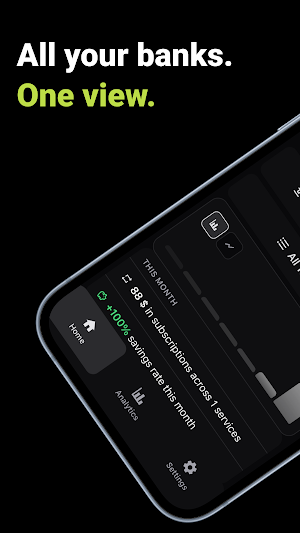
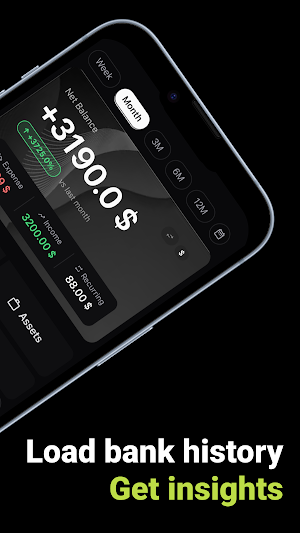
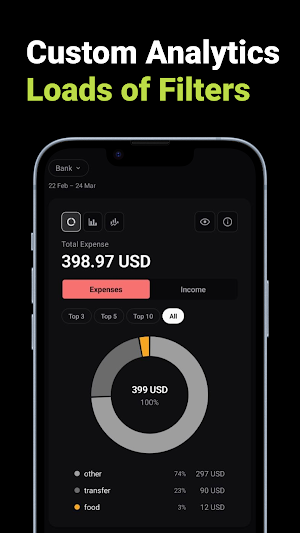

About BankLink - Expense Tracker
BankLink helps you track expenses by scanning bank statements and screenshots. Take a photo of a paper statement or upload a screenshot from your banking app — AI reads the data and extracts every transaction automatically.
How It Works
1. Take a photo of your bank statement or upload a screenshot from your banking app
2. AI identifies and extracts all transactions — amounts, dates, descriptions
3. Transactions are automatically sorted into spending categories
4. Review your finances with detailed charts and analytics
Features
Smart Scanning
Snap a photo of any bank statement or upload a screenshot from your banking app. BankLink uses advanced AI to recognize and extract transaction data from any bank or format.
PDF Statement Import
Upload PDF bank statements directly. BankLink processes multi-page documents and extracts all transactions in seconds.
Automatic Categorization
Every transaction is sorted into categories like groceries, dining, transport, subscriptions, and more. See exactly where your money goes.
Multi-Currency Support
Work with transactions in USD, EUR, RUB, and other currencies. BankLink handles statements from banks around the world.
Spending Analytics
View monthly breakdowns, category trends, and spending patterns. Understand your financial habits with clear charts and summaries.
Investment Tracking
Monitor your investment transactions alongside everyday spending for a complete financial picture.
Data Export
Export your transaction data in CSV or JSON format for use in spreadsheets or other financial tools.
Offline Access
Your transaction data is stored locally on your device. Access your financial history anytime, even without an internet connection.
Biometric Protection
Secure your financial data with Face ID or fingerprint authentication. Your sensitive information stays protected.
Privacy and Security
Your financial data is encrypted in transit and at rest. BankLink does not sell your data or share it with advertisers. You can request full data deletion at any time.
BankLink is designed for anyone who wants a simple, fast way to digitize and understand their bank transactions without manual data entry. Whether you are consolidating accounts from different banks, auditing your spending, or tracking investments — BankLink does the heavy lifting.
Subscription options are available for premium features including unlimited scans and advanced analytics.
How It Works
1. Take a photo of your bank statement or upload a screenshot from your banking app
2. AI identifies and extracts all transactions — amounts, dates, descriptions
3. Transactions are automatically sorted into spending categories
4. Review your finances with detailed charts and analytics
Features
Smart Scanning
Snap a photo of any bank statement or upload a screenshot from your banking app. BankLink uses advanced AI to recognize and extract transaction data from any bank or format.
PDF Statement Import
Upload PDF bank statements directly. BankLink processes multi-page documents and extracts all transactions in seconds.
Automatic Categorization
Every transaction is sorted into categories like groceries, dining, transport, subscriptions, and more. See exactly where your money goes.
Multi-Currency Support
Work with transactions in USD, EUR, RUB, and other currencies. BankLink handles statements from banks around the world.
Spending Analytics
View monthly breakdowns, category trends, and spending patterns. Understand your financial habits with clear charts and summaries.
Investment Tracking
Monitor your investment transactions alongside everyday spending for a complete financial picture.
Data Export
Export your transaction data in CSV or JSON format for use in spreadsheets or other financial tools.
Offline Access
Your transaction data is stored locally on your device. Access your financial history anytime, even without an internet connection.
Biometric Protection
Secure your financial data with Face ID or fingerprint authentication. Your sensitive information stays protected.
Privacy and Security
Your financial data is encrypted in transit and at rest. BankLink does not sell your data or share it with advertisers. You can request full data deletion at any time.
BankLink is designed for anyone who wants a simple, fast way to digitize and understand their bank transactions without manual data entry. Whether you are consolidating accounts from different banks, auditing your spending, or tracking investments — BankLink does the heavy lifting.
Subscription options are available for premium features including unlimited scans and advanced analytics.
What’s new
Version 1.1 · Updated May 14, 2026
- Auto-sync your bank via Belvo (LATAM) and Fintoc (Chile, Mexico) - AI Financial Review now requires explicit consent - Sign in with Apple - Premium plan: unlimited monthly scans - Right-to-left support, including Arabic - PII removed before any AI processing - Performance and stability fixes
Alternatives to BankLink - Expense Tracker
Looking for apps like BankLink - Expense Tracker? Here are 6 similar Android apps on Google Play. All of them are free to download.
-
Coopcrece
-
Pearl - AI Money Companion
-
Tera Yatırım Hesap Aç
-
HourGlass: Spend Smarter
-
Fajrak - Smart Finance
-
Loan Calculator
| App | Rating | Price | Installs | Last updated | Compare |
|---|---|---|---|---|---|
| BankLink - Expense Tracker | – | Free | 50+ | May 14, 2026 | |
| Coopcrece | – | Free | 1,000+ | Mar 3, 2026 | Compare |
| Pearl - AI Money Companion | – | Free | 10+ | May 19, 2026 | Compare |
| Tera Yatırım Hesap Aç | – | Free | 10,000+ | Aug 14, 2026 | Compare |
| HourGlass: Spend Smarter | – | Free | 10+ | Apr 25, 2026 | Compare |
| Fajrak - Smart Finance | – | Free | 10+ | Oct 27, 2026 | Compare |
| Loan Calculator | – | Free | 5,000+ | Mar 31, 2026 | Compare |
Similar apps on Google Play
- Coopcrece
- Pearl - AI Money Companion
- Tera Yatırım Hesap Aç
- HourGlass: Spend Smarter
- Fajrak - Smart Finance
- Loan Calculator
- iAdvance
- Dada-G pay
- كاش وان - CashOne
- DjanguiPay
- أسعار الذهب مباشر لحظة بلحظة
- Tiyende Kash - line credit
- KashPay
- RootsFi
- صقر الحسابات - دفتر الديون برو
- MKKdata
- Nómina Express: App de Sueldos
- Billboard - Pay Utility Bills
- Forex Signals
- Fine Gold
- Wage Clock : Measure Purchases
- EKO: Budgets & Expenses
- Gimbutis X
- Akıllı Fatura
- Deja - Chart Pattern Analysis