Autodesk Vault Mobile
Autodesk Vault Mobile lets you work with your vaulted data on the go!
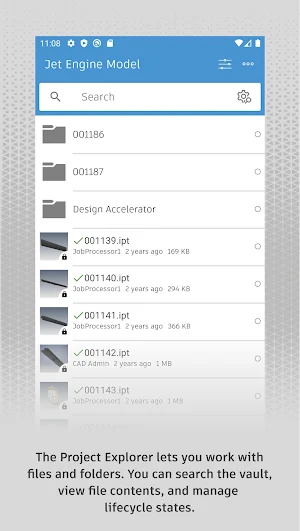
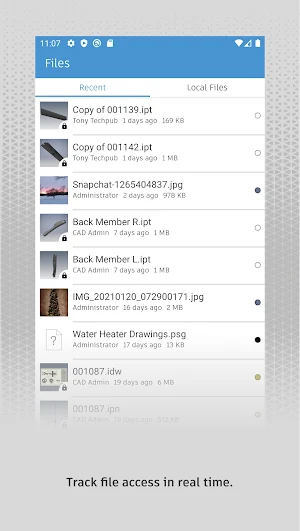
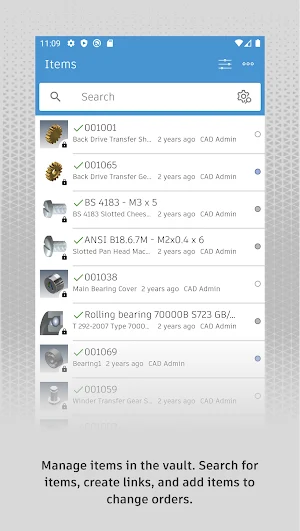
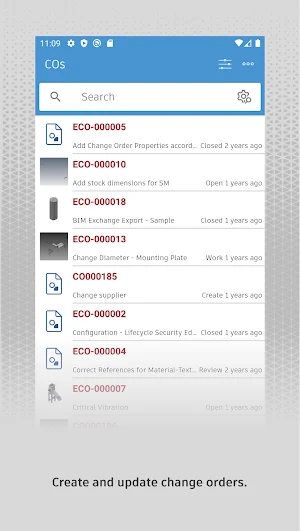
About Autodesk Vault Mobile
Autodesk® Vault for Android allows you to work with your design and engineering data on your mobile device. You can use the Vault mobile app to view 2D and 3D designs, check non-CAD files in and out, approve and sign documents, create and participate in change orders, perform QR, barcode, simple and extended data searches, and more. Supporting over 100 file formats, the Vault mobile app makes it easy to stay up to date on your projects and collaborate with others anytime, anywhere.
The mobile app works in conjunction with its companion desktop product, Autodesk® Vault product data management software.
To use the Vault mobile app for Android, you will need to sign in with your Vault account information.
Similar Apps

BIMx
Graphisoft’s BIMx is an interactive, 3D model viewer app — please download...

Procore
*NEW* + BookmarksEasily track and manage important project items with bookmarks on...
AutoCAD - DWG Viewer & Editor
Essential drafting and design capabilities for your everyday needs: Autodesk®️ AutoCAD® Web️...

Fresco - Smart, Guided Cooking
Fresco is your personal sous chef, ready and willing to help you...

Onshape 3D CAD
Onshape is a full mechanical CAD platform designed for professional users and...

MeasureSquare Mobile
Join the 4,500+ customers that use MeasureSquare for their onsite measure, estimating,...