
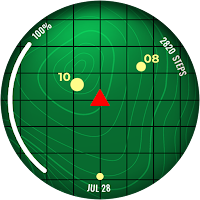
ARS Dragon Radar
Personalization
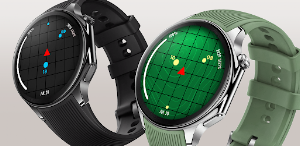
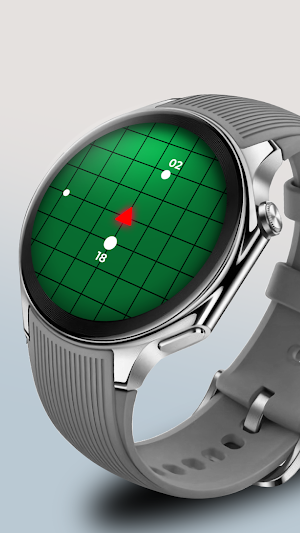
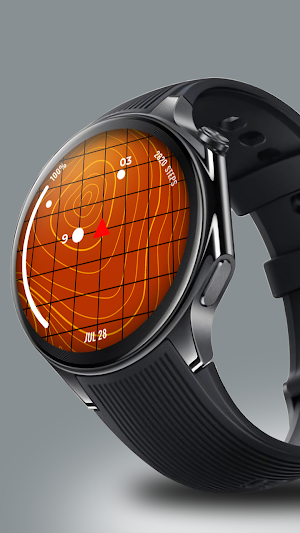
Bold, sleek, and dynamic adventure-inspired radar watchface for your Wear OS.
- Rating
- 4.5
- 17 ratings
- Downloads
- 1K+
- on Google Play
- Price
- $1.29
- No in-app purchases
- Updated
- Oct 15
- 2025
Screenshots
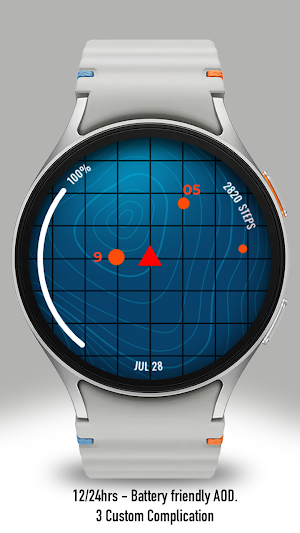


About ARS Dragon Radar
Experience a bold fusion of nostalgia and futuristic design with this one-of-a-kind watchface, inspired by a legendary energy-tracking device from a beloved adventure series. The radar-style interface features a smooth, animated sweep that evokes the thrill of searching for hidden power. With its sleek layout and retro-tech aesthetic, this watchface transforms your wrist into a portal to a world of discovery.
Built for fans of classic quests and imaginative technology, this design isn't just about style—it’s about story. Every glance at your watch invites you into an epic journey, combining functionality with a sense of purpose. Whether you're heading into your daily routine or chasing something greater, this watchface keeps you connected to that adventurous spirit.
ARS Dragon Radar. Supports Galaxy Watch 7 Series and Wear OS watches with API 30+. On the "Available on more devices" section, tap the button beside your watch on the list to install this watch face.
Features :
- Change Colors Styles
- 3 Complications
- Blinking option
- 12/24 Hours Support
- Always on Display
After the watch face is installed, activate the watch face by these steps :
1. Open watch face selections (tap and hold the current watch face)
2. Scroll to the right and tap "add watch face"
3. Scroll down on the downloaded section
4. Tap the newly installed watch face
Built for fans of classic quests and imaginative technology, this design isn't just about style—it’s about story. Every glance at your watch invites you into an epic journey, combining functionality with a sense of purpose. Whether you're heading into your daily routine or chasing something greater, this watchface keeps you connected to that adventurous spirit.
ARS Dragon Radar. Supports Galaxy Watch 7 Series and Wear OS watches with API 30+. On the "Available on more devices" section, tap the button beside your watch on the list to install this watch face.
Features :
- Change Colors Styles
- 3 Complications
- Blinking option
- 12/24 Hours Support
- Always on Display
After the watch face is installed, activate the watch face by these steps :
1. Open watch face selections (tap and hold the current watch face)
2. Scroll to the right and tap "add watch face"
3. Scroll down on the downloaded section
4. Tap the newly installed watch face
What’s new
Updated October 15, 2025
ARS Dragon Radar Companion
User reviews

Super cool with novel design 👌🔥
Alternatives to ARS Dragon Radar
Looking for apps like ARS Dragon Radar? Here are 6 similar Android apps on Google Play.
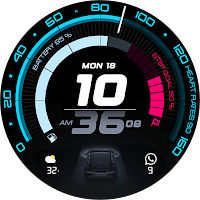
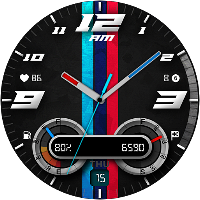
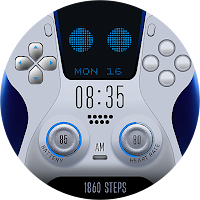
| App | Rating | Price | Installs | Last updated | Compare |
|---|---|---|---|---|---|
| ARS Dragon Radar | 4.5 / 5 | $1.29 | 1,000+ | Oct 15, 2025 | |
| ARS Acceleration | – | 0.99 USD | 1,000+ | Aug 14, 2025 | Compare |
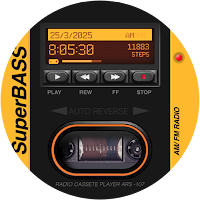
| ARS Speedometer | – | 0.99 USD | 100+ | – | Compare |
| ARS AstroDS Animation | – | 0.99 USD | 100+ | – | Compare |
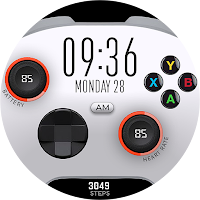
| ARS XPad | – | 0.99 USD | 100+ | Oct 15, 2026 | Compare |
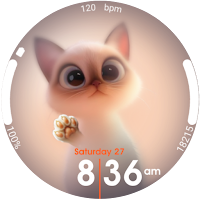
| ARS Glass Cat | – | 1.29 USD | 100+ | – | Compare |
| ARS Walkboy | – | 1.29 USD | 100+ | Oct 16, 2026 | Compare |
Compare ARS Dragon Radar with the top alternatives: ratings, updates, ASO score and keyword gaps →