
Pomodoro
Productivity
Focus better with Pomodoro timer, tasks, and progress tracking
- Downloads
- 9+
- on Google Play
- Price
- Free
- No in-app purchases
- Updated
- Apr 20
- 2026 · v1.0.0
Screenshots
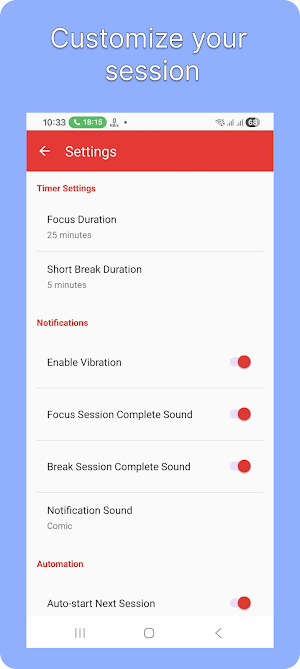
About Pomodoro
Stay focused and manage your time with a simple Pomodoro timer and task tracking app.
This app helps you break work into focused sessions with short breaks in between, so you can stay productive without burnout.
Key Features:
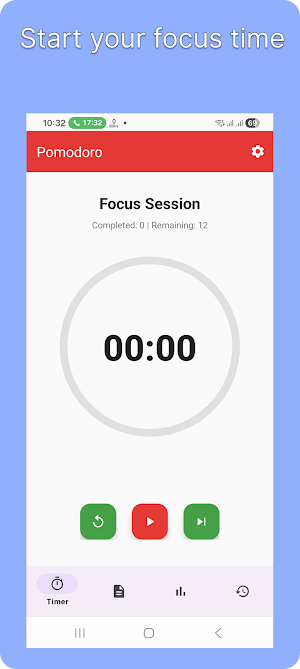
• Pomodoro timer (focus, short break, long break)
• Start, pause, resume, and skip sessions
• Task management with progress tracking
• Background timer with notification controls
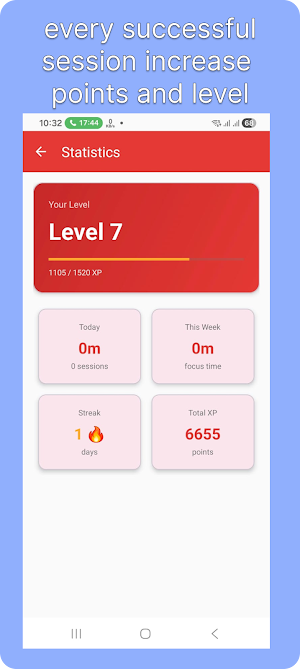
• Daily and weekly productivity statistics
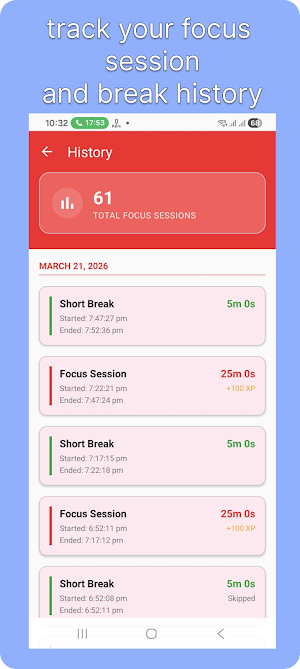
• Session history
• Custom timer settings
• Optional sound and vibration alerts
• Simple and clean user interface
How it works:
Choose a task
Start a focus session
Take a short break after each session
Take a long break after multiple sessions
Why use this app:
• Helps improve concentration
• Encourages regular breaks
• Tracks your productivity over time
This app is designed to be simple, reliable, and easy to use for daily focus sessions.
This app helps you break work into focused sessions with short breaks in between, so you can stay productive without burnout.
Key Features:
• Pomodoro timer (focus, short break, long break)
• Start, pause, resume, and skip sessions
• Task management with progress tracking
• Background timer with notification controls
• Daily and weekly productivity statistics
• Session history
• Custom timer settings
• Optional sound and vibration alerts
• Simple and clean user interface
How it works:
Choose a task
Start a focus session
Take a short break after each session
Take a long break after multiple sessions
Why use this app:
• Helps improve concentration
• Encourages regular breaks
• Tracks your productivity over time
This app is designed to be simple, reliable, and easy to use for daily focus sessions.
Alternatives to Pomodoro
Looking for apps like Pomodoro? Here are 5 similar Android apps on Google Play. All of them are free to download.



| App | Rating | Price | Installs | Last updated | Compare |
|---|---|---|---|---|---|
| Pomodoro | – | Free | 5+ | Apr 20, 2026 | |
| Visual Vault | – | Free | 1+ | Jun 5, 2026 | Compare |
| Looks AI | – | Free | 1,000+ | Apr 25, 2026 | Compare |
| iVAA | – | Free | 5+ | Jan 31, 2026 | Compare |
| EverClip | – | Free | 10+ | May 12, 2025 | Compare |
| MeSo | – | Free | 50+ | Apr 20, 2025 | Compare |
Compare Pomodoro with the top alternatives: ratings, updates, ASO score and keyword gaps →