
Flip Image Mirror Image
Photography Contains ads
Effortlessly Flip, Rotate, and Crop Images or Selfies.
- Downloads
- 100+
- on Google Play
- Price
- Free
- No in-app purchases
- Updated
- Jul 29
- 2026 · v2.0.7
Screenshots

About Flip Image Mirror Image
Flip images vertically, horizontally, or rotate them effortlessly. Crop images to perfection and share your edits instantly!
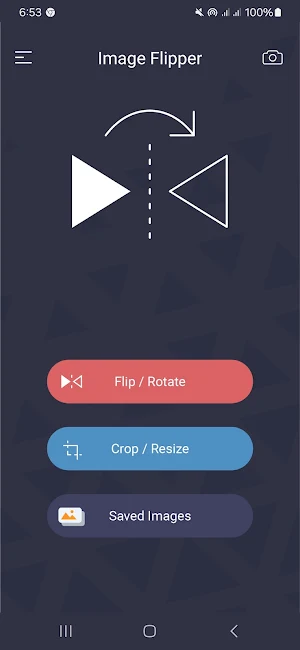
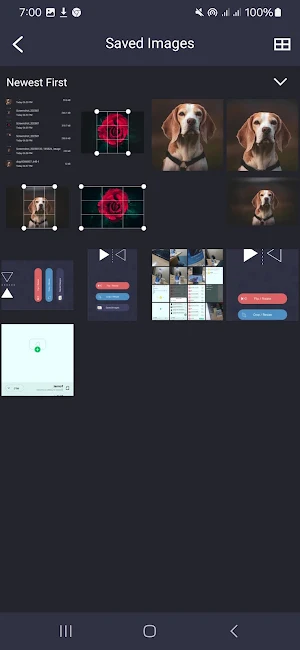
With Image Flipper, flipping and cropping images has never been easier! Whether you need to flip images vertically, horizontally, or rotate them left or right, our app makes it simple. Crop your images to fit your needs and share your creations directly within the app.
Features:
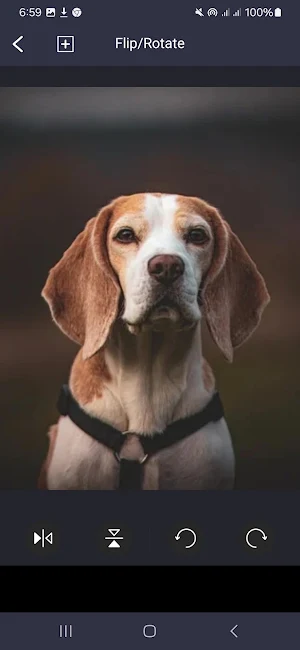
Flip Images: Vertically, horizontally, or rotate left/right. This feature is perfect for correcting image orientation or creating artistic effects. Flip your selfies for a more natural look or ensure your photos are properly aligned.
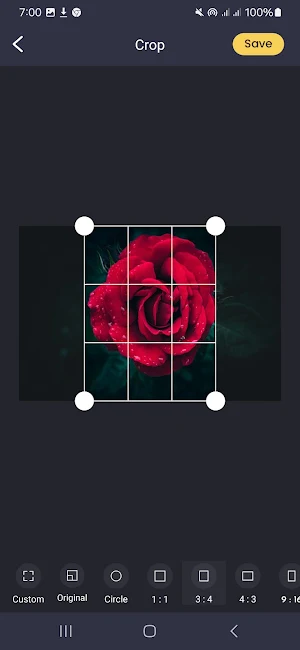
Crop Images: Trim images to your desired dimensions with options like custom, original, circle, 1:1, 3:4, 4:3, 9:16, and 16:9. Use the cropping tool to remove unwanted parts, focus on specific areas, or adjust the aspect ratio for different platforms.
Batch Processing: Flip multiple images in one go; no need to select images one by one. This feature saves time and effort, especially when you have a large number of photos to edit.
Supported Formats: Flip or rotate JPG, PNG, and WEBP images. Our app ensures compatibility with popular image formats, making it versatile and user-friendly.
High Quality: The app preserves the original quality of the images. Enjoy high-resolution results without any loss in image clarity or detail.
Share Images: Users can share their edited images directly within the app, making it easy to showcase your work on social media and other platforms.
Free to Use: 100% free, with no hidden charges. Enjoy all the features without any cost.
Scenarios:
Selfie Mirroring: Perfect for mirroring selfies taken with your default camera without the need for big photo editing apps. Capture your best angles and ensure your selfies look natural.
Batch Image Flipping: Flip multiple images at once, saving time and effort. Ideal for photographers, social media enthusiasts, and anyone with a large photo library.
Social Media Ready: Prepare images for Instagram, Facebook, and other social media platforms by flipping or cropping them to the perfect orientation and size. Ensure your photos fit perfectly within social media guidelines.
Before and After Comparisons: Flip images to create stunning before and after comparisons for makeovers, renovations, or transformations. Showcase your work or progress with clear visual comparisons.
Experiment with different orientations and compositions to create eye-catching visuals and images.
With Image Flipper, flipping and cropping images has never been easier! Whether you need to flip images vertically, horizontally, or rotate them left or right, our app makes it simple. Crop your images to fit your needs and share your creations directly within the app.
Features:
Flip Images: Vertically, horizontally, or rotate left/right. This feature is perfect for correcting image orientation or creating artistic effects. Flip your selfies for a more natural look or ensure your photos are properly aligned.
Crop Images: Trim images to your desired dimensions with options like custom, original, circle, 1:1, 3:4, 4:3, 9:16, and 16:9. Use the cropping tool to remove unwanted parts, focus on specific areas, or adjust the aspect ratio for different platforms.
Batch Processing: Flip multiple images in one go; no need to select images one by one. This feature saves time and effort, especially when you have a large number of photos to edit.
Supported Formats: Flip or rotate JPG, PNG, and WEBP images. Our app ensures compatibility with popular image formats, making it versatile and user-friendly.
High Quality: The app preserves the original quality of the images. Enjoy high-resolution results without any loss in image clarity or detail.
Share Images: Users can share their edited images directly within the app, making it easy to showcase your work on social media and other platforms.
Free to Use: 100% free, with no hidden charges. Enjoy all the features without any cost.
Scenarios:
Selfie Mirroring: Perfect for mirroring selfies taken with your default camera without the need for big photo editing apps. Capture your best angles and ensure your selfies look natural.
Batch Image Flipping: Flip multiple images at once, saving time and effort. Ideal for photographers, social media enthusiasts, and anyone with a large photo library.
Social Media Ready: Prepare images for Instagram, Facebook, and other social media platforms by flipping or cropping them to the perfect orientation and size. Ensure your photos fit perfectly within social media guidelines.
Before and After Comparisons: Flip images to create stunning before and after comparisons for makeovers, renovations, or transformations. Showcase your work or progress with clear visual comparisons.
Experiment with different orientations and compositions to create eye-catching visuals and images.
What’s new
Version 2.0.7 · Updated July 29, 2026
Bug fixes!
Alternatives to Flip Image Mirror Image
Looking for apps like Flip Image Mirror Image? Here are 5 similar Android apps on Google Play. All of them are free to download.
-
Photo Resizer Ultimate
-
Audio Extractor - Video to Mp3
-
HD Magnifier & Flashlight
-
Expense Manager Budget Maker
-
বাকির হিসাব - Tali Khata
| App | Rating | Price | Installs | Last updated | Compare |
|---|---|---|---|---|---|
| Flip Image Mirror Image | – | Free | 100+ | Jul 29, 2026 | |
| Photo Resizer Ultimate | – | Free | 100+ | – | Compare |
| Audio Extractor - Video to Mp3 | – | Free | 500+ | Jul 29, 2026 | Compare |
| HD Magnifier & Flashlight | – | Free | 100+ | Jul 29, 2026 | Compare |
| Expense Manager Budget Maker | – | Free | 10+ | Jul 29, 2026 | Compare |
| বাকির হিসাব - Tali Khata | – | Free | 10,000+ | Jul 29, 2026 | Compare |