

Apparent Water Heater Install
House & Home
Streamline Water Heater Installation and Management
- Downloads
- 40+
- on Google Play
- Price
- Free
- No in-app purchases
- Updated
- Jul 17
- 2026 · v2.0.4
Screenshots

About Apparent Water Heater Install
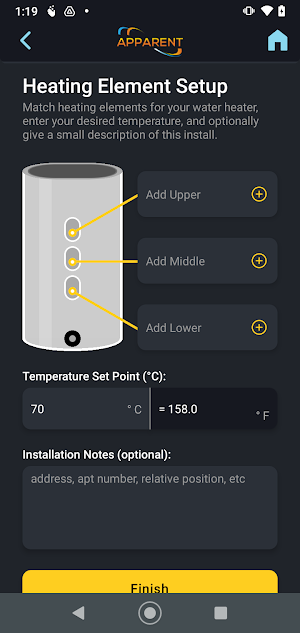
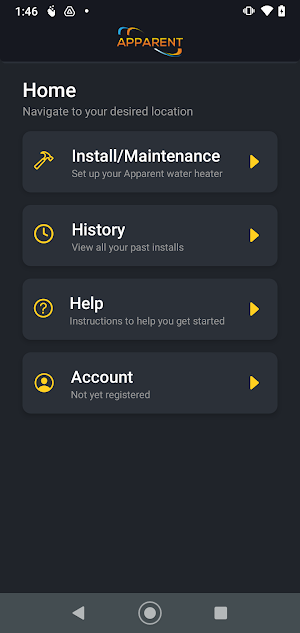
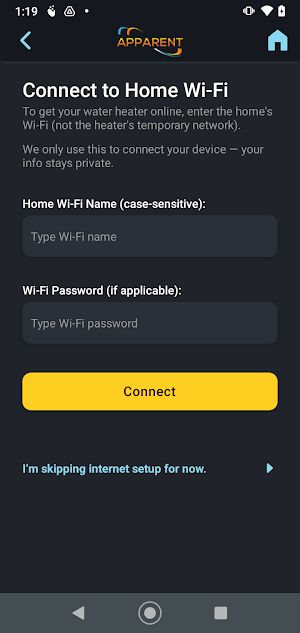
EXEL SmartLink is your all-in-one solution for efficient and reliable water heater installations of Apparent EXEL water heaters. Specifically designed for professional installers, the app simplifies the entire setup process— from connecting the heater to Wi-Fi to setting temperature preferences— ensuring quick, hassle-free installations and allowing you to focus on what matters most: quality service.
Key Features
1. Easy Wi-Fi Connection
EXEL SmartLink takes the complexity out of Wi-Fi setup for EXEL water heaters. With our streamlined connection process, connecting heaters to a secure network is straightforward and efficient, helping you get your installations up and running quickly.
2. Temperature Set Point Configuration
Set the ideal temperature for each unit with ease, ensuring every installation meets the client’s needs while maximizing energy efficiency. EXEL SmartLink allows precise temperature adjustments, giving installers full control over setup specifications.
3. Install History Tracking
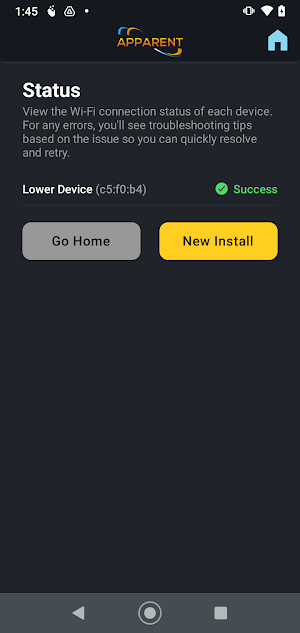
Track and review your installation history effortlessly. The install history page provides a detailed overview of each unit installed, complete with date, MAC address, and status. This feature allows you to reference past installations, ensuring consistency and facilitating future maintenance visits.
4. In-App Help and Support
Have a question or need quick guidance? The in-app help page provides immediate access to troubleshooting tips, FAQs, and best practices, so you can resolve issues on the spot. EXEL SmartLink is built to keep you moving, with support at your fingertips whenever you need it.
Key Features
1. Easy Wi-Fi Connection
EXEL SmartLink takes the complexity out of Wi-Fi setup for EXEL water heaters. With our streamlined connection process, connecting heaters to a secure network is straightforward and efficient, helping you get your installations up and running quickly.
2. Temperature Set Point Configuration
Set the ideal temperature for each unit with ease, ensuring every installation meets the client’s needs while maximizing energy efficiency. EXEL SmartLink allows precise temperature adjustments, giving installers full control over setup specifications.
3. Install History Tracking
Track and review your installation history effortlessly. The install history page provides a detailed overview of each unit installed, complete with date, MAC address, and status. This feature allows you to reference past installations, ensuring consistency and facilitating future maintenance visits.
4. In-App Help and Support
Have a question or need quick guidance? The in-app help page provides immediate access to troubleshooting tips, FAQs, and best practices, so you can resolve issues on the spot. EXEL SmartLink is built to keep you moving, with support at your fingertips whenever you need it.
What’s new
Version 2.0.4 · Updated July 17, 2026
- Added support for the latest water heater firmware. - Fixed a setup issue that could prevent some devices from connecting on certain home networks. - General bug fixes and reliability improvements.
Alternatives to Apparent Water Heater Install
Looking for apps like Apparent Water Heater Install? Here are 4 similar Android apps on Google Play. All of them are free to download.




| App | Rating | Price | Installs | Last updated | Compare |
|---|---|---|---|---|---|
| Apparent Water Heater Install | – | Free | 10+ | Jul 17, 2026 | |
| Apparent Water Heater | – | Free | 10+ | Aug 24, 2026 | Compare |
| EXEL Direct | – | Free | 10+ | Aug 21, 2025 | Compare |
| EXEL Monitor | – | Free | 10+ | Aug 8, 2025 | Compare |
| EXEL SmartLink | – | Free | 10+ | – | Compare |