

Pomodoro timer for study
Productivity Contains ads
Master your focus with Pomodoro+ Custom timers, deep stats.
- Downloads
- 52+
- on Google Play
- Price
- Free
- No in-app purchases
- Updated
- Jan 1
- 2026 · v1.1.5
Screenshots


About Pomodoro timer for study
Pomodoro+ - Your Ultimate Productivity & Focus Companion
Struggling to stay focused? Boost your productivity and crush your goals with Pomodoro+, the most elegant and feature-rich Pomodoro technique timer designed to help you master your time.
Whether you are studying for exams, working on a project, or simply trying to stay disciplined, Pomodoro+ provides the tools you need to stay in the zone and track your progress with precision.
🚀 Key Features:
1. Customizable Pomodoro Timer
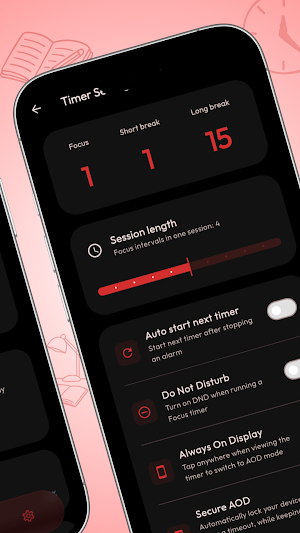
Set your own durations for Focus sessions, Short Breaks, and Long Breaks.
Seamlessly transition between sessions with automatic cycle management.
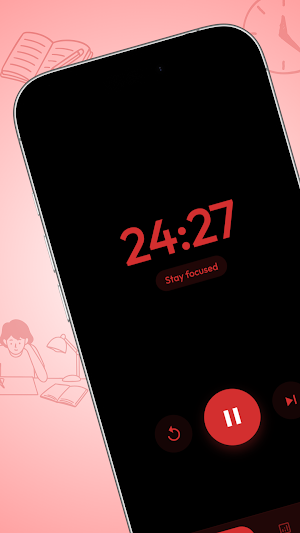
Beautifully animated timer interface with smooth transitions.
2. Deep Productivity Analytics
Visualize your progress with interactive charts and heatmaps.
Breakdown by Time: See when you are most productive (Morning vs. Night).
Focus-Break Ratio: Maintain a healthy balance between work and rest.
Long-term History: Track your streaks and focus time across weeks, months, and years.
3. Immersive Focus Modes
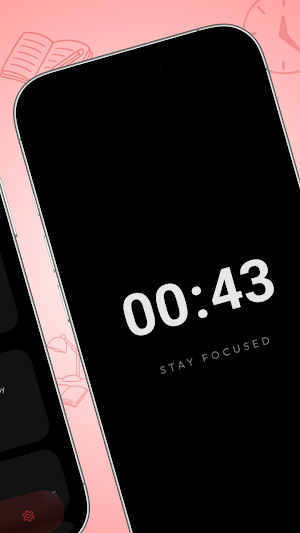
AMOLED Immersive Mode: A pure black interface to minimize distractions and save battery on OLED screens.
Always On Display (AOD): Keep your timer visible at a glance without unlocking your phone.
Secure AOD: Ultra-low visibility mode for maximum privacy and battery efficiency.
4. Stunning Visuals & Haptics
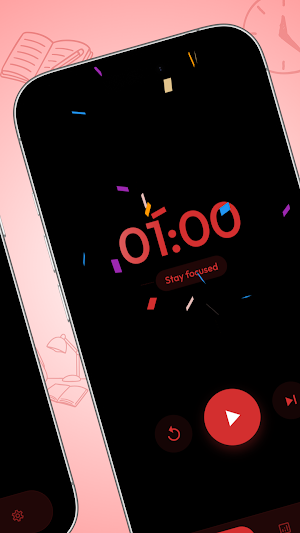
Celebrate your wins with satisfying confetti bursts on session completion.
Premium haptic feedback (vibrations) that feels physical and tactile.
Dynamic background shapes that move with your progress.
5. Stay Productive Anywhere
Home Screen Widgets: Start and monitor your focus sessions directly from your home screen.
Smart Notifications: Get gentle reminders when it’s time to break or get back to work.
Landscape Support: Perfectly optimized for both portrait and landscape orientations.
🎯 Why Pomodoro+?
The Pomodoro Technique is a proven time management method that breaks work into intervals, traditionally 25 minutes in length, separated by short breaks. Pomodoro+ modernizes this technique with a premium design, deep data insights, and distraction-free modes.
Start your journey to peak productivity today with Pomodoro+!
Struggling to stay focused? Boost your productivity and crush your goals with Pomodoro+, the most elegant and feature-rich Pomodoro technique timer designed to help you master your time.
Whether you are studying for exams, working on a project, or simply trying to stay disciplined, Pomodoro+ provides the tools you need to stay in the zone and track your progress with precision.
🚀 Key Features:
1. Customizable Pomodoro Timer
Set your own durations for Focus sessions, Short Breaks, and Long Breaks.
Seamlessly transition between sessions with automatic cycle management.
Beautifully animated timer interface with smooth transitions.
2. Deep Productivity Analytics
Visualize your progress with interactive charts and heatmaps.
Breakdown by Time: See when you are most productive (Morning vs. Night).
Focus-Break Ratio: Maintain a healthy balance between work and rest.
Long-term History: Track your streaks and focus time across weeks, months, and years.
3. Immersive Focus Modes
AMOLED Immersive Mode: A pure black interface to minimize distractions and save battery on OLED screens.
Always On Display (AOD): Keep your timer visible at a glance without unlocking your phone.
Secure AOD: Ultra-low visibility mode for maximum privacy and battery efficiency.
4. Stunning Visuals & Haptics
Celebrate your wins with satisfying confetti bursts on session completion.
Premium haptic feedback (vibrations) that feels physical and tactile.
Dynamic background shapes that move with your progress.
5. Stay Productive Anywhere
Home Screen Widgets: Start and monitor your focus sessions directly from your home screen.
Smart Notifications: Get gentle reminders when it’s time to break or get back to work.
Landscape Support: Perfectly optimized for both portrait and landscape orientations.
🎯 Why Pomodoro+?
The Pomodoro Technique is a proven time management method that breaks work into intervals, traditionally 25 minutes in length, separated by short breaks. Pomodoro+ modernizes this technique with a premium design, deep data insights, and distraction-free modes.
Start your journey to peak productivity today with Pomodoro+!
What’s new
Version 1.1.5 · Updated January 1, 2026
Initial Release
Alternatives to Pomodoro timer for study
Looking for apps like Pomodoro timer for study? Here are 6 similar Android apps on Google Play. The highest rated is Days Since - Days Counter (4.6/5), and all 6 are free to download.
-
Days Since - Days Counter 4.6
-
Real Focus : Block App & Study
-
Status Saver - Videos Download
-
Life Calendar - Days Counter
-
PDF Maker : PDFCamScanner Doc
-
WalkToWake - Step Alarm
| App | Rating | Price | Installs | Last updated | Compare |
|---|---|---|---|---|---|
| Pomodoro timer for study | – | Free | 50+ | Jan 1, 2026 | |
| Days Since - Days Counter | 4.6 / 5 | Free | 1,000+ | Mar 15, 2026 | Compare |
| Real Focus : Block App & Study | – | Free | 50+ | Mar 15, 2026 | Compare |
| Status Saver - Videos Download | – | Free | 50+ | Feb 2, 2026 | Compare |
| Life Calendar - Days Counter | – | Free | 100+ | Oct 20, 2026 | Compare |
| PDF Maker : PDFCamScanner Doc | – | Free | 10+ | Jan 31, 2026 | Compare |
| WalkToWake - Step Alarm | – | Free | 1,000+ | Apr 28, 2026 | Compare |