
Pauseable video camera
Tools Contains ads
Resume the recording anytime, where you left off
- Rating
- 3.3
- 45 ratings
- Downloads
- 1K+
- on Google Play
- Price
- Free
- No in-app purchases
- Updated
- Jun 2
- 2023 · v1.3.0
Screenshots


About Pauseable video camera
Features
- No registration required
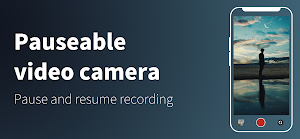
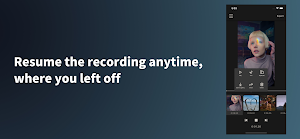
- Resume the recording anytime, where you left off
- Use of built-in camera app correction functions and lenses
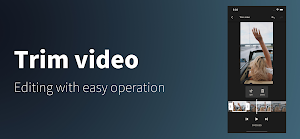
- Trim video
- Reordering of clips
- Duplicate clips
- Exporting and sharing of individual clips
- SNS sharing and gallery saving of videos
- Output in original resolution
- Simple and easy operation
Even if you exit the application, you can resume shooting from where you left off without losing the video.
The easy-to-use video trimming function allows you to cut and join videos you have taken.
Simple editing can be completed with this single app.
Since it uses the standard camera application built into the device, you can use the built-in image correction and camera lens switching functions.
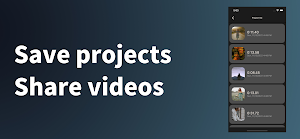
A video project save function is also included.
You can even go back to past projects and resume filming.
Share and upload directly from the app to social networking sites.
You can start filming as soon as you download the application with no registration required.
The app allows you to connect clips without the need for editing, making it ideal for shooting TikTok and Youtube videos, documenting your travels and daily life.
- No registration required
- Resume the recording anytime, where you left off
- Use of built-in camera app correction functions and lenses
- Trim video
- Reordering of clips
- Duplicate clips
- Exporting and sharing of individual clips
- SNS sharing and gallery saving of videos
- Output in original resolution
- Simple and easy operation
Even if you exit the application, you can resume shooting from where you left off without losing the video.
The easy-to-use video trimming function allows you to cut and join videos you have taken.
Simple editing can be completed with this single app.
Since it uses the standard camera application built into the device, you can use the built-in image correction and camera lens switching functions.
A video project save function is also included.
You can even go back to past projects and resume filming.
Share and upload directly from the app to social networking sites.
You can start filming as soon as you download the application with no registration required.
The app allows you to connect clips without the need for editing, making it ideal for shooting TikTok and Youtube videos, documenting your travels and daily life.
User reviews

Love being able to record short and long vlogs without watermarks

As for now deserves 5 stars because it does what was promised 👍

Does exactly what you want it to

I recommend it
Alternatives to Pauseable video camera
Looking for apps like Pauseable video camera? Here are 6 similar Android apps on Google Play. The highest rated is Add text on photo (4.7/5), and all 6 are free to download.
-
Text to Speech 4.5
-
Mic Test - Instant audio check
-
Flashcard maker 4.5
-
Add text on photo 4.7
-
Forex Backtesting 4.4
-
Color scheme design 4.6
| App | Rating | Price | Installs | Last updated | Compare |
|---|---|---|---|---|---|
| Pauseable video camera | 3.3 / 5 | Free | 1,000+ | Jun 2, 2023 | |
| Text to Speech | 4.6 / 5 | Free | 5,000,000+ | Sep 17, 2026 | Compare |
| Mic Test - Instant audio check | – | Free | 500,000+ | Jul 11, 2026 | Compare |
| Flashcard maker | 4.5 / 5 | Free | 500,000+ | – | Compare |
| Add text on photo | 4.7 / 5 | Free | 1,000,000+ | Jul 30, 2026 | Compare |
| Forex Backtesting | 4.4 / 5 | Free | 1,000+ | Mar 9, 2022 | Compare |
| Color scheme design | 4.6 / 5 | Free | 1,000+ | May 11, 2021 | Compare |