
TV Remote Control android TV
Tools Contains ads
Experience the convenience of a Universal TV Remote Control Now!
- Downloads
- 7.2K+
- on Google Play
- Price
- Free
- No in-app purchases
- Updated
- Jun 23
- 2026 · v1.0.4
Screenshots


About TV Remote Control android TV
TV Remote Control for Android TV
TV Remote Control for Android TV helps you control your Android TV and compatible Smart TVs directly from your phone. The app combines powerful remote control features with photo and video casting, making it easy to enjoy entertainment on a bigger screen.
Whether you want to change channels, adjust volume, type using your phone keyboard, or cast your favorite media, TV Remote Control for Android TV provides a simple and convenient experience.
Main Features:
Android TV Remote Control
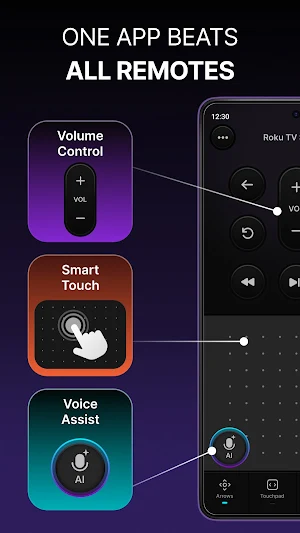
Control your TV using your smartphone over the same Wi-Fi network.
Features include:
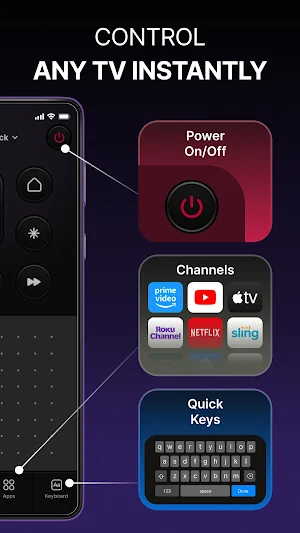
• Power On / Off
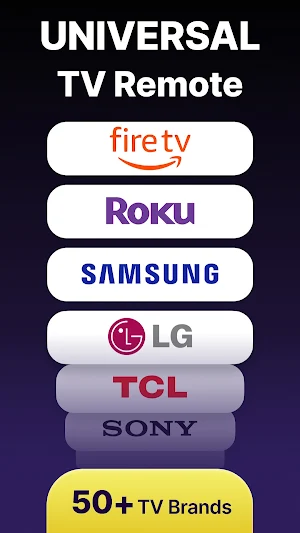
• Volume Control
• Channel Navigation
• Direction Pad (D-Pad)
• Touchpad Navigation
• Home, Back and Menu Controls
• Quick Access Buttons
• Fast and Responsive Controls
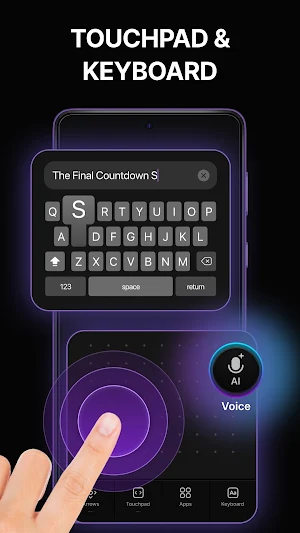
Smart Touchpad & Keyboard
Navigate your TV effortlessly with the built-in touchpad.
• Smooth touch navigation
• Easy text input using phone keyboard
• Faster searching and typing on TV apps
Voice Input Support
Use voice input to quickly interact with supported TVs.
• Voice search support
• Faster navigation experience
• Convenient hands-free control
Cast Photos to TV
Enjoy your favorite photos on a larger screen.
• Browse photos from your device
• Select and cast images easily
• View memories with family and friends on TV
Cast Videos to TV
Watch videos stored on your phone directly on your TV.
• Cast local videos from your device
• Easy media selection
• Simple playback controls
Easy TV Connection
Connect your phone and TV quickly.
• Automatic device discovery
• Fast pairing experience
• Simple connection process
Supported Devices
TV Remote Control for Android TV is designed for:
• Android TV
• Google TV
• WebOS TV
• TizenOS TV
• Android TV Boxes
• Compatible Smart TVs that support remote control and media casting features
Why Choose TV Remote Control for Android TV?
• Easy to use interface
• Fast and reliable connection
• Powerful remote control tools
• Convenient photo casting
• Simple video casting
• Smooth touchpad navigation
• Keyboard and voice input support
Turn your smartphone into a convenient TV remote and enjoy photo and video casting from a single app.
Note: Some features may vary depending on your TV model, operating system, and device compatibility. For the best experience, ensure that your phone and TV are connected to the same Wi-Fi network.
TV Remote Control for Android TV helps you control your Android TV and compatible Smart TVs directly from your phone. The app combines powerful remote control features with photo and video casting, making it easy to enjoy entertainment on a bigger screen.
Whether you want to change channels, adjust volume, type using your phone keyboard, or cast your favorite media, TV Remote Control for Android TV provides a simple and convenient experience.
Main Features:
Android TV Remote Control
Control your TV using your smartphone over the same Wi-Fi network.
Features include:
• Power On / Off
• Volume Control
• Channel Navigation
• Direction Pad (D-Pad)
• Touchpad Navigation
• Home, Back and Menu Controls
• Quick Access Buttons
• Fast and Responsive Controls
Smart Touchpad & Keyboard
Navigate your TV effortlessly with the built-in touchpad.
• Smooth touch navigation
• Easy text input using phone keyboard
• Faster searching and typing on TV apps
Voice Input Support
Use voice input to quickly interact with supported TVs.
• Voice search support
• Faster navigation experience
• Convenient hands-free control
Cast Photos to TV
Enjoy your favorite photos on a larger screen.
• Browse photos from your device
• Select and cast images easily
• View memories with family and friends on TV
Cast Videos to TV
Watch videos stored on your phone directly on your TV.
• Cast local videos from your device
• Easy media selection
• Simple playback controls
Easy TV Connection
Connect your phone and TV quickly.
• Automatic device discovery
• Fast pairing experience
• Simple connection process
Supported Devices
TV Remote Control for Android TV is designed for:
• Android TV
• Google TV
• WebOS TV
• TizenOS TV
• Android TV Boxes
• Compatible Smart TVs that support remote control and media casting features
Why Choose TV Remote Control for Android TV?
• Easy to use interface
• Fast and reliable connection
• Powerful remote control tools
• Convenient photo casting
• Simple video casting
• Smooth touchpad navigation
• Keyboard and voice input support
Turn your smartphone into a convenient TV remote and enjoy photo and video casting from a single app.
Note: Some features may vary depending on your TV model, operating system, and device compatibility. For the best experience, ensure that your phone and TV are connected to the same Wi-Fi network.
Alternatives to TV Remote Control android TV
Looking for apps like TV Remote Control android TV? Here are 6 similar Android apps on Google Play. The highest rated is Castro Premium - system info (4.7/5), and 5 of the 6 are free to download.
-
Deye Cloud 4.5
-
Castro Premium - system info 4.7
-
Jostle 3.2
-
Final Surge 4.5
-
IFSTA Instructor 9 3.9
-
LG ThinQ 4.4
| App | Rating | Price | Installs | Last updated | Compare |
|---|---|---|---|---|---|
| TV Remote Control android TV | – | Free | 5,000+ | Jun 23, 2026 | |
| Deye Cloud | 4.6 / 5 | Free | 1,000,000+ | Oct 16, 2026 | Compare |
| Castro Premium - system info | 4.7 / 5 | 2.99 USD | 10,000+ | Oct 12, 2026 | Compare |
| Jostle | 3.2 / 5 | Free | 50,000+ | Mar 24, 2026 | Compare |
| Final Surge | 4.5 / 5 | Free | 100,000+ | Sep 7, 2026 | Compare |
| IFSTA Instructor 9 | 3.9 / 5 | Free | 5,000+ | Oct 31, 2025 | Compare |
| LG ThinQ | 4.4 / 5 | Free | 100,000,000+ | – | Compare |